
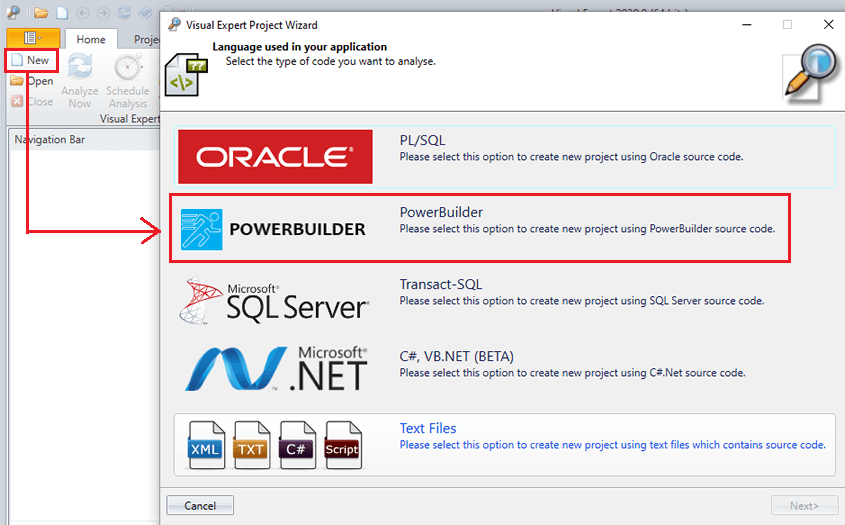
Follow the steps listed in this guide by Visual Expert to create a project with a single PowerBuilder application.
Visual Expert Articles Published in 2020
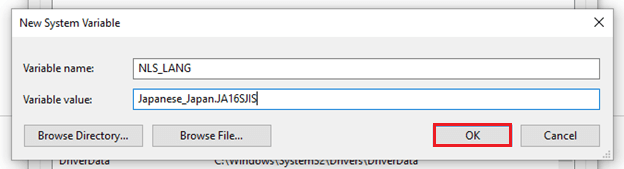
Supporting Japanese Encoding in Visual Expert [Tutorial]
December 2020
Follow these steps to set up the environment variable for “NLS_LANG”, with value: “Japanese_Japan.JA16SJIS”
![SQL Server 2019 Installation Guide [Developer Edition]](/images/run-sql-server-exe-file.png)
SQL Server 2019 Installation Guide [Developer Edition]
December 2020
This guide will help the Visual Expert 2020 users to install SQL Server 2019 Developer edition.
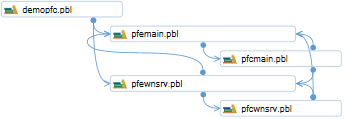
How to Explore Dependencies at PBL Level
November 2020
Visual Expert 2020 introduces diagrams to visualize PBL dependencies in your application.
This allows PowerBuilder developers to identify objects in a PBL that reference an object stored in another PBL.
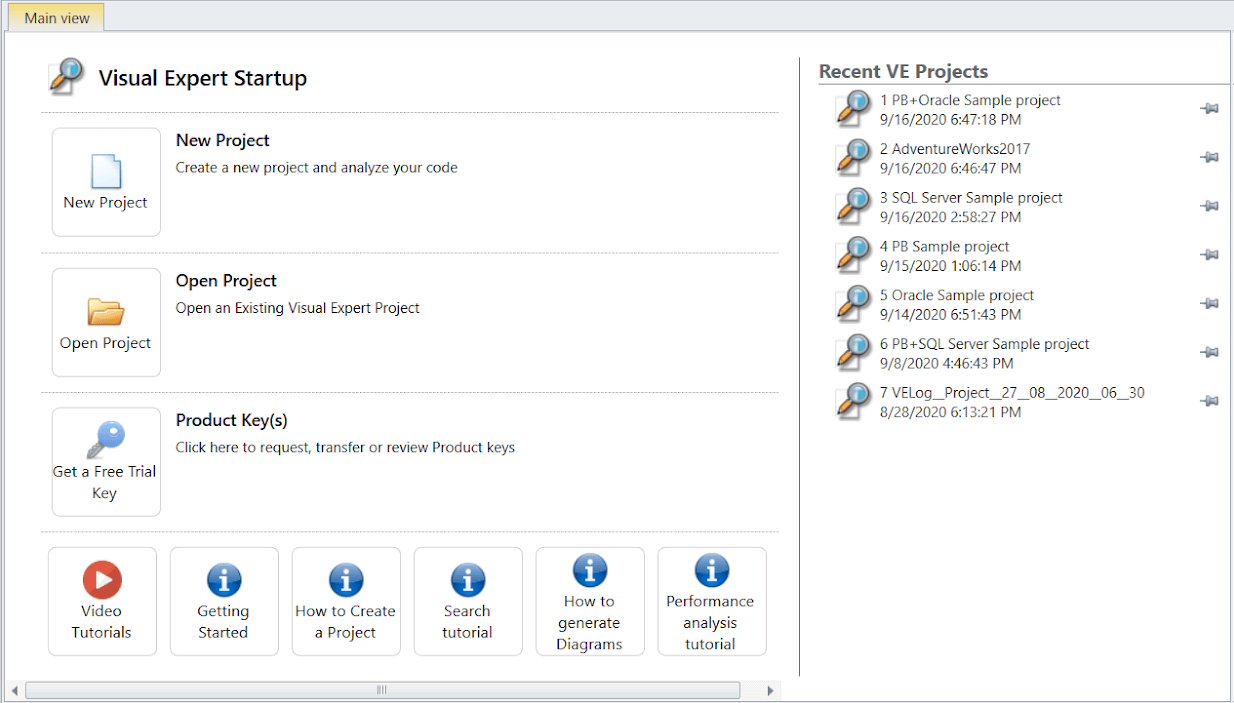
Startup Page for Managing Visual Expert Projects
November 2020
Visual Expert 2020 (VE) introduces a smartly assembled Dashboard allowing users to quickly access day-to-day operations.
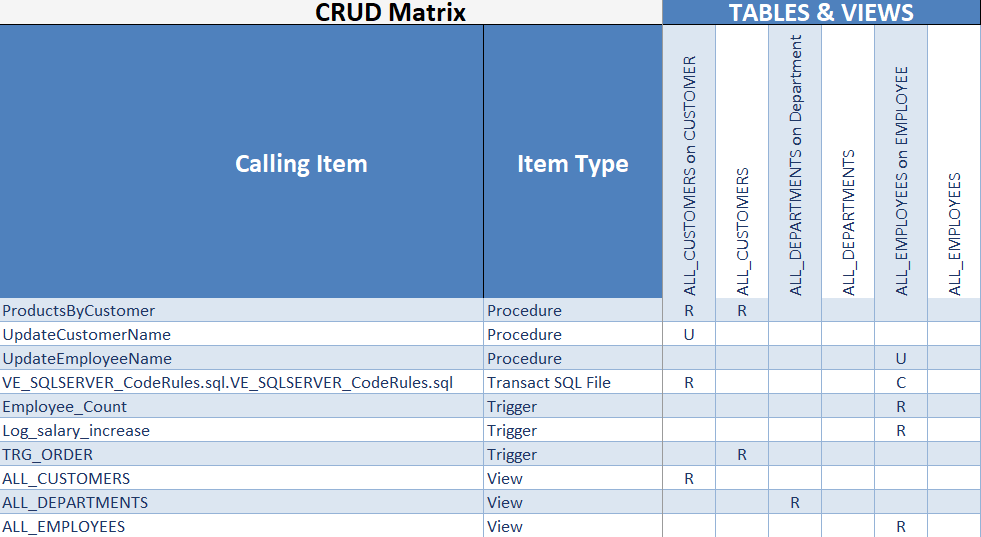
New Update: Generate CRUD Matrix on Views
November 2020
Visual Expert 2020 now supports generating CRUD matrix on database Views.
This matrix is a consolidated report of all the CRUD operations performed on the Views, as well as the Tables over which the Views are generated.

Visual Expert Support for Azure
October 2020
Visual Expert 2020 can now analyze a database hosted in Azure. The developers can set up a connection to Azure, extract source code from the Azure database server and analyze it in Visual Expert.

Visual Expert Now Supports SVN Source Control
October 2020
Visual Expert now supports SVN source control to perform code analysis.
The developers can simply connect their SVN repository to import the code in their Visual Expert project and analyze it.

Visual Expert Now Supports GIT Source Control
October 2020
Visual Expert now supports GIT source control to perform code analysis.
The developers can simply connect their GIT / GitHub / Azure-Git Repository to import the code in their Visual Expert project and analyze it.

Code Inspection for PB
Join the beta!
September 2020
Visual Expert 2020 brings new features to improve the Quality and Security of your code.
You can now automatically check your code against hundreds of rules, to detect: Security Vulnerabilities, Maintainability issues, and Bugs
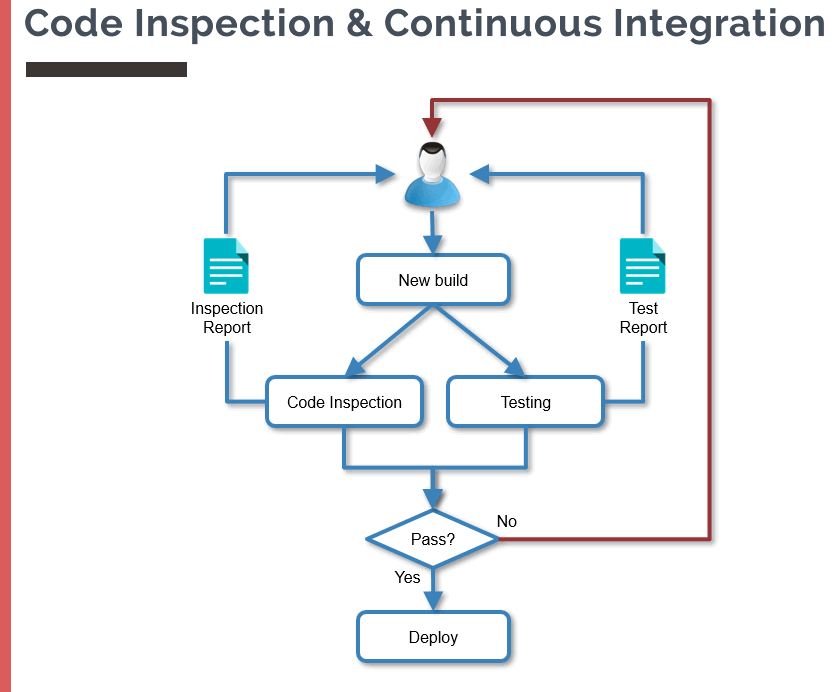
New Tutorial: Code Inspection for PB, Oracle & SQL Server
September 2020
Visual Expert brings a new feature set aiming at improving your code Quality and Security, by running automatic code inspections.
This new tutorial will guide you to use these features with your PowerBuilder, SQL Server and Oracle code.
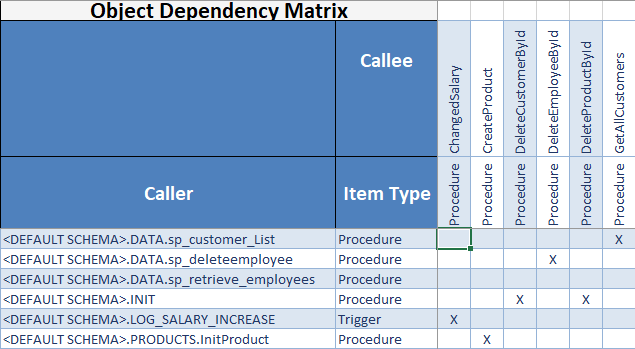
New Feature: Object Dependency Matrix
September 2020
Visual Expert can generate an Object Dependency Matrix.
It extends the concept of "Impact Analysis" to multiple objects, for visualizing cross-references between Oracle, SQL Server and PowerBuilder code in a 2 dimension matrix.
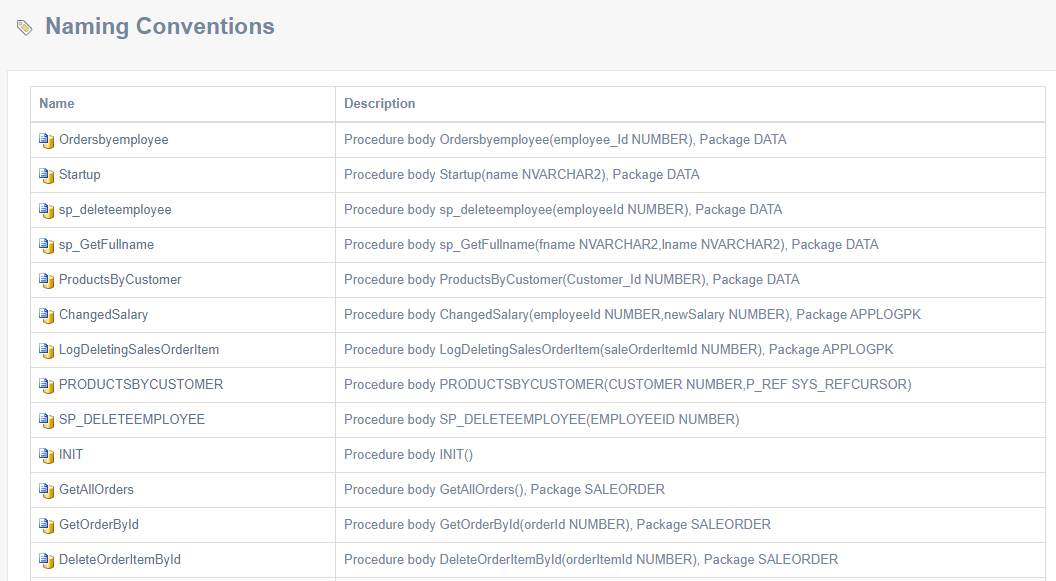
Code Review Report: Now Includes Naming Convention
August 2020
The code review report generated by Visual Expert now supports naming convention verifications, based on a set of rules pre-defined for each language.
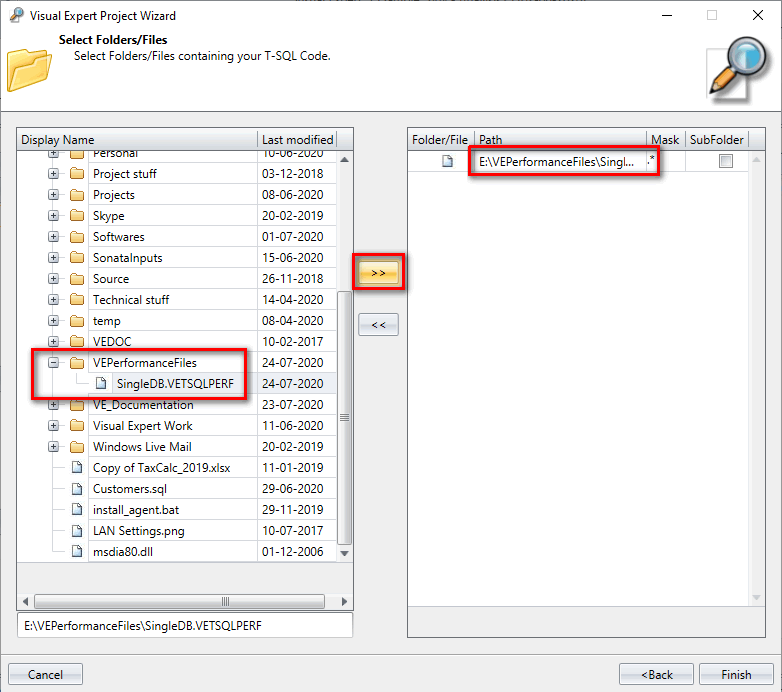
Generate and Export SQL Server Performance Data in a File
August 2020
Visual Expert monitors the performance of your Transact-SQL code and produces analysis about its execution. This helps the T-SQL developers in tuning their code performance.
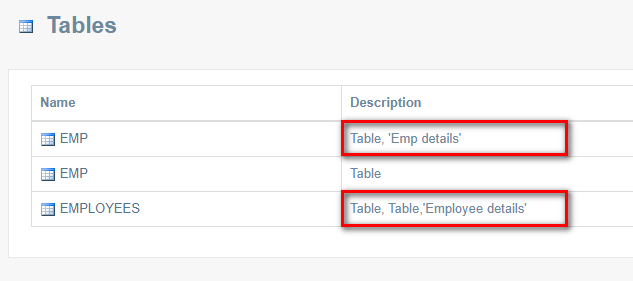
How to View Comments for Tables and Columns in Oracle Code Documentation
August 2020
Visual Expert (VE) 2020 now supports adding comments to Oracle tables and columns.
These comments are essential to document and explain the purpose of a particular table or column.
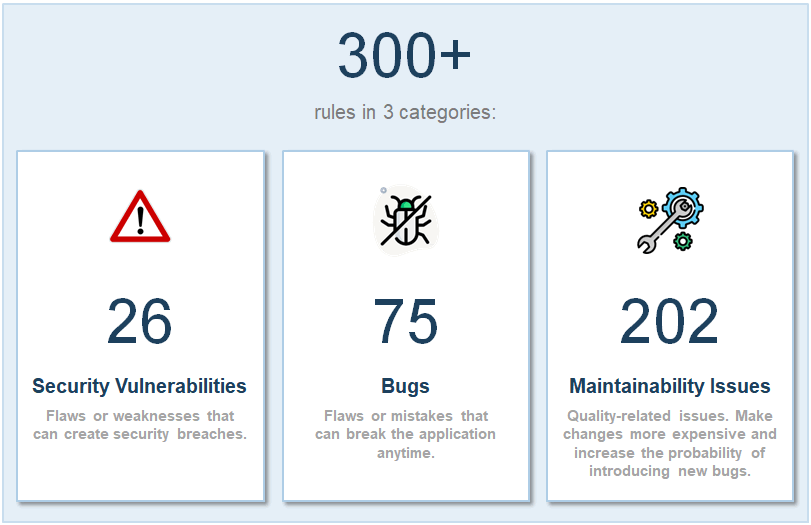
Coming Soon: Code Inspection!
August 2020
Visual Expert will soon bring a new 'Code Inspection' feature set to help improve the security and quality of your PowerBuilder, Oracle, and SQL Server code.
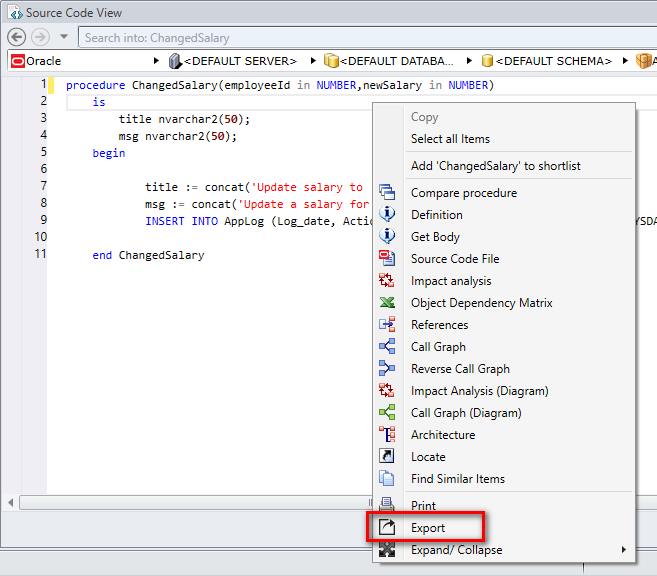
Exporting Scripts From Source Code View
July 2020
A new Visual Expert option helps duplicating and transferring code by exporting PowerBuilder, Oracle or SQL Server scripts from the source code view.
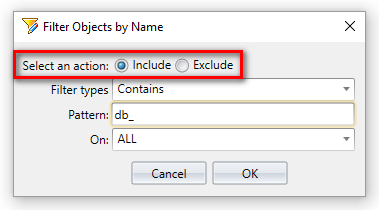
Enhancement to Filter SQL Server and Oracle Objects
July 2020
VE 2020 introduces a new Include/Exclude option to filter database objects by name.

Introducing ‘Cross References’ Tab in Ribbon Menu
July 2020
Visual Expert 2020 introduces a new ‘Cross References’ tab on the ribbon menu. It gives direct access to the features related to finding references and dependencies in your project.
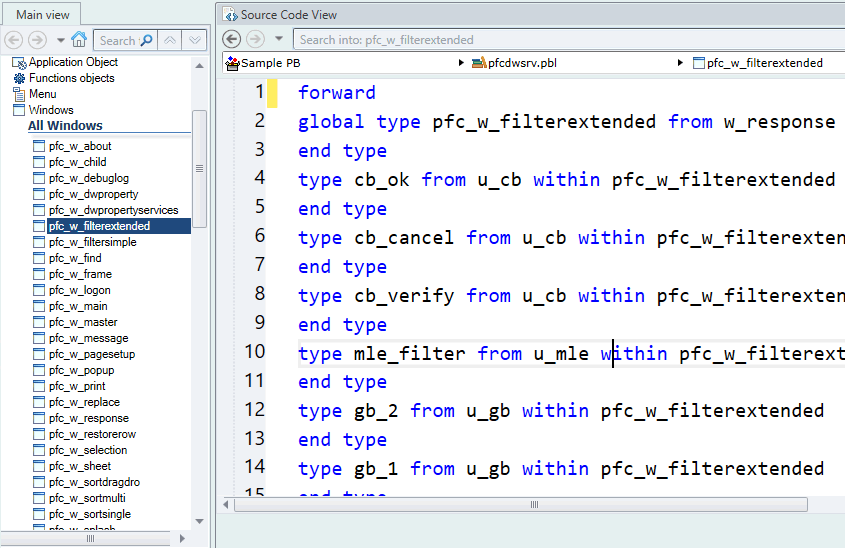
Zoom In/Zoom Out for Source Code and Treeview
July 2020
Visual Expert gives you the ability to change the size of the text displayed in the source code and treeview. You can simply zoom in or out whenever you need to.
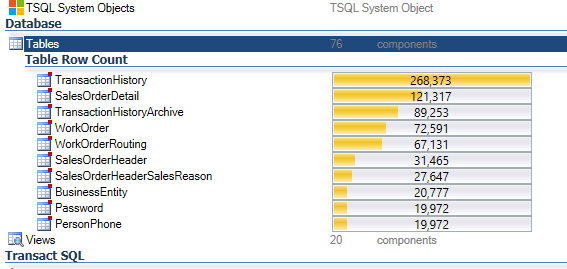
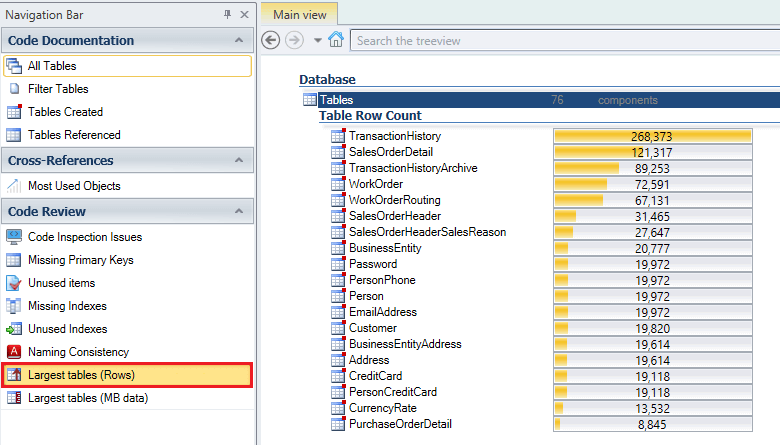
Find Largest Tables in Oracle or SQL Server Database
July 2020
Get the size of tables by volume of data or row count to find largest tables in Oracle or SQL Server database using Visual Expert.
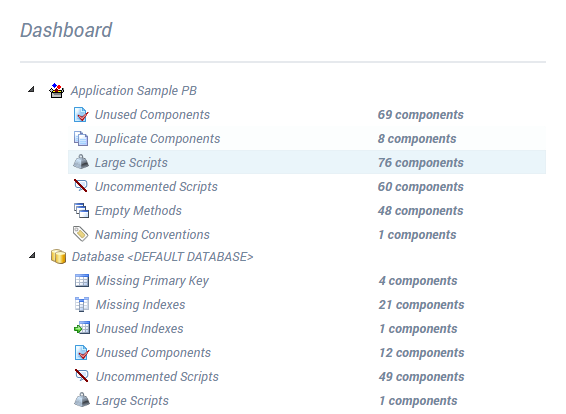
Generate a Code Review Report
June 2020
Visual Expert automatically generates detailed code review reports for PowerBuilder, Oracle or SQL Server code, based on a set of rules pre-defined for each language.
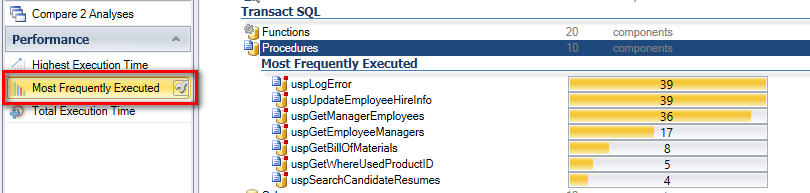
Identify Most Frequently Executed Objects in your Database
June 2020
Visual Expert can identify the most frequently executed objects in the database for code optimization.
Visual Expert Support for PowerBuilder 2019 R2
June 2020
Visual Expert 2020 supports all the features recently added in PowerBuilder 2019 R1 & R2.
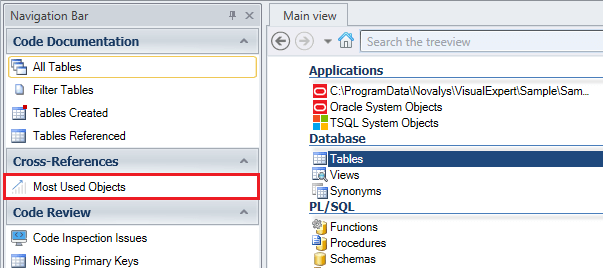
Identify the Most Referenced Objects
May 2020
Visual Expert detects all kinds of dependencies for different objects while analyzing your code. You can find the total number of dependencies with the macro “Most Referenced Objects”.
Code Performance Tutorial
May 2020
Visual Expert 2019 introduces a new set of features to help analyze and improve the performances of your database code (procedures, functions, triggers, queries…)
Code Documentation Tutorial
April 2020
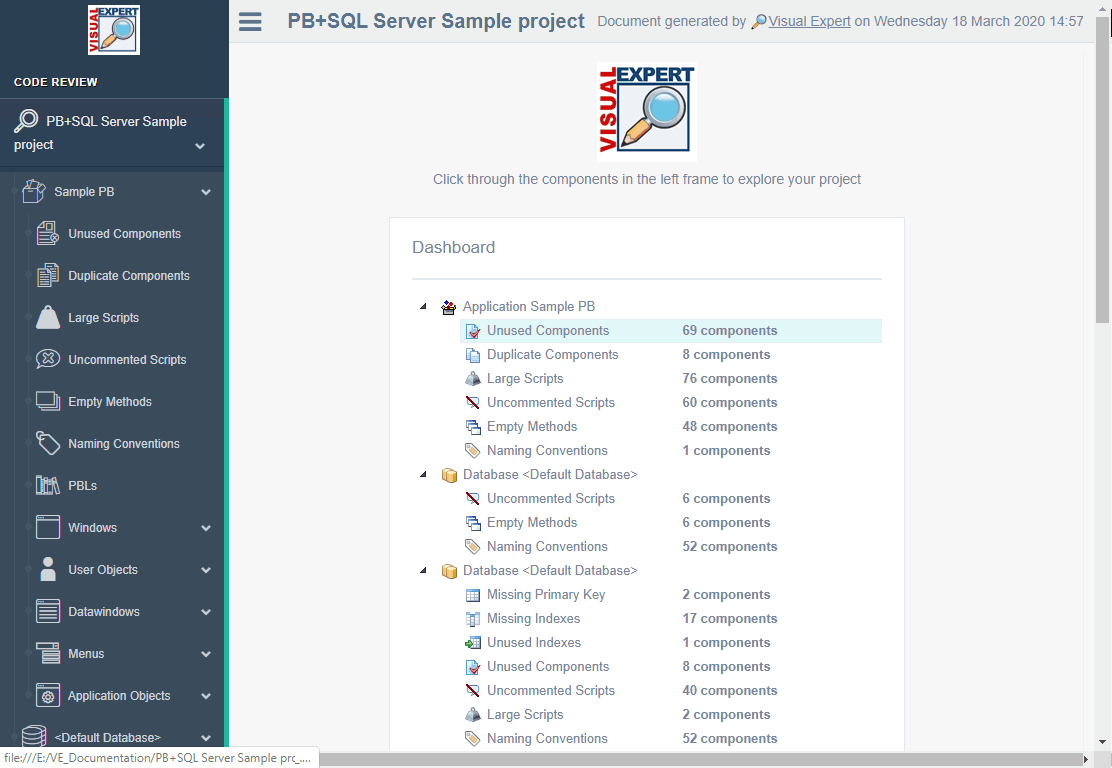
Visual Expert can automatically document your code in a comprehensive HTML format detailing every object and its dependencies throughout your application.
Visual Expert 2020 is available
April 2020
Visual Expert 2020 brings 50+ new features to help developers maintain and evolve PowerBuilder, SQL Server and Oracle code:
Visual Expert Workshops - Analyze PB, Oracle & SQL Server Code
April 2020
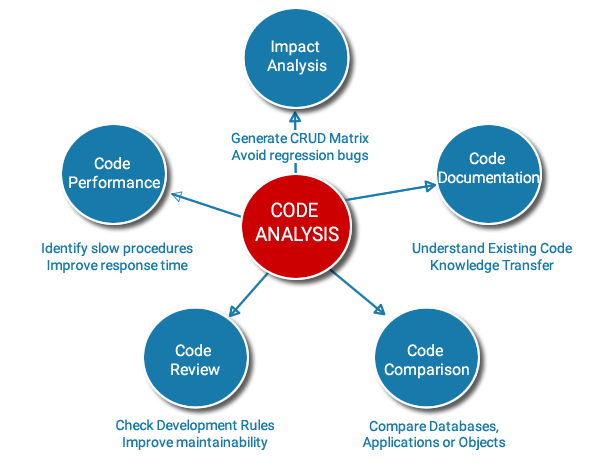
Visual Expert training sessions will be conducted on the 9th & 21st of April 2020 in English as well as on 14th April 2020 in French.
Code Comparison Tutorial
March 2020
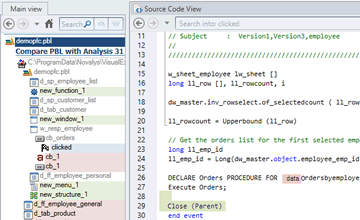
When your application is evolving, you may need to understand what has changed between 2 specific versions. Visual Expert offers two ways to compare your code.
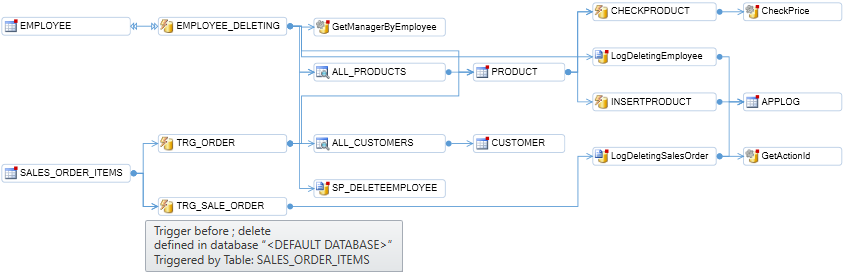
Create Call Graphs with Visual Expert
March 2020
A call graph is a diagram representing objects referencing each others (multiple levels).
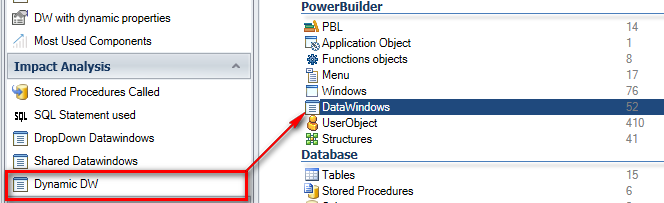
Find Dynamic Calls to DataWindows
February 2020
With the "Dynamic DW" macro, you can find which DataObject attributes are modified by code, and which DataWindow controls have their content changed at runtime.
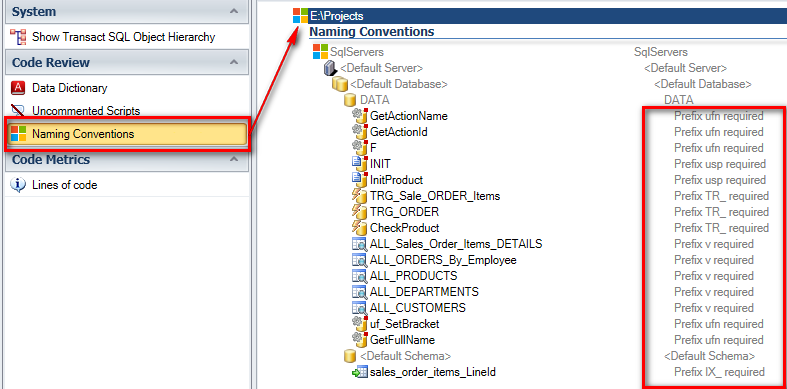
Check Naming Conventions for PB, Oracle, or SQL Server Projects
February 2020
Finding non-compliant objects and fixing issues is time-consuming. The Visual Expert ‘Naming Conventions’ feature allows you to automate the detection of naming issues, in a configurable way.
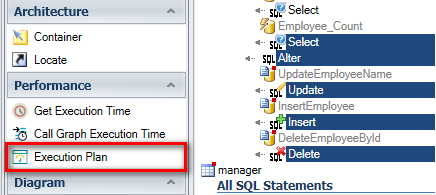
Get the Execution Plan for a SQL Server Query
January 2020
A new ‘Execution Plan’ macro is now available to analyze Select, Insert, Update and Delete SQL Server queries.
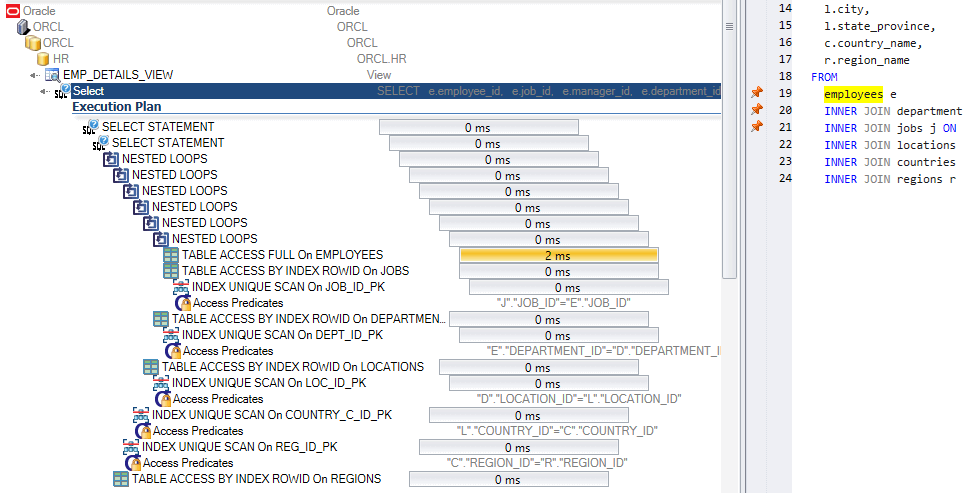
Get the Execution Plan of an Oracle Query
January 2020
A new ‘Execution Plan’ macro is now available to analyze Select, Insert, Update and Delete Oracle queries.