Visual Expert Exploration Features allows to better understand the applications structure.
Visual Expert 2015 includes new or enhanced macros
to see:
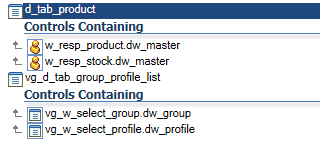
Retrieve Arguments, Controls containing, Computed Fields, PBL Dependencies and External References
Visual Expert Articles Published in 2015
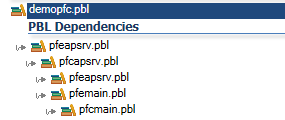
How to Explore Dependencies at PBL level
Visual Expert Exploration Features allows to better understand the applications structure.
Visual Expert 2015 includes new or enhanced macros
to see:
Retrieve Arguments, Controls containing, Computed Fields, PBL Dependencies and External References
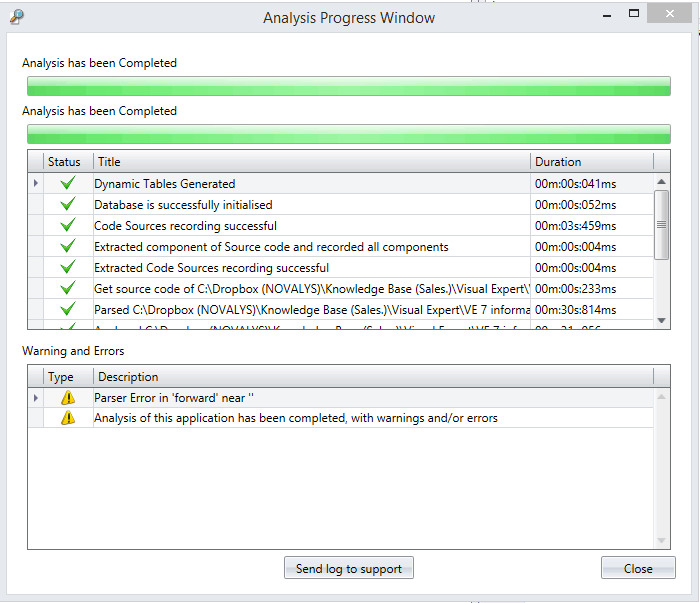
Display Analysis Warnings and Errors
How do I see any warnings and errors that may have arisen during my analysis?
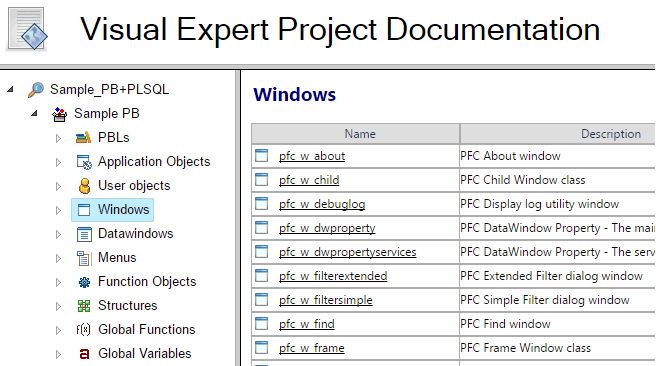
Enhanced PowerBuilder Source Code Documentation
Visual Expert Exploration Features allows to better understand the applications structure.
Visual Expert 2015 includes new or enhanced macros
to see:
Retrieve Arguments, Controls containing, Computed Fields, PBL Dependencies and External References
Freeing Up Space for More Projects
Depending on the size and complexity of your code, Visual Expert may require 10x the size of your code in space available...
Send a Ticket Directly From Visual Expert
Users can get in contact with support directly from the Help menu in Visual Expert.
System Tray Notification
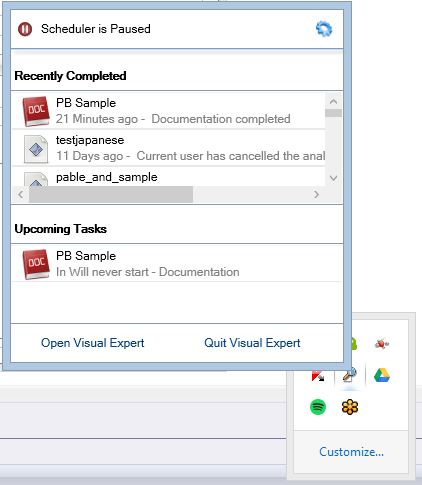
Visual Expert now has a notification pop-up to let you know the progress of your scheduled analyses and documentation generation. These notifications can be managed in the Settings tab Notifications. It will also let you know if your license is about to expire. You can also open Visual Expert directly from the notification window.
Select where your temporary files are stored
In Settings – General Settings, set the location of where Visual Expert stores your temporary files created during code analysis. The volume of these files usually varies between 10x and 20x the size of the code analyzed, and are deleted after analysis is completed.
New SQL Server instance for project storage - LocalDB
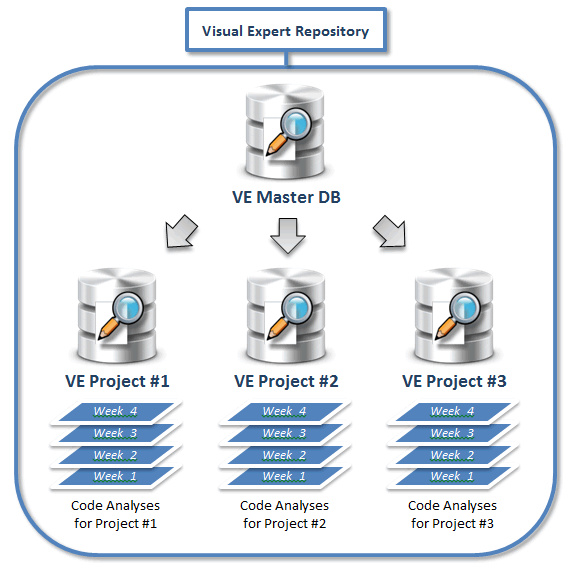
Visual Expert now comes with SQL Server Local DB to store Visual Expert projects instead of the Express version found in VE7. Visual Expert 2015 can still be connected to the Express version or above. The LocalDB instance makes Visual Expert even more easy to install.
Control Access to your Projects
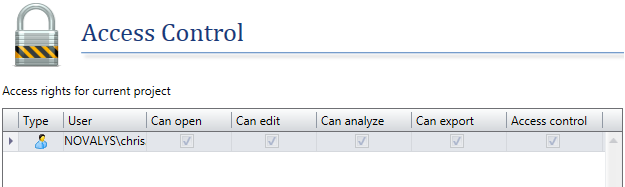
If you have concurrent users connected to Visual Expert, you can manage who can open, edit, analyze, and export a project. You can also manage who has the ability to control the above.