Verify your code. Find the issues that matter.
Systematically inspect your code for vulnerabilities, bugs, quality problems, performance issues and dead code.
Visual Expert analyzes PowerBuilder, Oracle PL/SQL and SQL Server T-SQL applications to identify problems before they become harder or more expensive to fix.
What Visual Expert verifies
Visual Expert helps teams find five major categories of problems:
Vulnerabilities
Identify coding practices that may expose the application or its data.
Bugs
Detect defects and risky constructs that can result in incorrect behavior or failures.
Code quality
Identify complexity and maintainability problems that make applications harder to change.
Performance issues
Find selected coding practices and optimization problems that may affect performance.
Dead code
Locate unused or obsolete code that adds unnecessary complexity and maintenance effort.
Independent, repeatable verification for all your code
AI accelerates development. Verification must keep pace.
Development teams increasingly combine existing code, manually written code and AI-assisted development. The verification requirement remains the same.
Visual Expert provides a separate, rule-based verification process based on static code analysis and predefined verification rules. Core code verification does not rely on generative AI to decide whether inspected code complies with those rules.
See what requires attention first
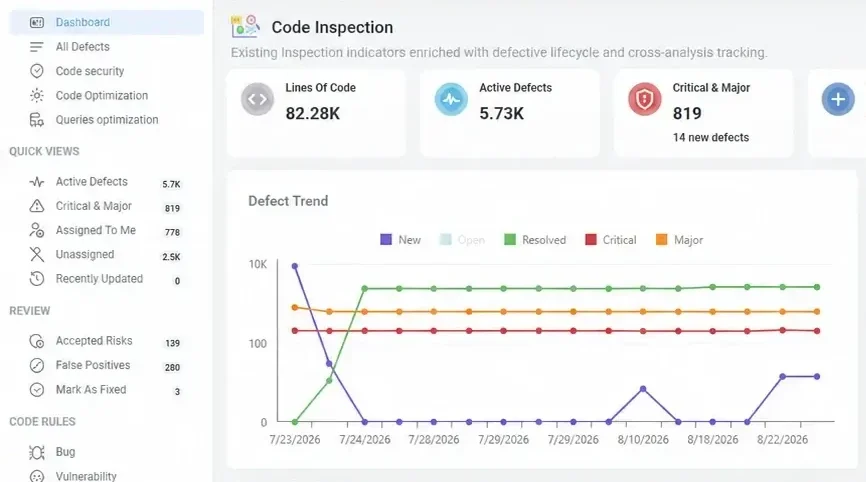
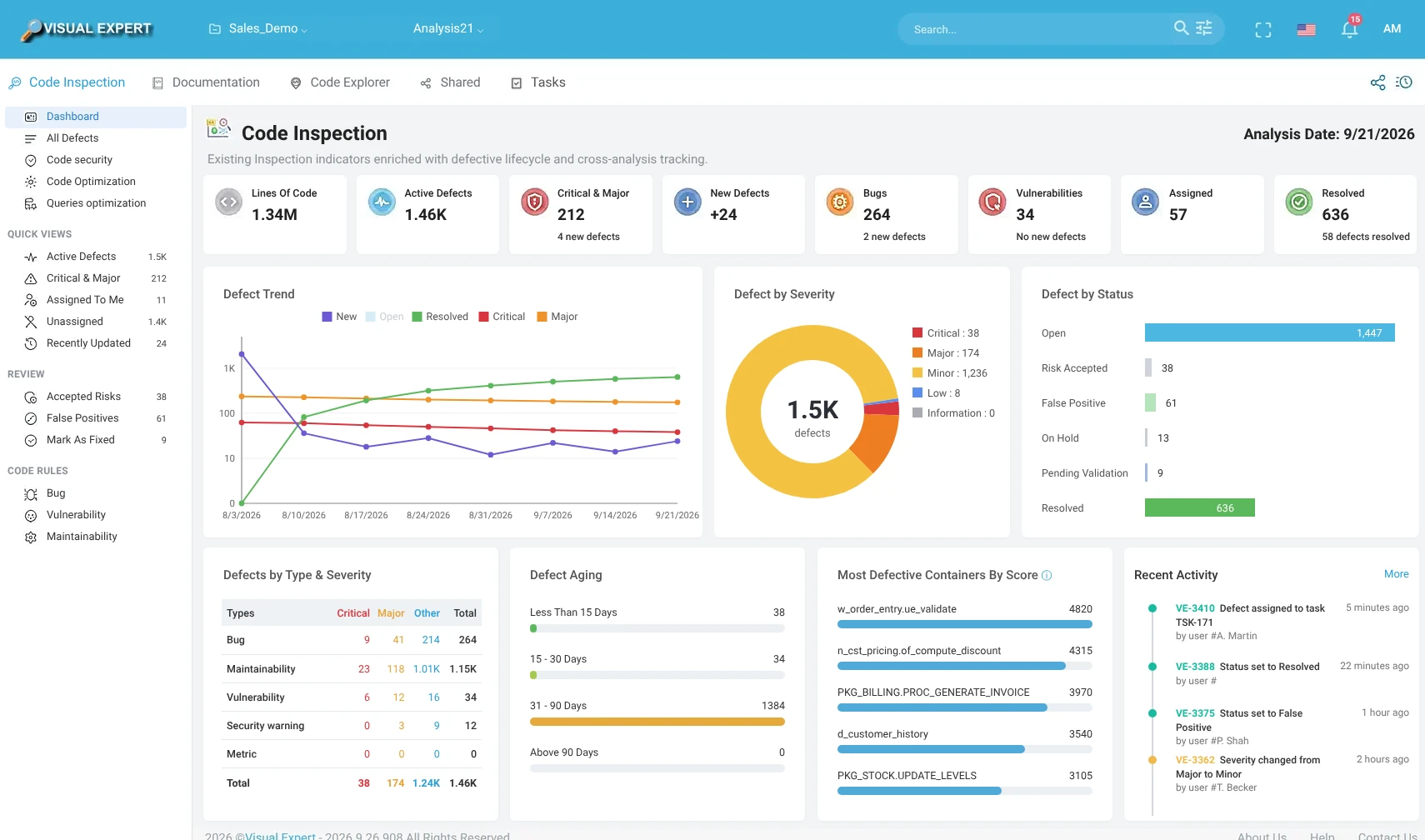
Finding issues is only useful if teams can quickly understand where to focus. The Visual Expert Defect Dashboard consolidates the latest analysis and highlights the findings that require attention.
- Active defects
- Critical & major
- New defects
- Bugs & vulnerabilities
- Assigned and resolved defects
- Changes since the previous analysis
 1
2
3
4
5
1
2
3
4
5
- 1Critical & major
- 2New defects
- 3Vulnerabilities
- 4Resolved
- 5Defect trend
Drill down from the dashboard to the code
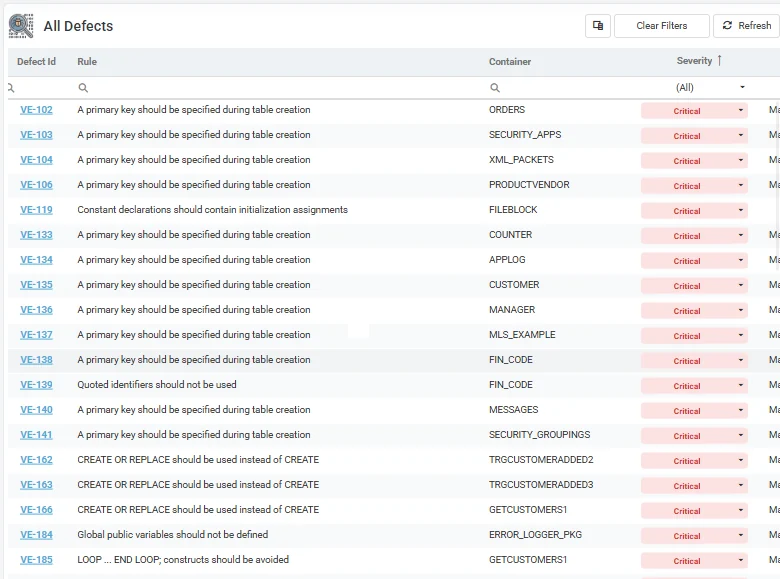
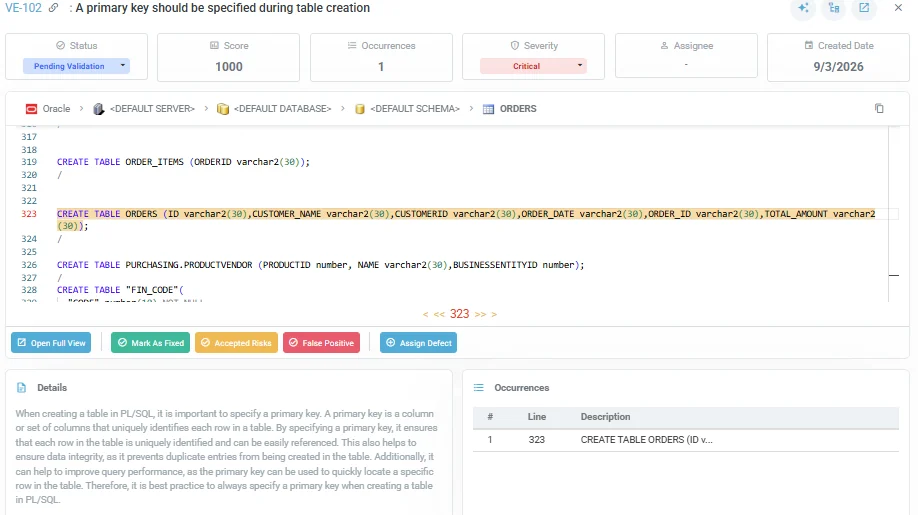
Every dashboard indicator can lead to the corresponding defects and affected code. Teams can progressively move from the application overview to a category or severity, then to the defect and the exact code occurrence.
Critical & major · New defects · Vulnerabilities
The defects behind the indicator
Rule and severity · Affected object · Code occurrence
Simplified views of Visual Expert Web screens.
Make verification results actionable
Verification results do not stay locked inside Visual Expert. They can be exported as structured JSON, so that development tools, automation processes and AI-assisted workflows can use them.
Structured results
The current JSON export already exposes analysis/project information plus structured summaries by severity, status and defect type. Future finding-level exports are expected to expose the key information required to act on individual findings.
Direct access to context
In preparation: each exported finding will include a direct link that opens the finding and its context in Visual Expert.
Ready for automation & AI
Structured verification results can feed CI/CD processes, internal tools or AI-assisted remediation workflows, while Visual Expert remains the source of verification context and history.
See what changed since the last analysis
Visual Expert keeps the defects found by each analysis. When the code changes, the next analysis shows which defects are new, which remain and which are resolved.
- NewDefects detected for the first time.
- RemainingIssues still present in the application.
- ResolvedDefects no longer detected by the latest analysis.
Finding the issue is the beginning
Code verification identifies what needs attention. Visual Expert then helps teams move from detection to correction:
Review and prioritize findings, understand dependencies before changing code, assign remediation work and use a subsequent analysis to confirm that corrected defects are no longer detected.
Go further
Remediation
Review, prioritize and fix findings, then confirm the result with the next analysis.
DevOps integration
Run verification automatically and publish the results to your tools.
Team workflow
Share analysis results and coordinate remediation across the team.
Code verification docs
Dashboards, rules, settings and reports in detail.
Find issues. Focus on what matters. Verify again after every important change.
Visual Expert helps teams systematically inspect PowerBuilder, Oracle PL/SQL and SQL Server T-SQL applications as their code evolves.