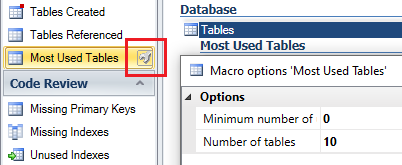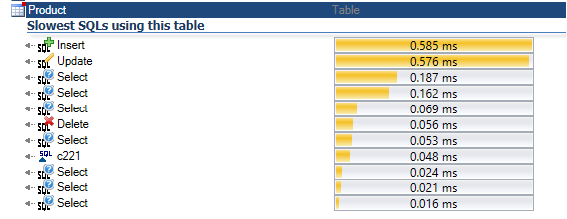
A new macro - ‘Slowest SQLs using this table’ is available in Visual Expert 2019 to find out which SQL queries are taking longer to execute.
Find the Slowest Queries Accessing a Table
December 2019

A new macro - ‘Slowest SQLs using this table’ is available in Visual Expert 2019 to find out which SQL queries are taking longer to execute.
Visual Expert 2019 introduces a ‘Search’ field in the ‘Open Project’ window to find/filter projects from the list.
Visual Expert now lets you discover the synonyms created for tables or other database objects.
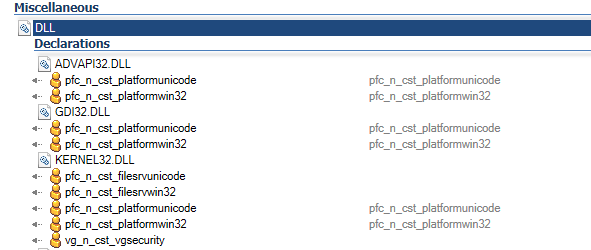
Visual Expert can find all dependencies to dll and dll functions, from a PB application.
Visual Expert detects all kind of dependency on your tables, whether it’s a query embedded in the code, a view built on top of it, a trigger related to this table, etc.
Read this tutorial and learn how to run Visual Expert from command line.
Visual Expert can analyze CRUD operations in your PowerBuilder, Oracle and SQL Server code (Create, Read, Update, Delete).
Developers and DBAs can now create a Visual Expert project analyzing several SQL Server databases together.
Visual Expert 2019 now supports PowerBuilder 2019 and this applies to all the tools included in the Visual Expert toolbox.
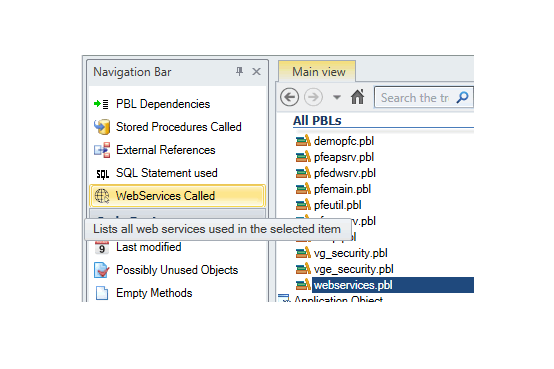
Visual Expert can track calls from PowerBuilder to web services from an entire PowerBuilder application, a selection of PBLs and a selection of PB objects.
Some features are designed to list tables in the Visual Expert User Interface.
Visual Expert 2019 adds the possibility to generate a CRUD matrix for a selection of objects (instead of starting from a selection of tables).
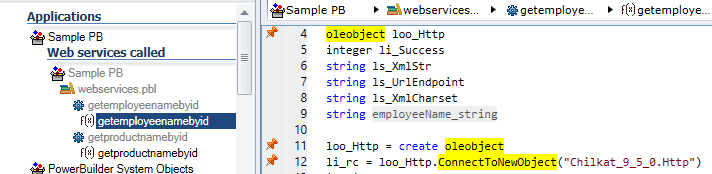
Visual Expert 2019 highlights the references to web services at instruction level in the PowerBuilder code.
To support them, we developed a series of optimizations for navigating faster in big volumes of code.
They will improve the response time when displaying large results in the VE UI.
Learn how to generate diagrams from your code with Visual Expert 2019.
You will be able to visualize your data model, object dependencies and PBL Dependencies
When analyzing PowerBuilder code, Visual Expert will isolate embedded SQL queries and pass them to a generic database code parser.
Visual Expert 2019 is officially available.
Discover the new features.
Visual Expert 2019 introduces a new style for the source code documentation generated automatically.
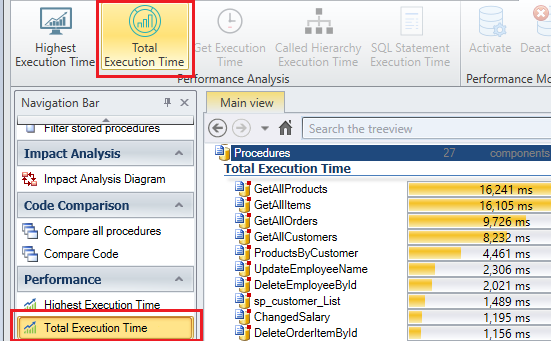
Visual Expert 2019 introduces a new set of features to help analyze and improve the performances of your database code (procedures, functions, triggers, queries…).
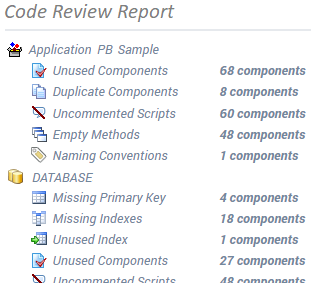
Visual Expert 2019 will introduce a new code review report.
This report will check some development rules for SQL Server, Oracle and PowerBuilder applications, and list the issues found in html format.
Visual Expert 2019 will generate diagrams from your code.
This provides another way to visualize and understand complex code, beside the treeview and source code view.