Turn complex code into shared application knowledge
Explore dependencies, visualize application logic, understand data usage and keep technical knowledge accessible to the team.
Visual Expert transforms analyzed PowerBuilder, Oracle PL/SQL and SQL Server T-SQL code into navigable application knowledge. Instead of relying only on manually maintained documents, teams can explore the actual application structure, move from high-level views to source code, understand how components interact and preserve useful analysis results for others.
Documentation in Visual Expert
Visual Expert documents how the application works, not just individual files.
Explore dependencies
What depends on what.
Explain & document
Technical and business logic.
Call graphs & diagrams
Visualize application flows.
CRUD / data usage
Create · Read · Update · Delete.
Knowledge sharing
Preserve and transfer knowledge.
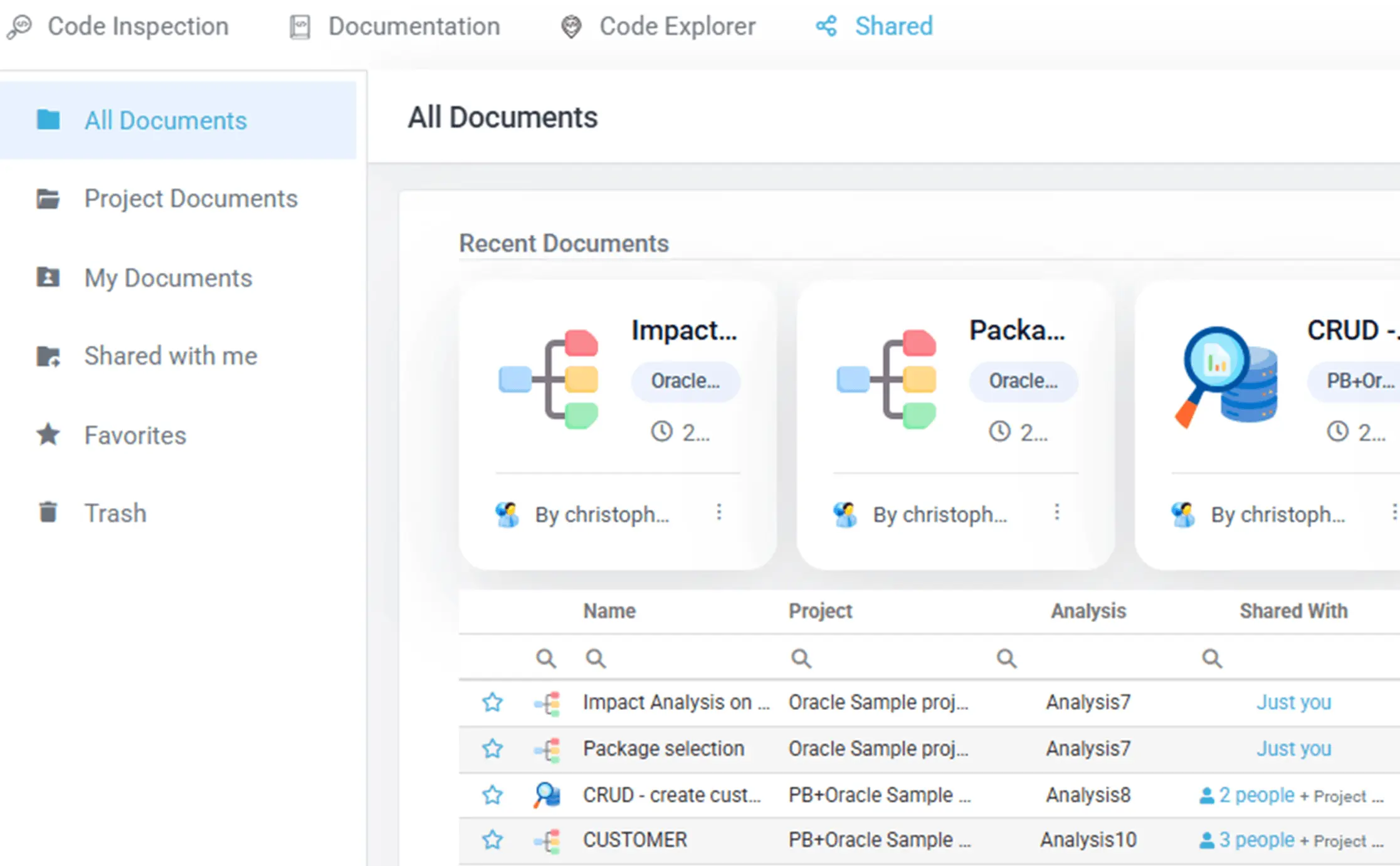
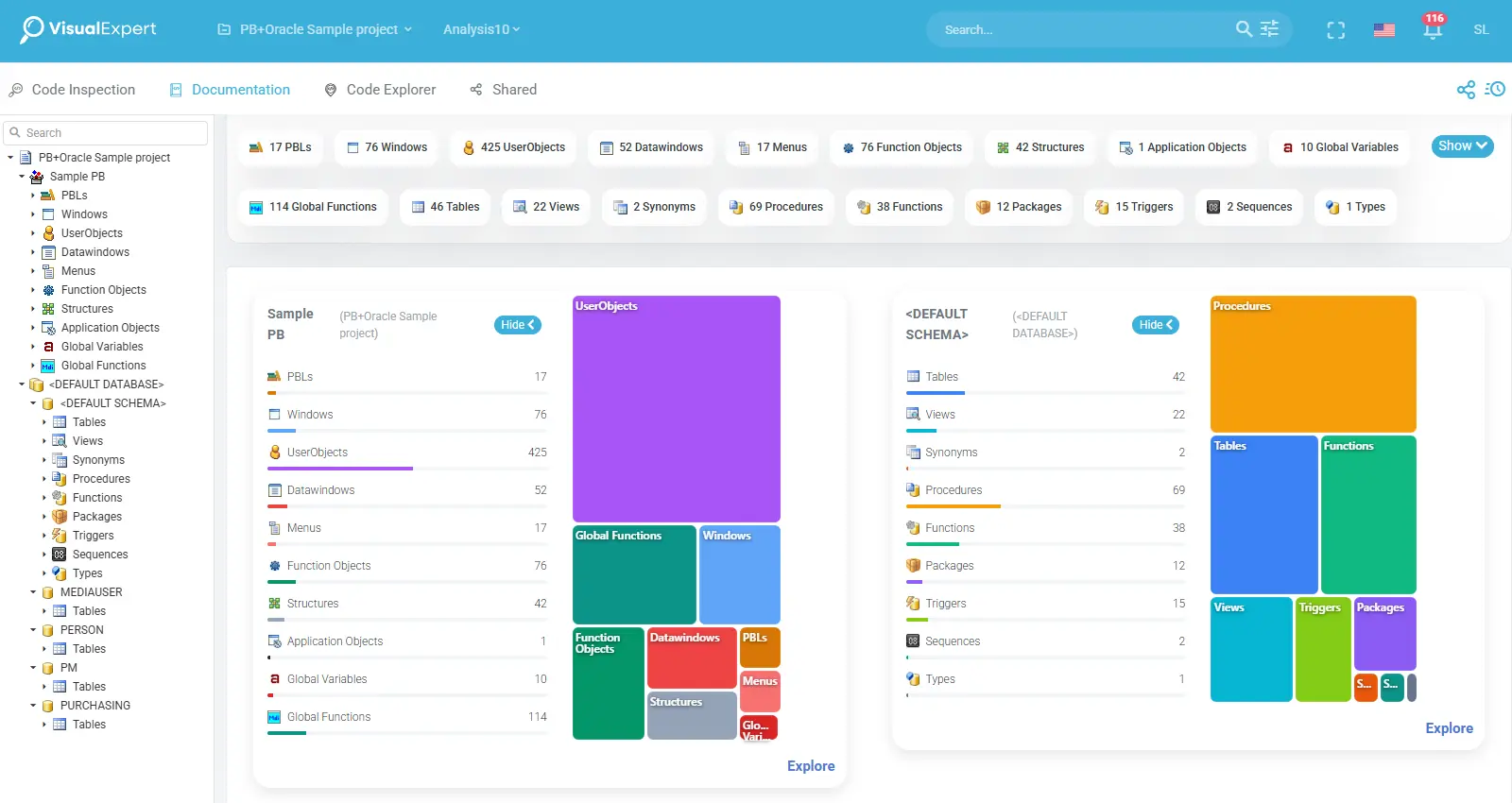
Navigate the application, not just the source files
Visual Expert builds a structured representation of the analyzed application. From the Documentation workspace in VE Web, users can browse application and database components and progressively access application objects, procedures, variables and references, tables and columns, source code, related inspections, architecture and dependencies.
- 1App mapstructure
- 2Object / tabletechnical details
- 3Referencesdependencies
- 4Source codeactual implementation
This creates a navigable technical reference directly connected to the analyzed code.
Explore dependencies before making changes
“If I change this, what else could be affected?”
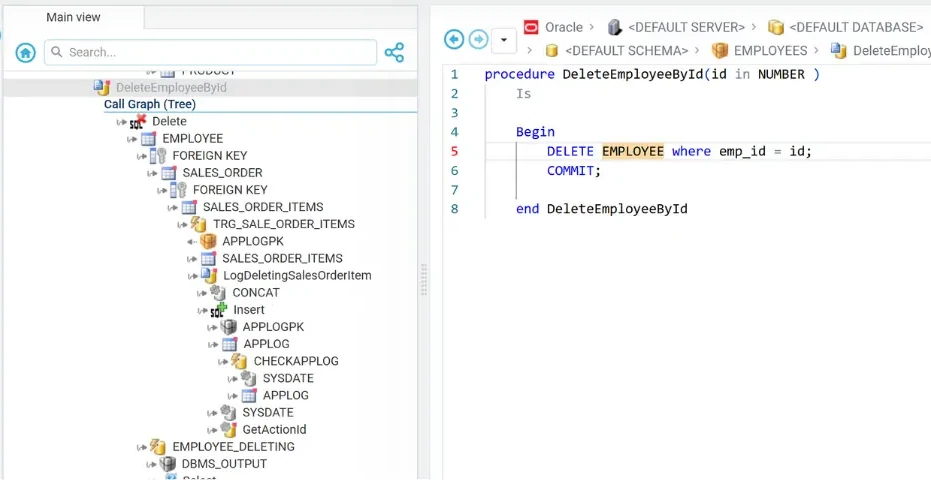
Understand what is connected before touching the code. Complex applications contain relationships that are difficult to reconstruct manually. Visual Expert analyzes references between components and lets teams explore them from multiple perspectives. Developers and analysts can move from dependency views directly to the corresponding objects and source code.
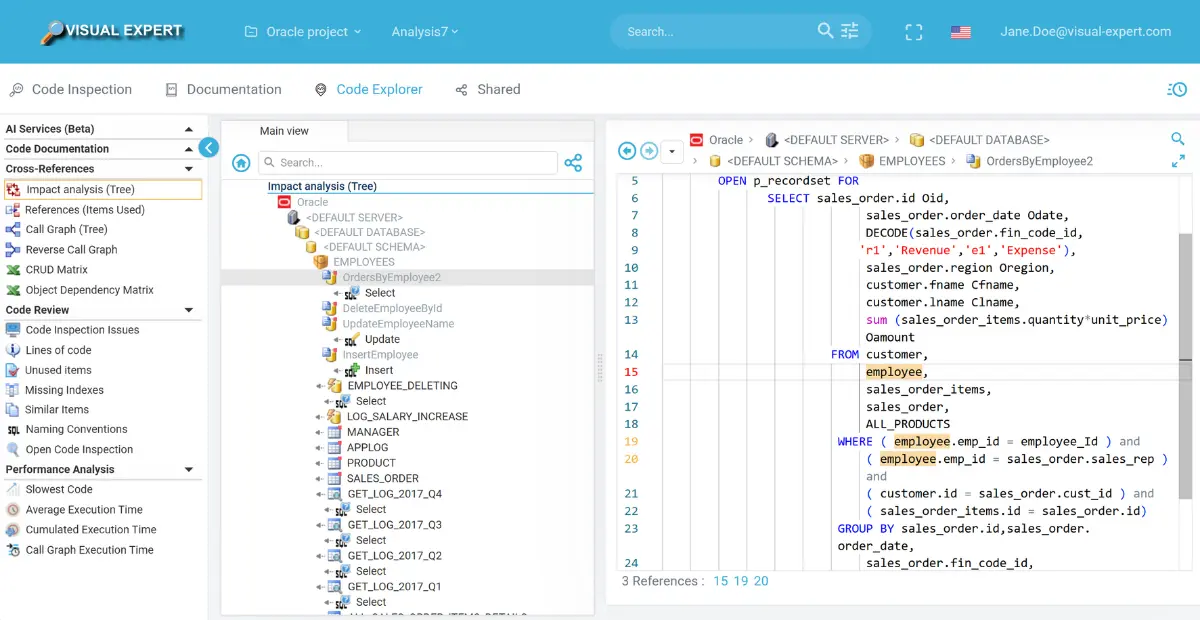
What uses the EMPLOYEES table, and the source code of the selected procedure with the references highlighted (Oracle sample). Impact analysis docs
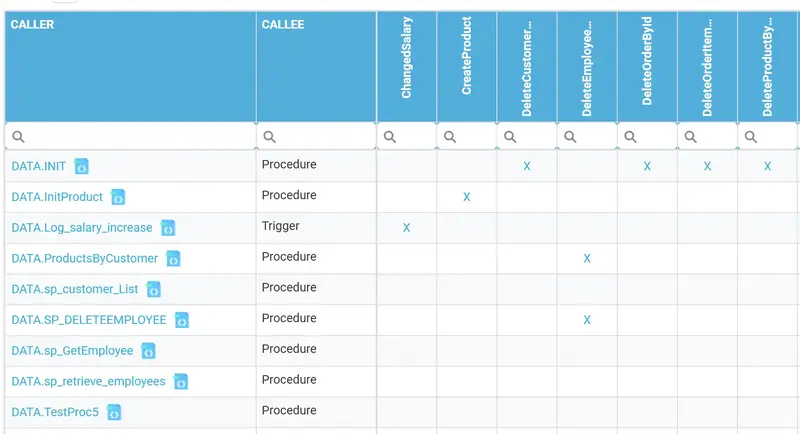
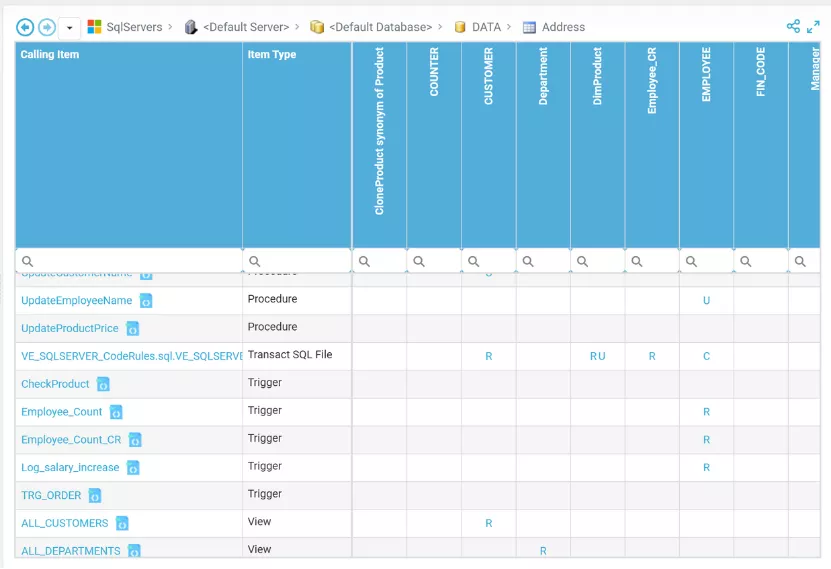
Which procedures and triggers call which procedures (SQL Server sample). Object dependencies docs
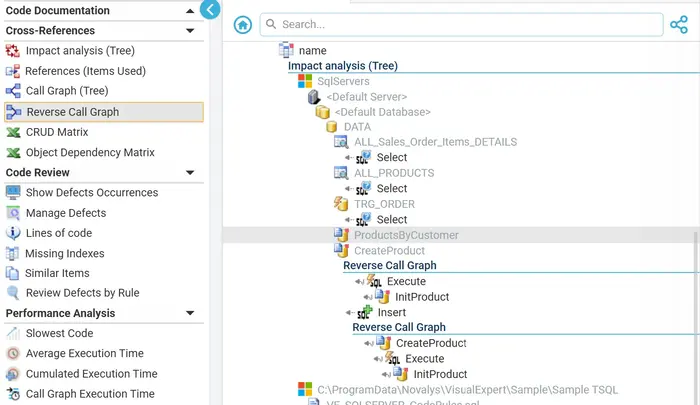
The components that call CreateProduct (SQL Server sample). Reverse call graph docs
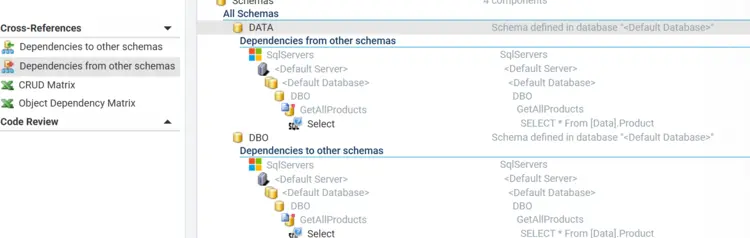
Dependencies from and to other schemas (SQL Server sample). Schema dependencies docs
The chain of calls from the DeleteEmployeeById procedure, and its source code (Oracle sample). Call graph docs
Understand how your data is used
See where business data is created, read, updated and deleted. The CRUD Matrix connects application and database components to the data they manipulate.
- CCreateWhere data is inserted
- RReadWhere data is retrieved
- UUpdateWhere data is modified
- DDeleteWhere data is removed
For a selected table or set of tables, teams can identify the real scope of data usage. This is especially useful when understanding unfamiliar logic, preparing a modification or migration, locating code affecting sensitive data or documenting data flows. In VE Web, the matrix remains interactive and can lead back to the corresponding application components.
1
2
3
- 1Components
- 2Tables
- 3Operations
Add explanations where the code alone is not enough
Use AI to accelerate understanding and documentation. Visual Expert AI can complement structural code analysis with contextual explanations while the Visual Expert application model remains the source of code structure, dependencies and data usage.
- VE analysiscode · dependencies · data
- App contextstructured model
- VE AIoptional service
- AI outputbusiness · logic · comments
- Explain the BusinessHuman-readable business purpose.
- Explain the LogicDescribe technical processing and logic.
- Generate CommentsCreate contextual comments for maintainers.
AI is an optional documentation accelerator, not a replacement for the application model created by Visual Expert. Visual Expert AI docs
One application model, multiple uses
Go further
Team workflow
Share analysis results and coordinate remediation across the team.
DevOps integration
Run verification automatically and publish the results to your tools.
Code documentation docs
Documentation workspace, diagrams, call graphs and scheduling in detail.
Explore dependencies. Understand logic. Visualize data usage. Share knowledge.
Visual Expert helps teams understand and document complex PowerBuilder, Oracle PL/SQL and SQL Server T-SQL applications from the code that actually runs them.