PL/SQLPackagesSchemas
Verify important PL/SQL changes and understand their application-wide impact.
Systematic PL/SQL inspection, with the dependency, impact, runtime and remediation context you need before a change reaches production.
AI can accelerate PL/SQL development. Important changes still need independent verification.
Inspect human- or AI-generated PL/SQL with a separate, repeatable analysis: the same rules at every analysis, findings kept over time, and a new analysis to confirm each fix.
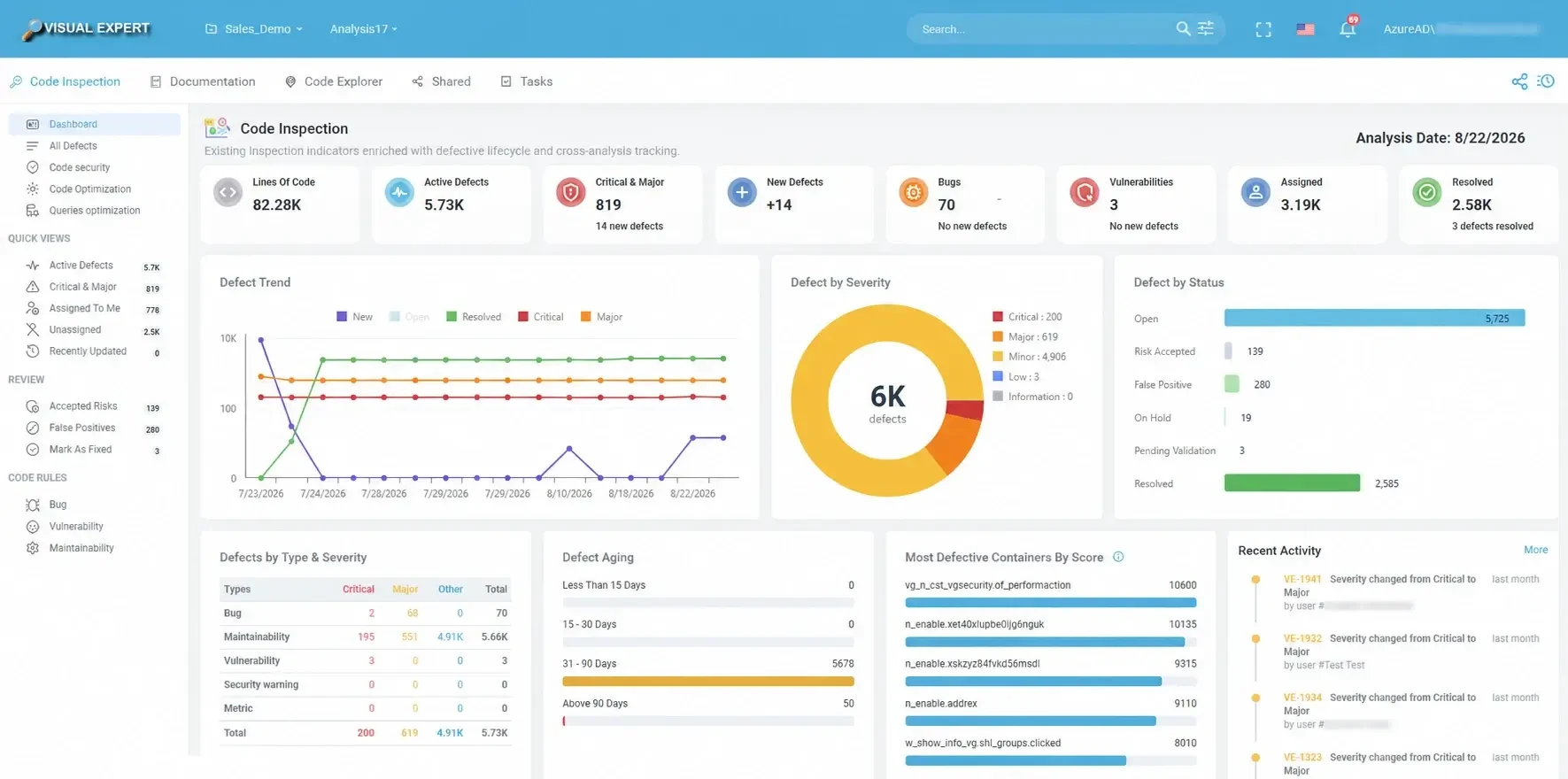
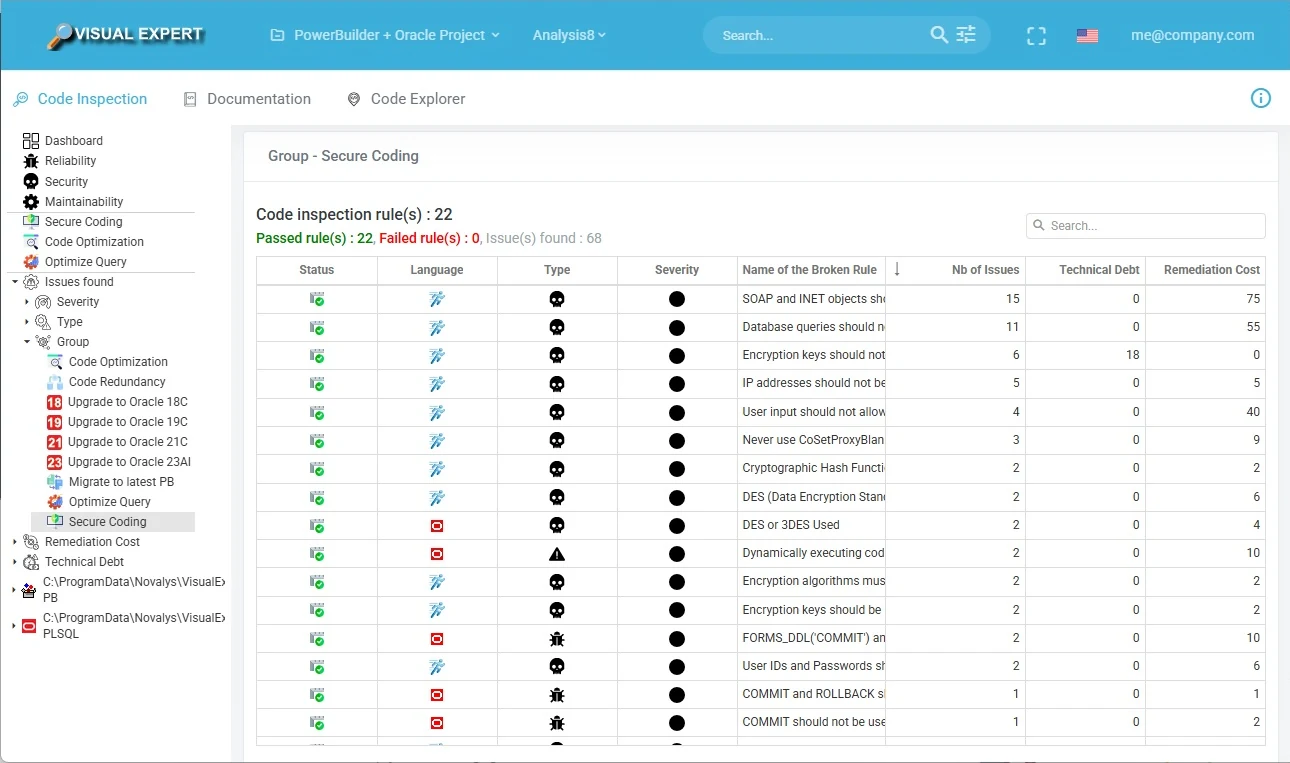
- Vulnerabilities, bugs and maintainability issues across the analyzed PL/SQL code.
- Security rules for Oracle: SQL injection in dynamic SQL, command injection, cryptographic failures, improper exception handling.
- New defects reported for each analysis, so you see what a change introduced.
- Continuous inspection in your CI/CD pipeline, before deployment.
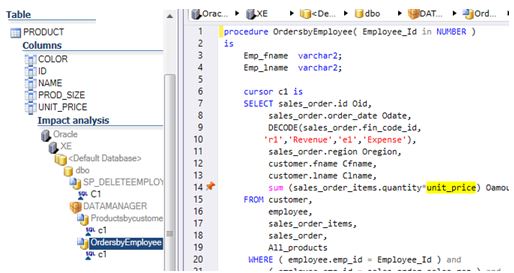
A defect is only part of the story. See what it is connected to.
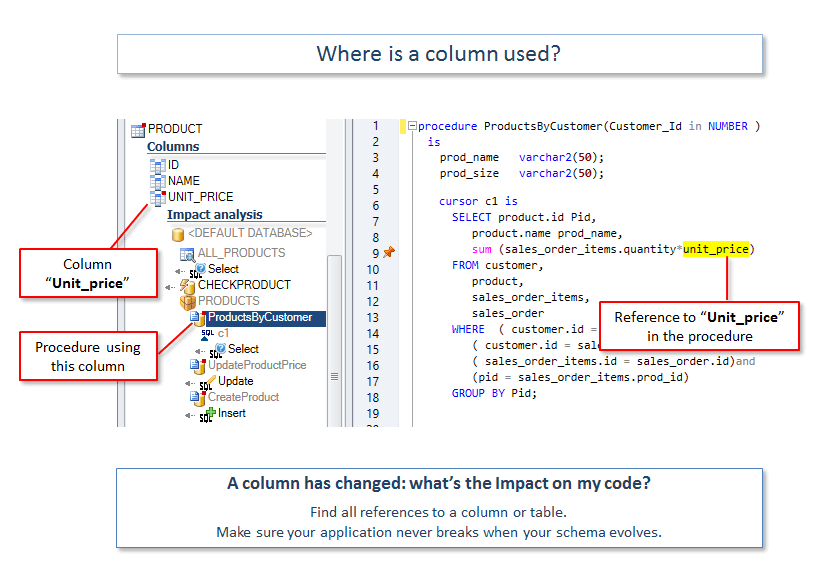
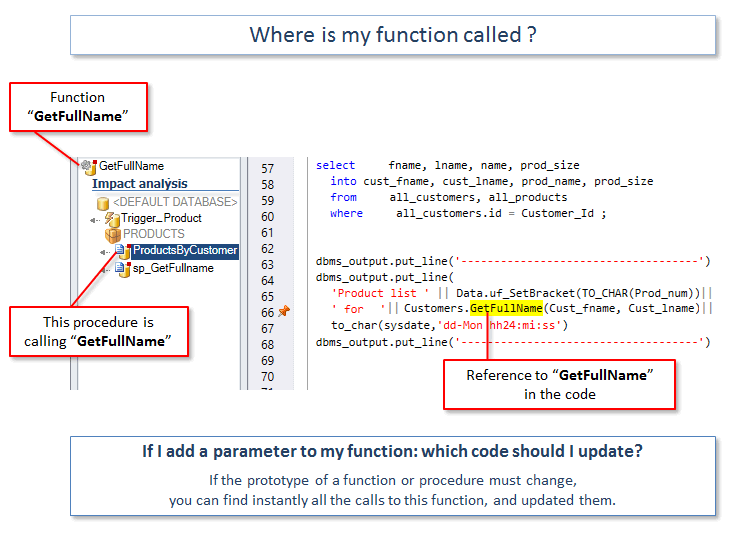
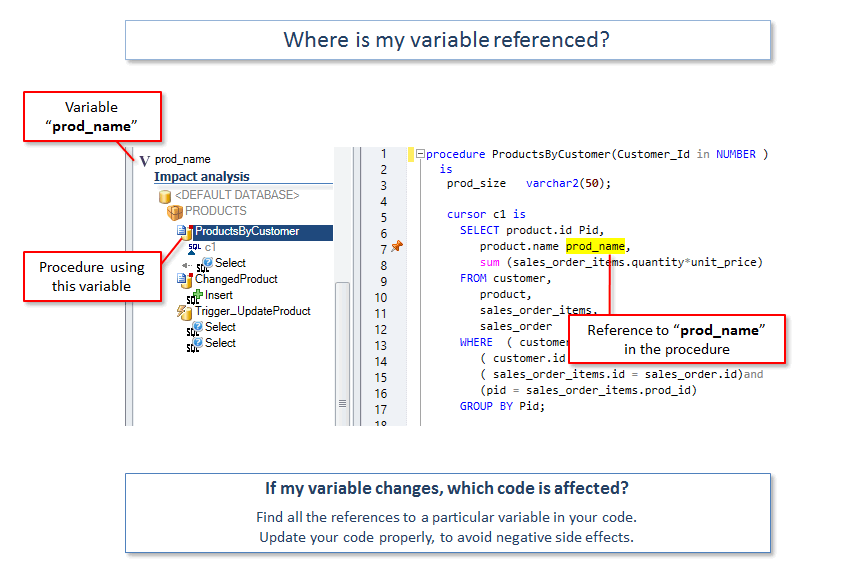
From a procedure, package, trigger, table or column, explore callers, callees, data usage and cross-schema dependencies before deciding how to change the code.
- Impact analysis at procedure, function, package, table and column level.
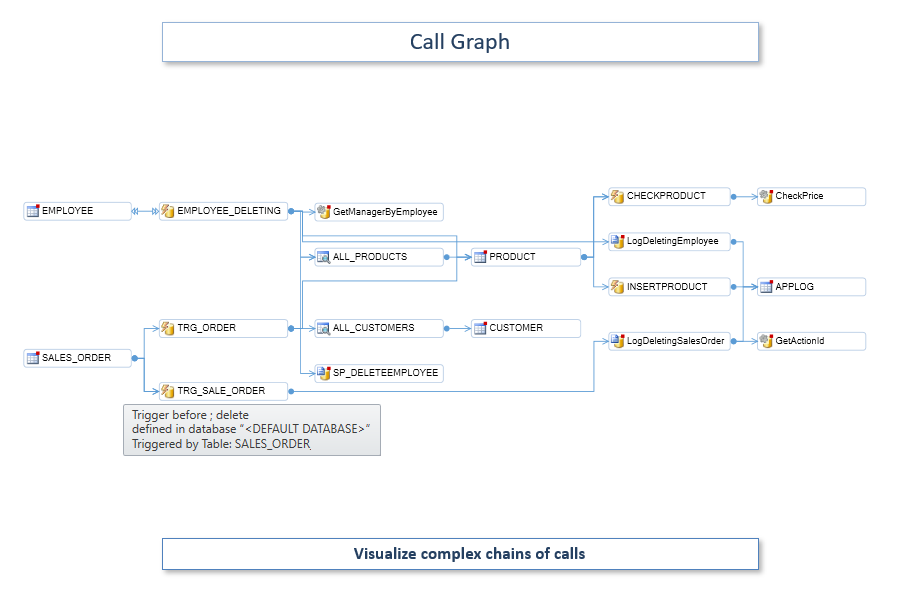
- Call graphs and reverse call graphs for complex PL/SQL chains.
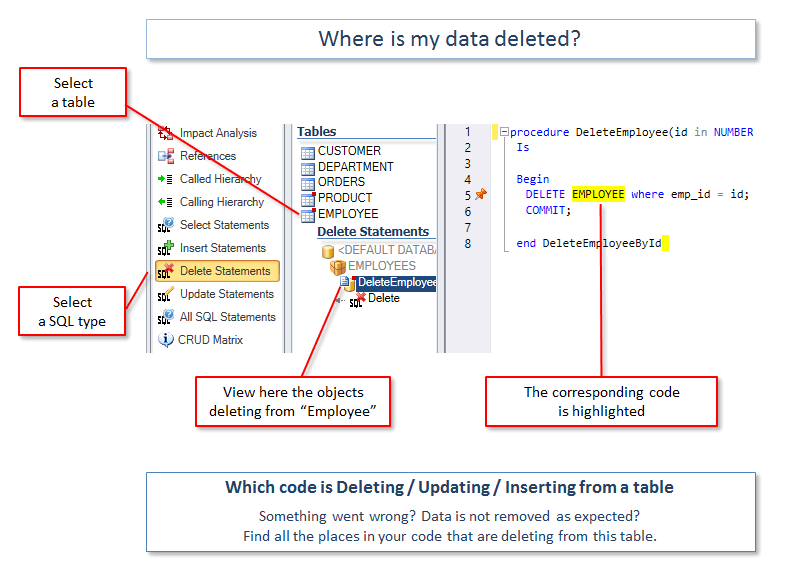
- CRUD matrices: which code creates, reads, updates or deletes each table.
- Possibly unused objects listed for review. References built only in dynamic SQL are not visible to static analysis.
Turn findings into a managed remediation process
Review and prioritize defects, use application context to assess risk, assign the work, fix the code and let the next analysis confirm the correction.
- Qualify findings: false positive, accepted risk or on hold. Decisions and history stay recorded.
- Assign a defect and a task is created, with an assignee, a priority and a due date.
- Mark as fixed: the defect waits in Pending Validation until the next analysis checks it.
- Potential Solution (AI) proposes a remediation approach when VE AI is enabled.
Defect lifecycle
Reviewed defects can also be set aside. Their history is kept.
Risk AcceptedFalse PositiveOn Hold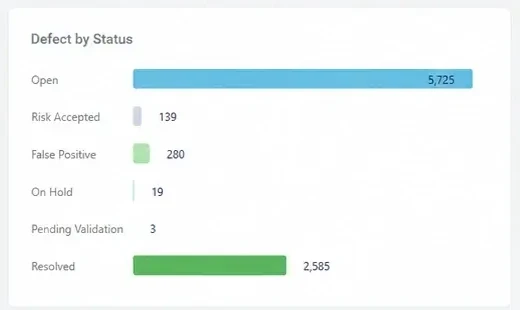
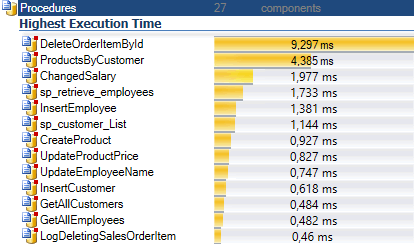
Connect runtime hotspots to the code and dependencies behind them
When static analysis is not enough, Visual Expert combines Oracle execution statistics with its model of the application, so optimization work starts where it matters.
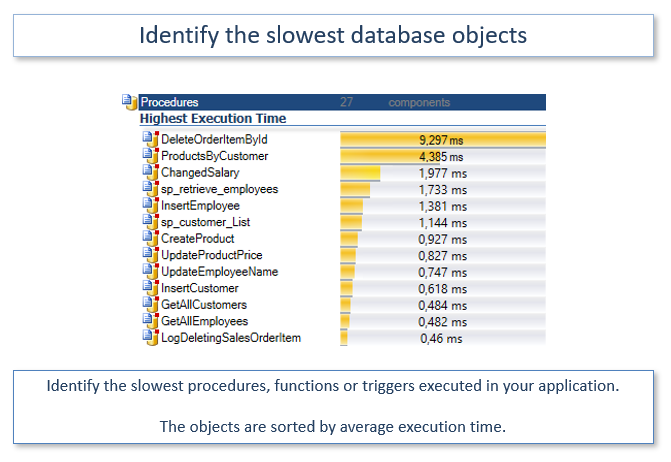
- Slowest procedures, functions and triggers, by average execution time.
- Cumulated execution time: average time multiplied by the number of executions.
- Execution time along a chain of calls, to find the object that slows down a process.
- Statistics collected from your Oracle server, ideally production, or a test database used enough.
Understand before you modernize or migrate
Before refactoring PL/SQL, moving logic to another architecture or migrating away from Oracle, inventory the code, its dependencies and data usage to scope the project and reduce surprises.
- Application structure and dependency chains assessed before transformation.
- Deprecated and desupported Oracle features detected before an upgrade, from 18c to 23ai.
- Candidate dead code listed, to leave low-value components out of scope.
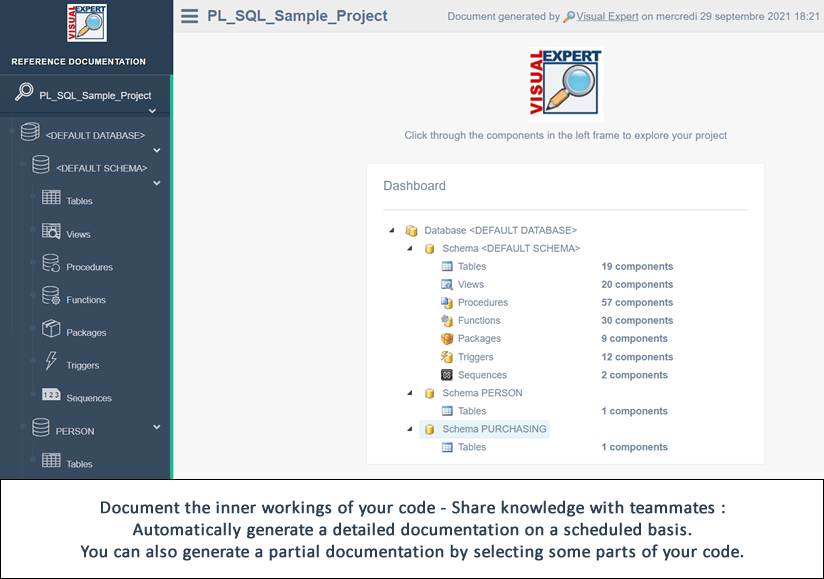
- Documentation generated and kept up to date, to share with modernization teams.
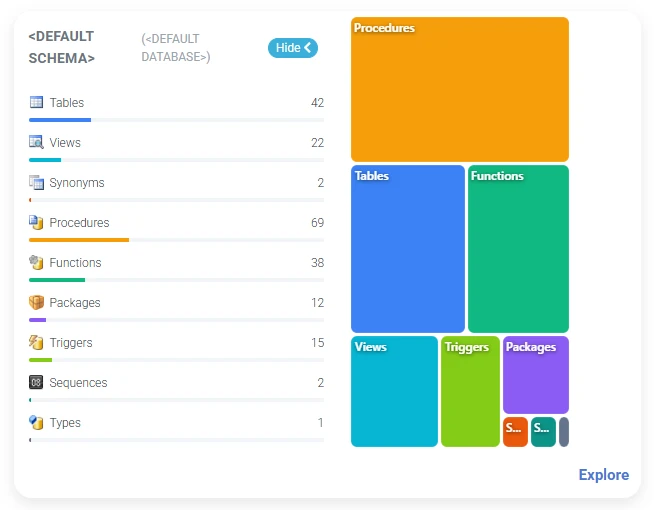
Follow dependencies beyond a single schema
Large Oracle applications span several schemas, and sometimes several databases. Visual Expert maps the references between them, so a change to a shared object does not break code you did not look at.
Objects in other schemas that call into the selected schemas: what a change may break elsewhere.
Objects of the selected schemas that rely on other schemas: what they consume from the rest of the project.
Declare the target schema or database of each link to resolve cross-application references.
Works with the way your Oracle code is stored
Analyze PL/SQL straight from the database or from source files. Analyses refresh on a schedule or from Jenkins, and the whole team works from the same results in the browser.
From the database or from files
Connect to your Oracle database, including Oracle Cloud, or analyze PL/SQL source files and folders.
Several schemas, database links
Follow references between schemas, and declare database link targets to resolve cross-application references.
Source control and automation
Read the code from Git, SVN or TFS, refresh analyses on a schedule or from Jenkins.
Shared in Visual Expert Web
Results, documentation, defects and tasks in the browser, with no installation for the team.
Go further
Code verification in the AI era
Why AI-assisted changes still need independent verification.
Oracle migration
Prepare a migration project.
Using Toad and Visual Expert
How the two tools work together.
Pricing
Editions and licensing.
See the impact of your next PL/SQL change before you make it
Analyze your own Oracle application and review verification findings, dependencies, runtime evidence and remediation opportunities with our team.
Prefer a guided tour? Request a demo
I cannot remember so powerful a tool that allows a user to become familiar with a new application in literally a few hours.