PowerScriptDataWindowsDatabase
Verify and safely maintain business-critical PowerBuilder applications.
Detect vulnerabilities and code issues, verify changes and see their impact across PowerScript, DataWindows and the database.
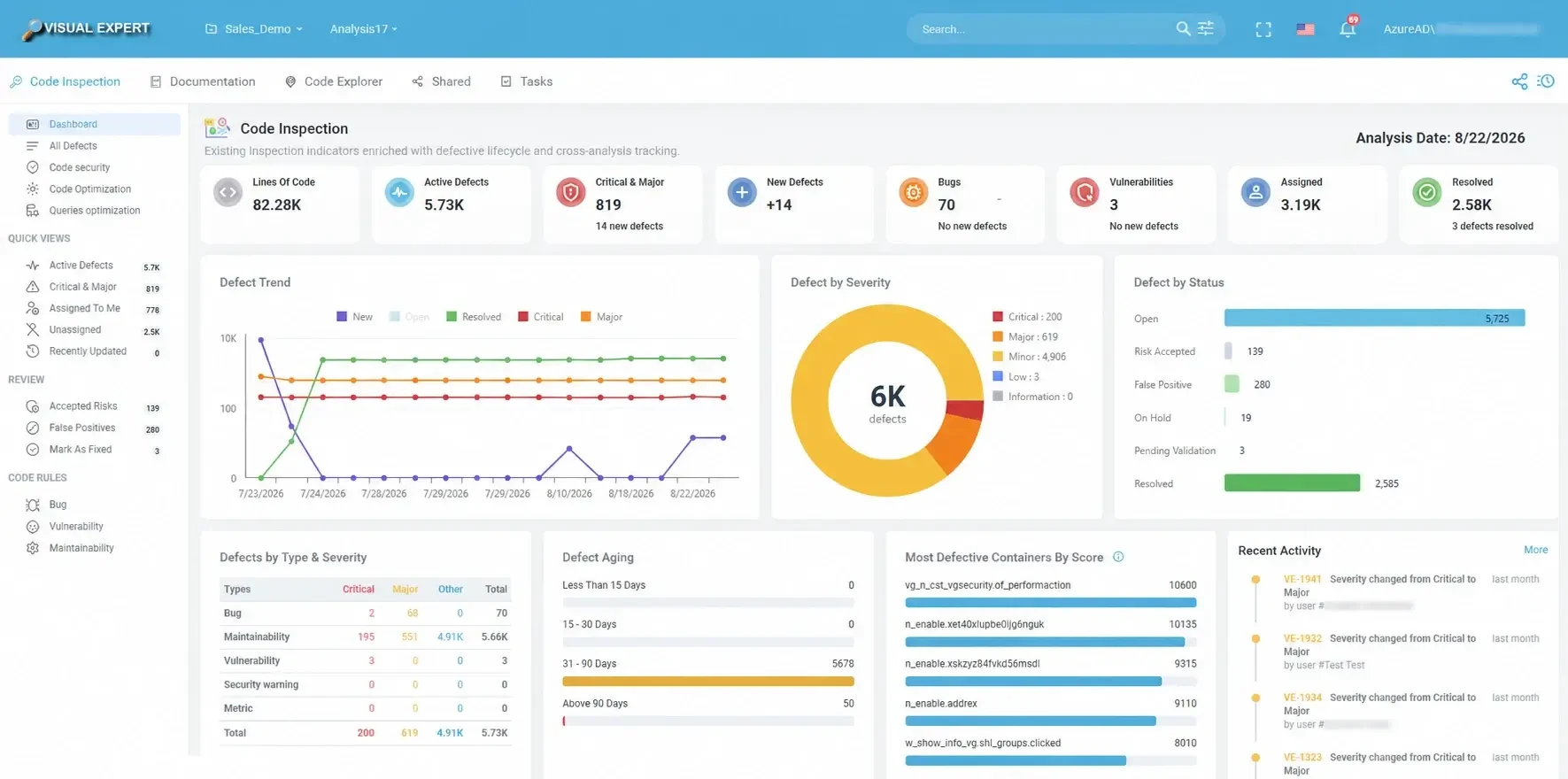
Systematically verify every change, human or AI-generated
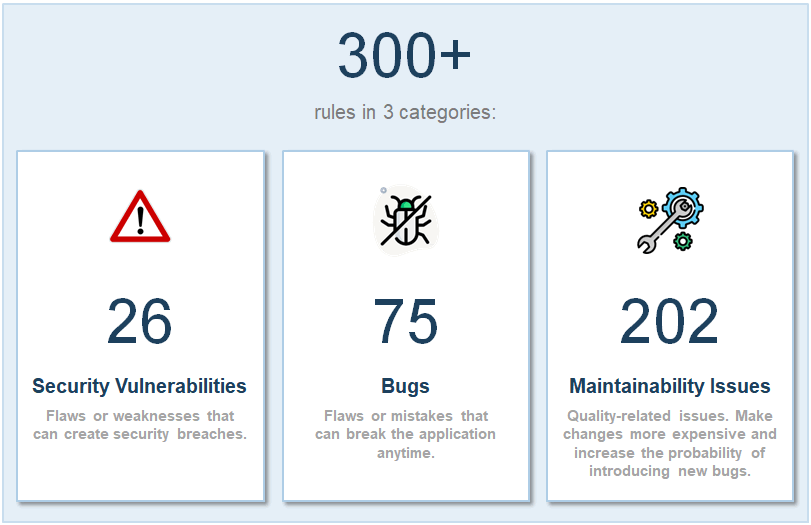
Inspect PowerBuilder code for vulnerabilities, bugs, maintainability problems and potentially dead code. The same rules run at every analysis, so verification does not rely on manual review alone.
- Security vulnerabilities: hard-coded credentials and IP addresses, injection risks, unsafe use of encryption.
- Bugs and quality issues: empty methods, oversized scripts, duplicated objects, naming conventions.
- New defects reported for each analysis, so you see what a change introduced.
- Continuous inspection in your CI/CD pipeline, before deployment.
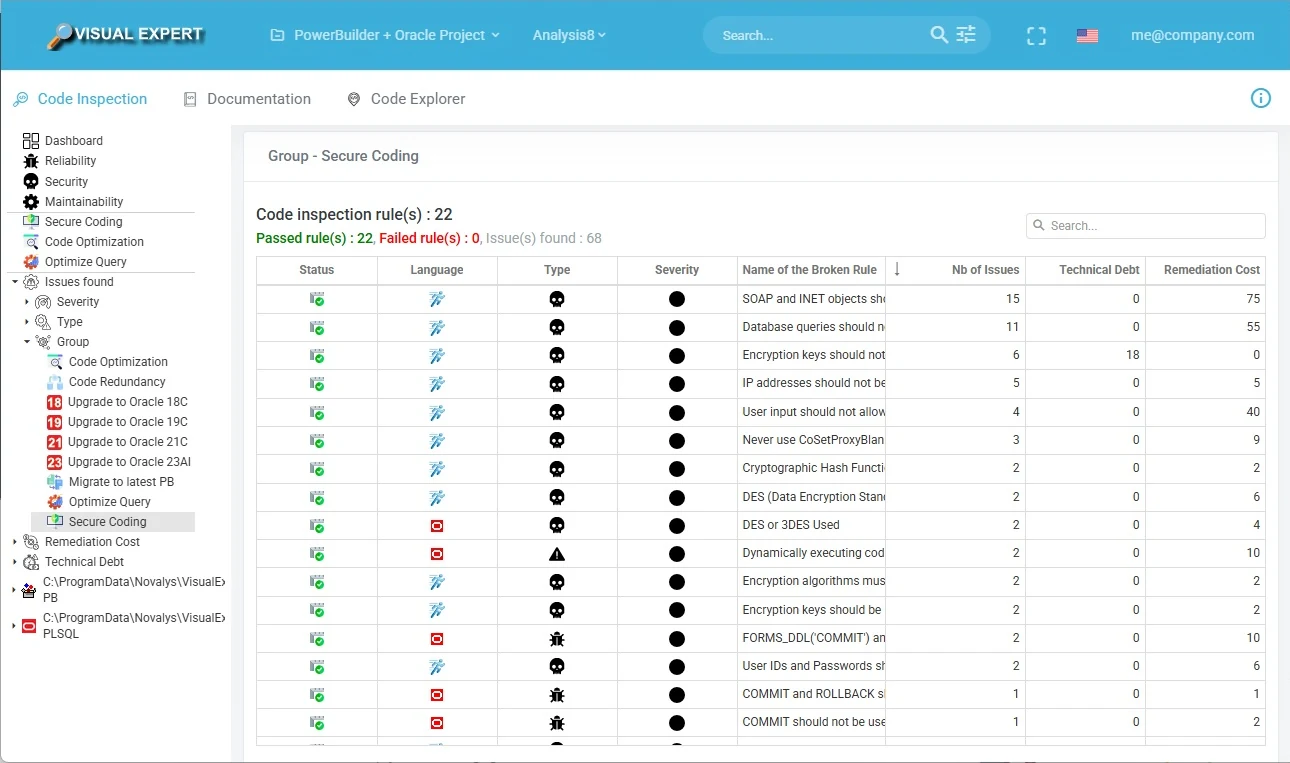
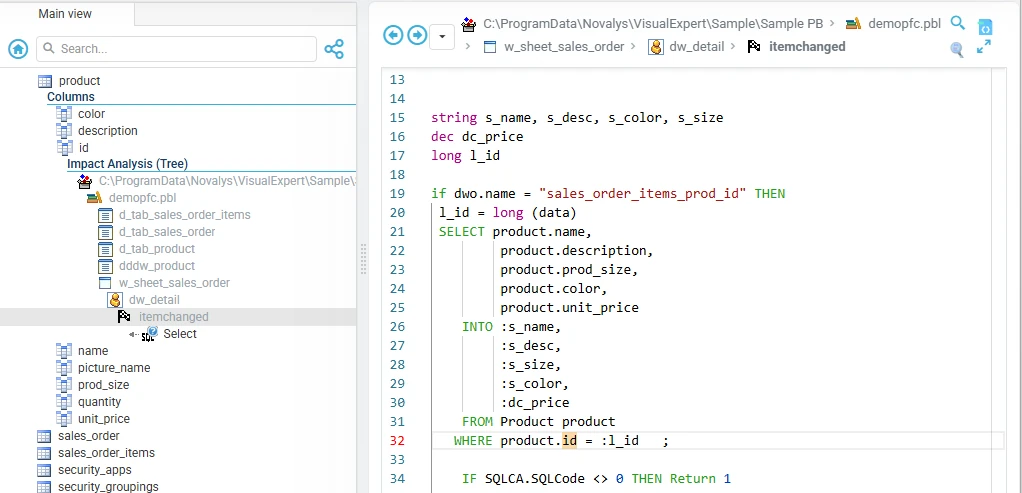
Know what a change can affect before you make it
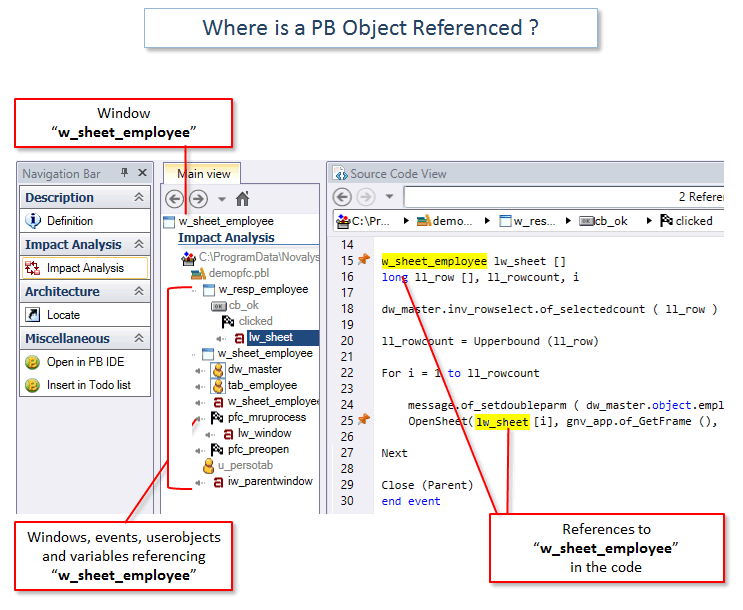
Visual Expert builds a model of your PowerBuilder application: callers and callees, DataWindow usage and references to database tables and columns.
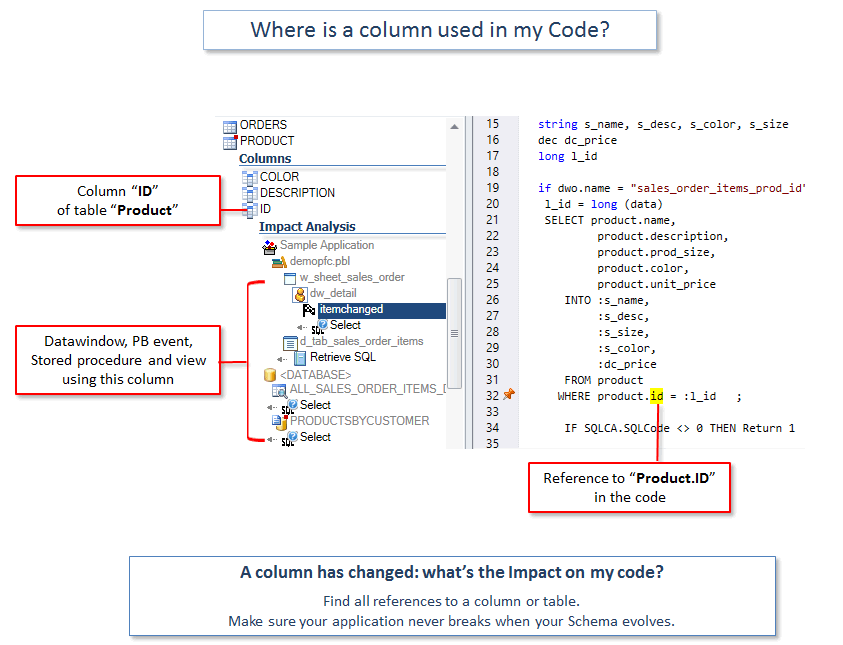
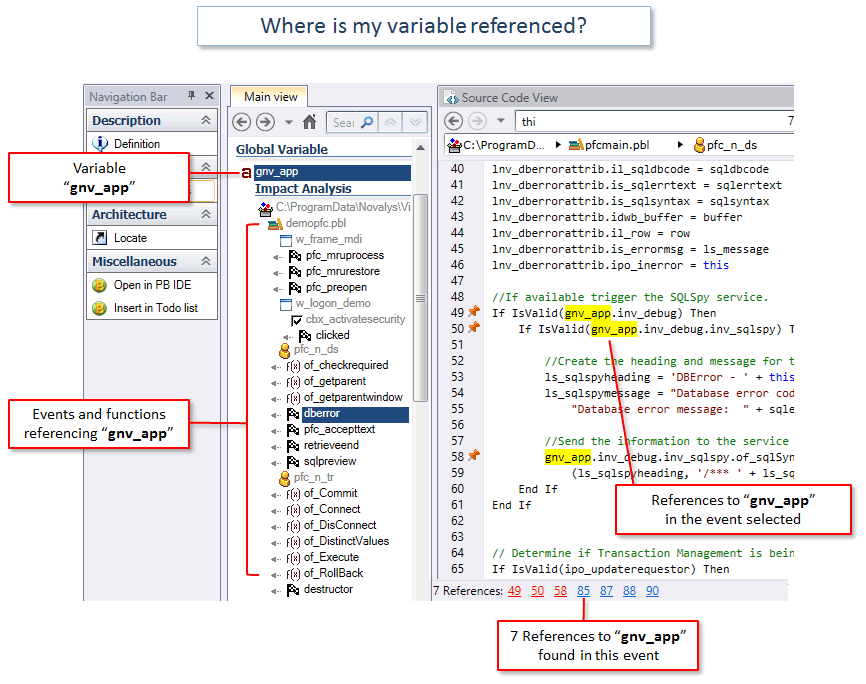
- Impact analysis on variables, functions, windows, DataWindows, tables and columns.
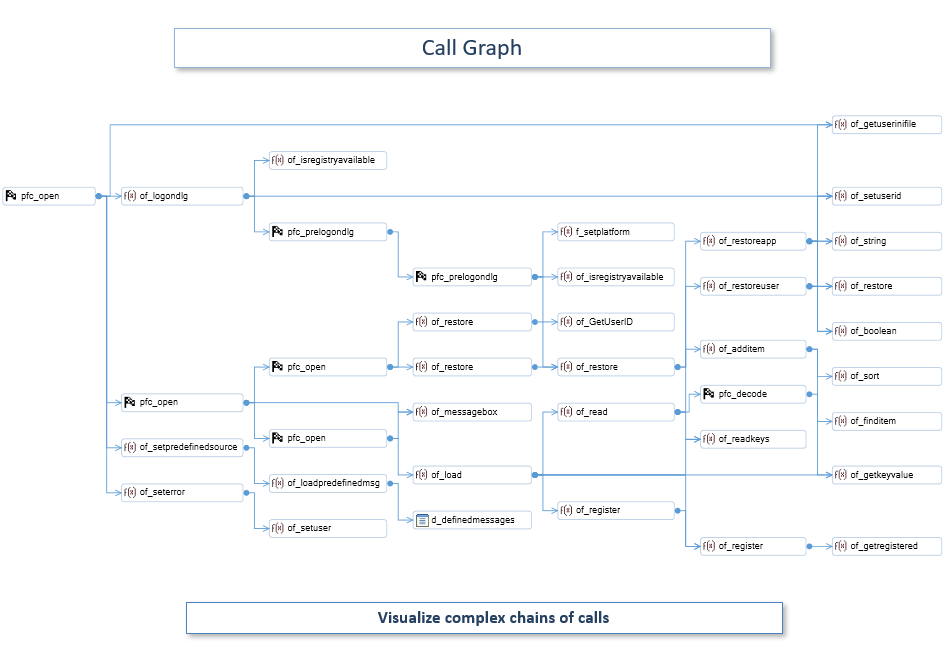
- Call graphs and reverse call graphs to follow complex chains of calls.
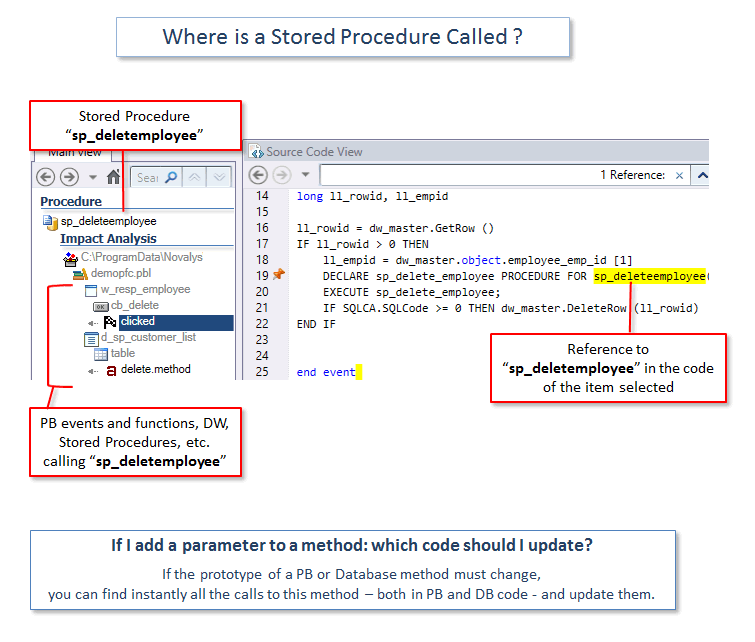
- Calls to stored procedures located in the PowerBuilder code.
- Possibly unused objects, methods and variables listed before cleanup.
Move from findings to managed remediation
Review and qualify each defect, assign the work, fix the code and let the next analysis confirm the correction.
- Qualify findings: false positive, accepted risk or on hold. Decisions stay recorded.
- Assign a defect and a task is created, with an assignee, a priority and a due date.
- Mark as fixed: the defect waits in Pending Validation until the next analysis checks it.
- Potential Solution (AI) proposes a remediation approach when VE AI is enabled.
Defect lifecycle
Reviewed defects can also be set aside. Their history is kept.
Risk AcceptedFalse PositiveOn Hold
Turn PowerBuilder code into shared, up-to-date knowledge
Generate documentation, diagrams and data-usage views from the analyzed application, refresh them on a schedule, and reduce dependence on a few long-time experts.
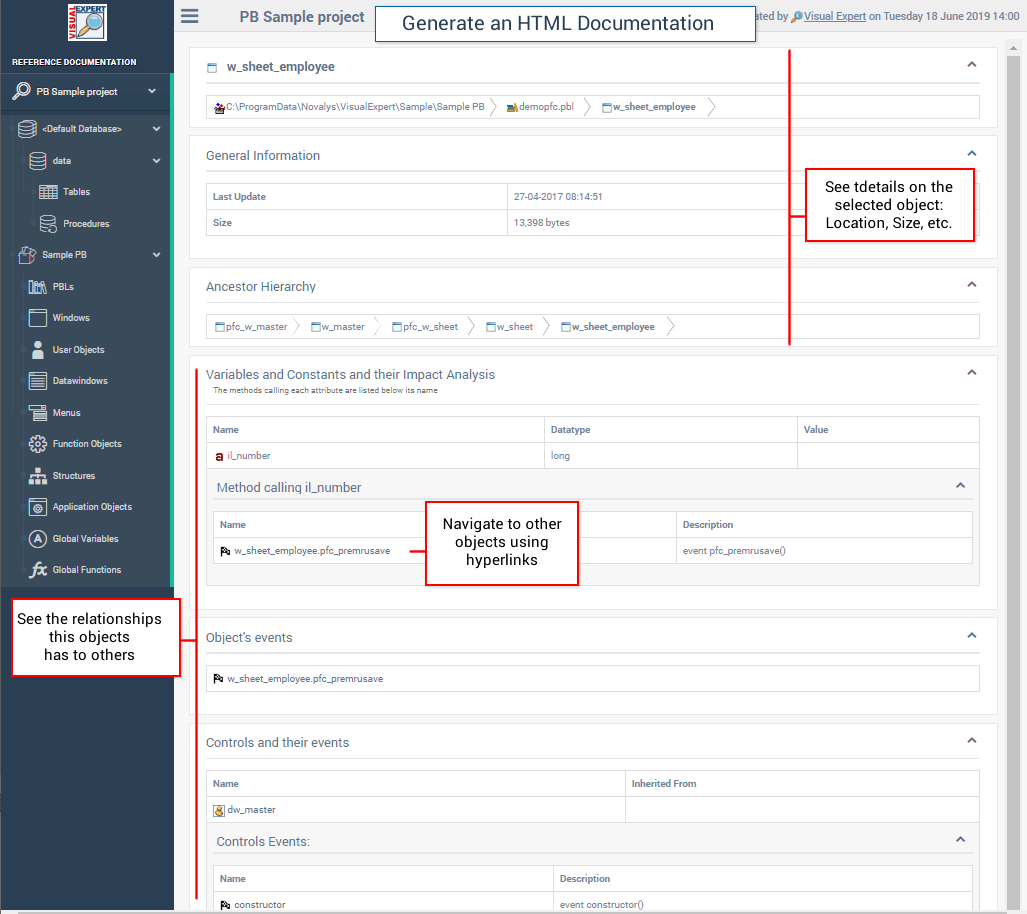
- Navigable HTML documentation of objects and references, with hyperlinks.
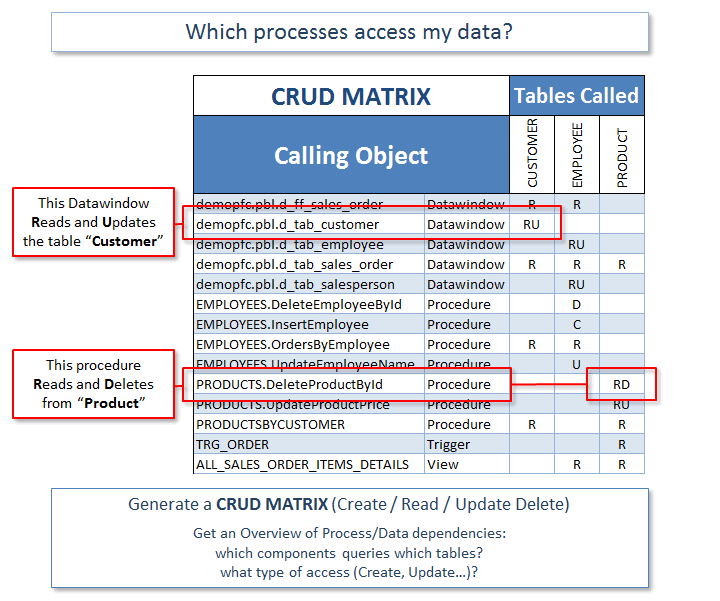
- Diagrams, call graphs and CRUD matrices generated from the code.
- Scheduled updates so the documentation follows the code.
- Technical and business logic explained by VE AI.

Analyze PowerBuilder and database code together
One Visual Expert project can combine your PowerBuilder application with its Oracle or SQL Server code. A change to a table, a column or a procedure can be traced back to the windows and DataWindows that use it.
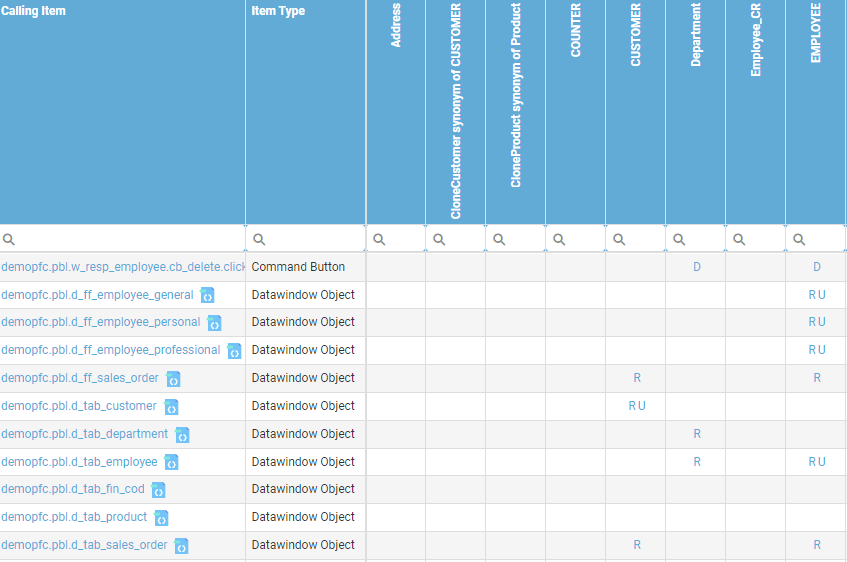
Which DataWindows and procedures create, read, update or delete each table.
Find the PowerBuilder code to update when a table or column changes.
Calls from PowerBuilder followed into the database code.
Works with the way your PowerBuilder code is organized
Point Visual Expert at your libraries, targets or repository. Analyses refresh on a schedule or from Jenkins, and the whole team works from the same results in the browser.
PBLs, targets or solution folders
Create a project from PowerBuilder libraries, targets, a solution folder or a ws_objects folder.
Several applications, one project
Analyze several PowerBuilder applications together, with the ancestor libraries they share.
Source control and automation
Read the code from Git, SVN or TFS (including PBG files), refresh analyses on a schedule or from Jenkins.
Shared in Visual Expert Web
Results, documentation, defects and tasks in the browser, with no installation for the team.
Go further
Code verification in the AI era
Why AI-assisted changes still need independent verification.
DevOps integration
Run verification automatically and publish the results to your tools.
System requirements
Supported versions and setup.
Pricing
Editions and licensing.
Verify your own PowerBuilder application
Run Visual Expert on your code and review vulnerabilities, dependencies, dead code and documentation with our team.
Prefer a guided tour? Request a demo
I cannot remember so powerful a tool that allows a user to become familiar with a new application in literally a few hours.