Visual Expert for Oracle Key Features
Visual Expert is a must-have solution for the maintenance of your Oracle code.
AI-Powered Code Enhancement
Leverage artificial intelligence to enhance your Oracle PL/SQL code
Improve your code quality and developer productivity with AI assistance.
Understand, optimize, and maintain your Oracle applications more efficiently.
- Explain your code from a business and technical point of view
- Generate meaningful comments to improve code understanding
- Receive optimization suggestions to enhance code performance
- Get solutions for identified code issues and best practices
- Work in your preferred language with multilingual AI capabilities

Impact Analysis
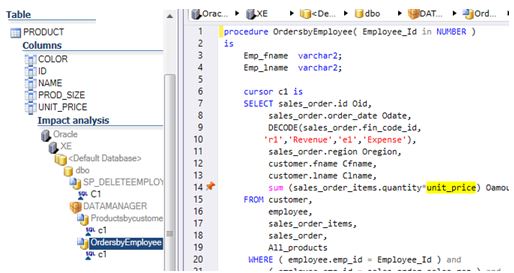
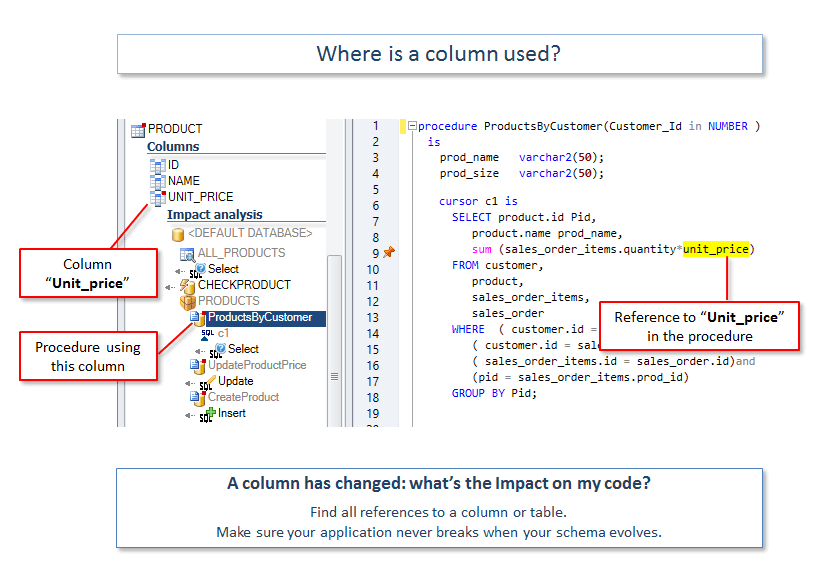
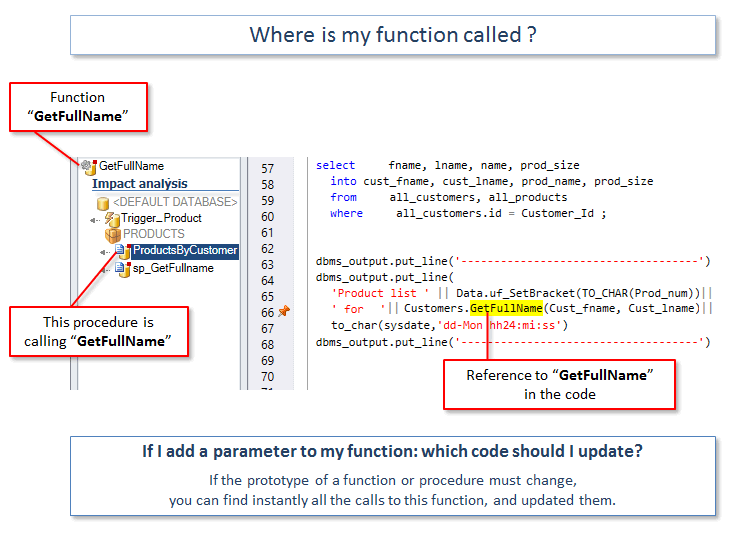
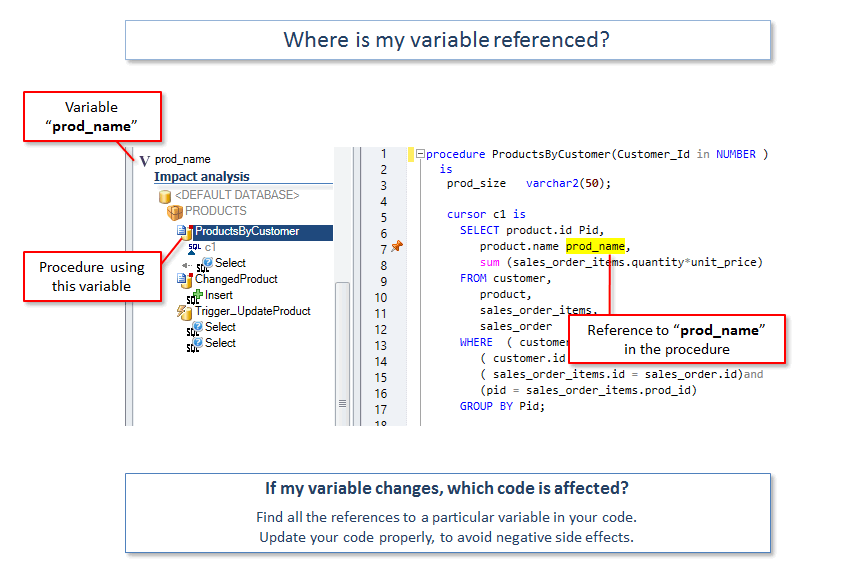
Analyze the impact of a change in your code
Estimate what you should modify to accomplish a change.
Don't break your application after a change!
- If I change this variable, what is the effect on my code?
- If I add a parameter to a function, what else is affected?
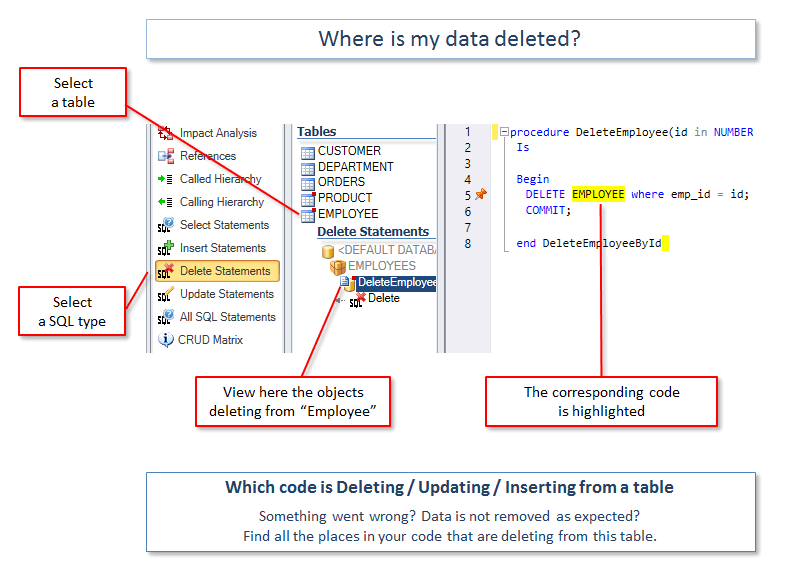
- If a table or column is changed, which code should I update?
- Etc.
Scan for Security Vulnerabilities
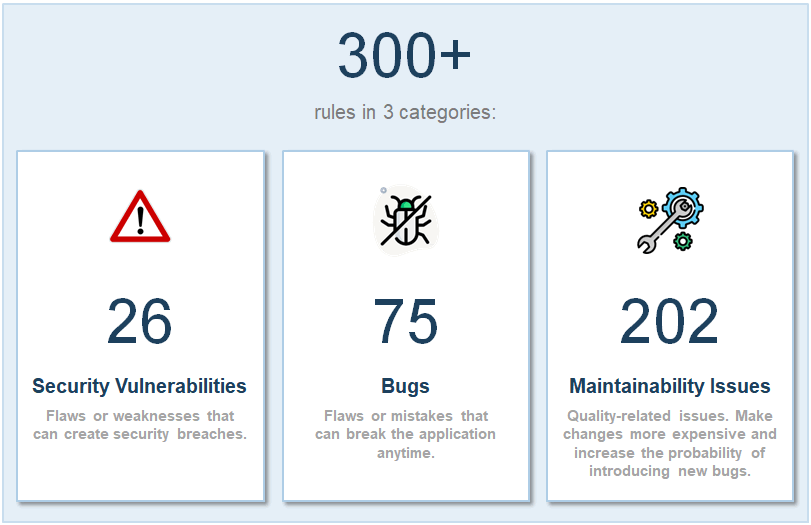
Identify and fix Security issues in your code:
- Hard coded user id & passwords
- Hard coded IP addresses.
- Vulnerabilities to Injections attacks
- Fields access/protection issues
- Improper/unsecured use of encryption
- and more...
Review CRUD Operations in Your Code
(Create, Read, Update, Delete)
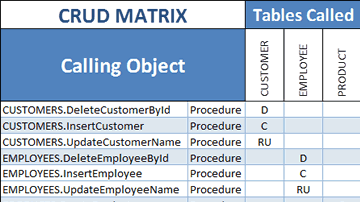
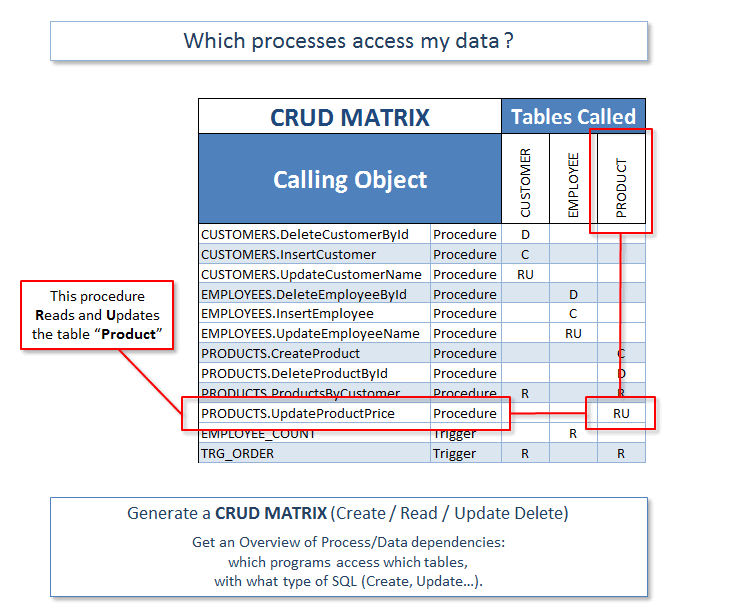
Generate a CRUD matrix, showing which Oracle Objects access your data, and how. For instance, which Procedures Create/Read/Update/Delete which Tables.
- Review dependencies between your Oracle DB and your code.
- Analyze the impact of changing your Schema, for example changing a table definition or adding an index.
- Estimate code complexity and development efforts.
- Find out which tables are never updated, deleted from multiple places, etc.
- Make sure every process has at least one input (R) and one output (CUD).
Generate Diagrams from Your Code
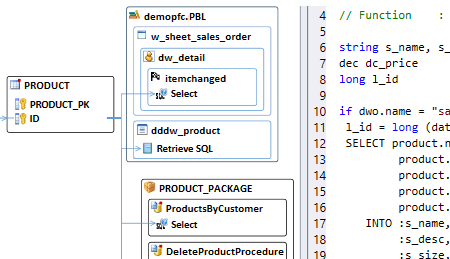
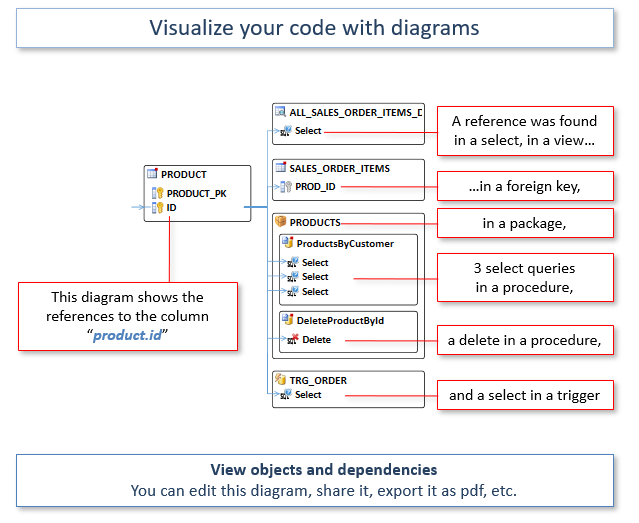
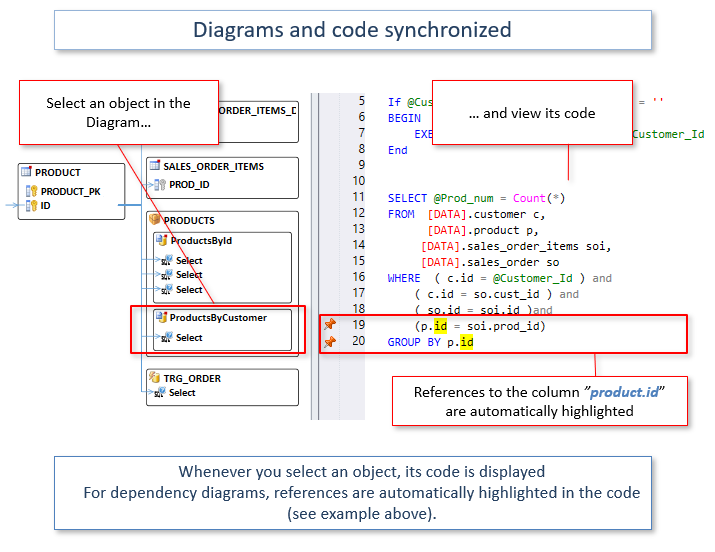
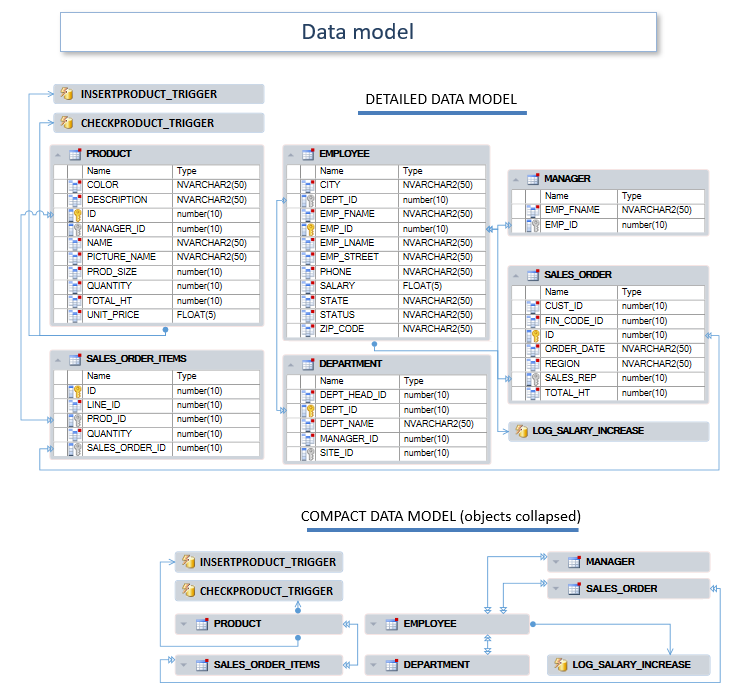
- Visualize objects and dependencies.
- Diagrams and source code are synchronized.
- Select objects to generate a diagram
- If needed, adjust objects position with an editor
- Save, export and share your diagrams
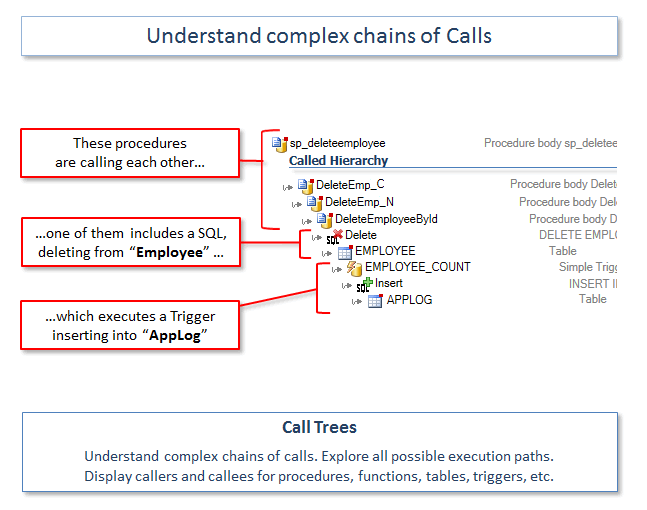
Explore Complex Chains of Calls
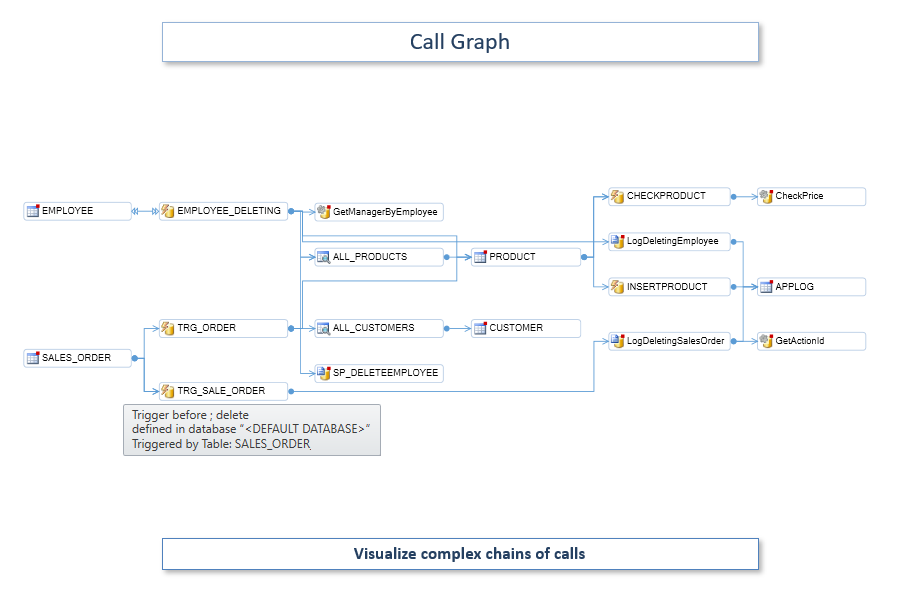
Display callers and callees for procedures, tables, triggers... Navigate through your code.
Understand complex chains of calls. Explore all possible execution paths.
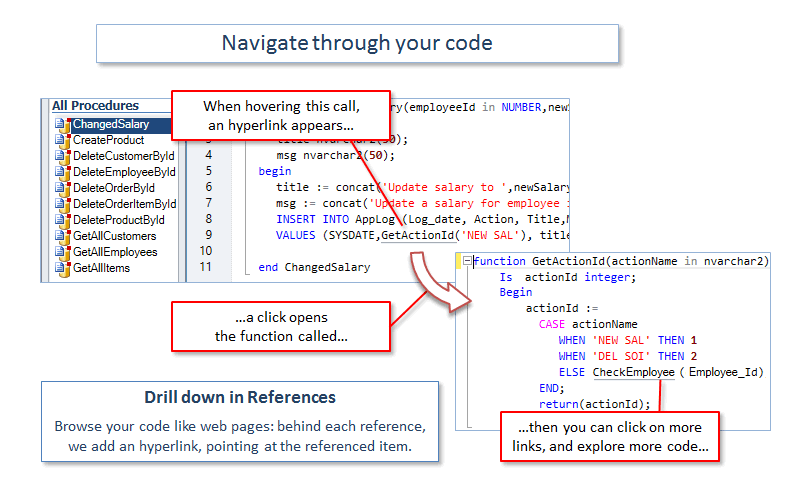
Drill down in the code, click on referenced methods or variables to see their definitions.
Call trees help evaluate the effects of modifications to your code.
Read More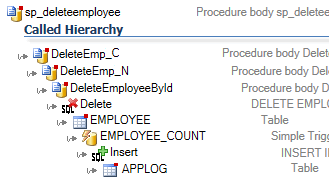
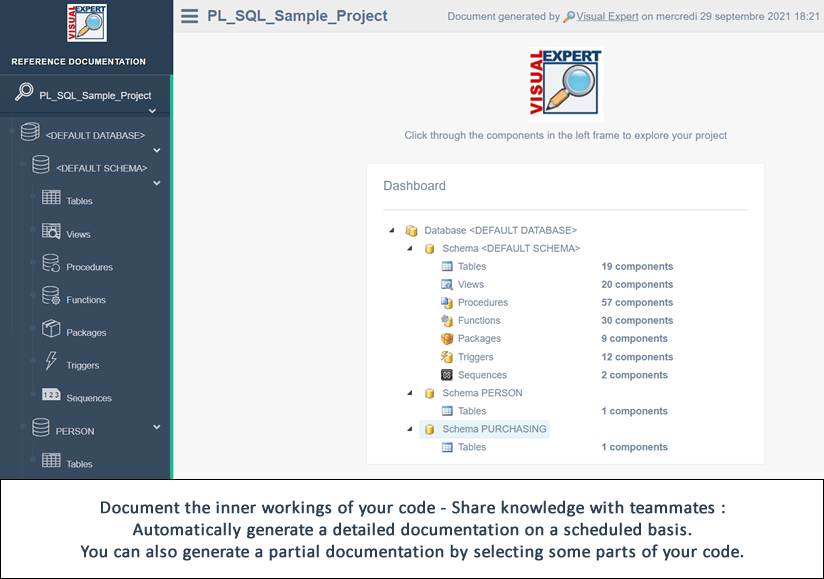
Document your PL/SQL Code
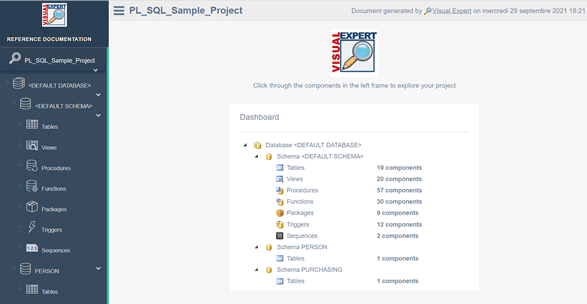
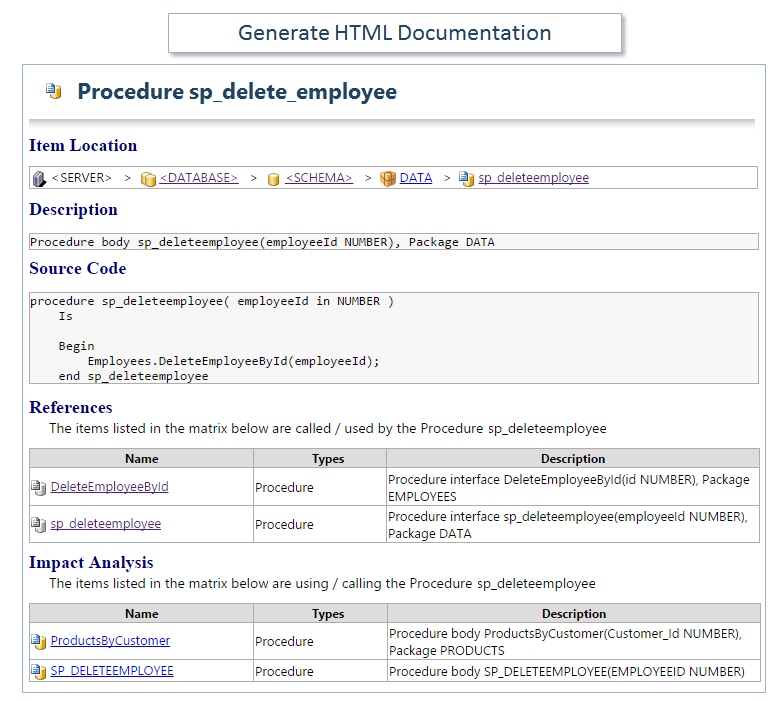
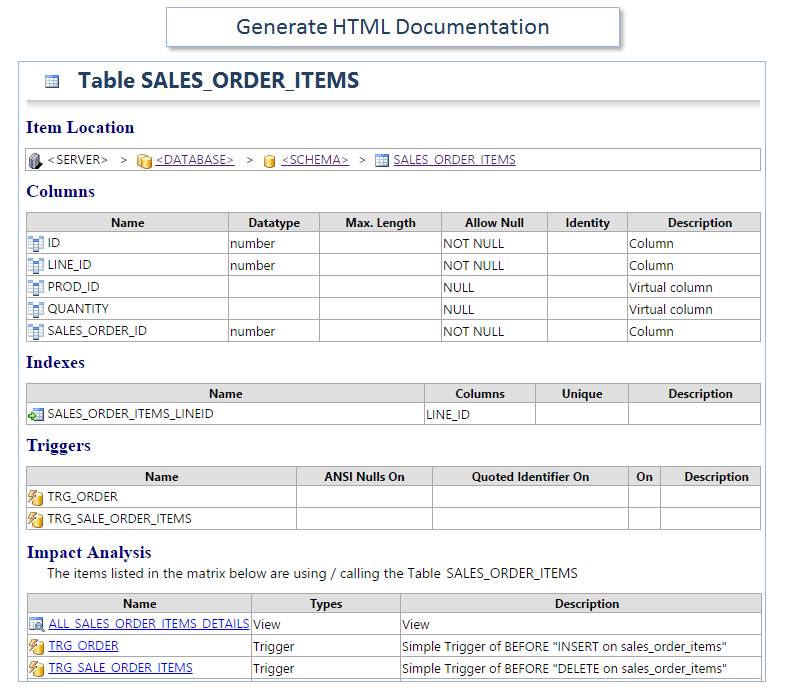
Generate documentation from the source code and create reference manuals in HTML.
Automatically generate the documents on a regular basis (scheduled tasks).
Document the references in your code and easily navigate between these using hyperlinks.
Keep your documentation always up-to-date. Share knowledge with teammates.
Code Comparison
Try a new approach for code comparison:
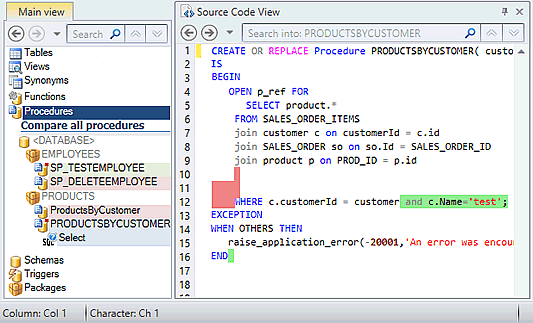
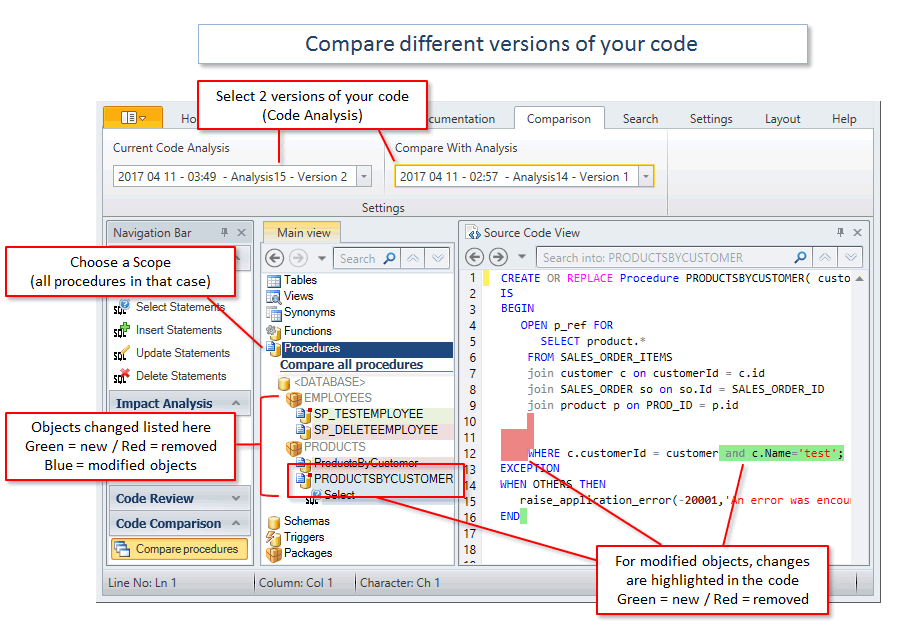
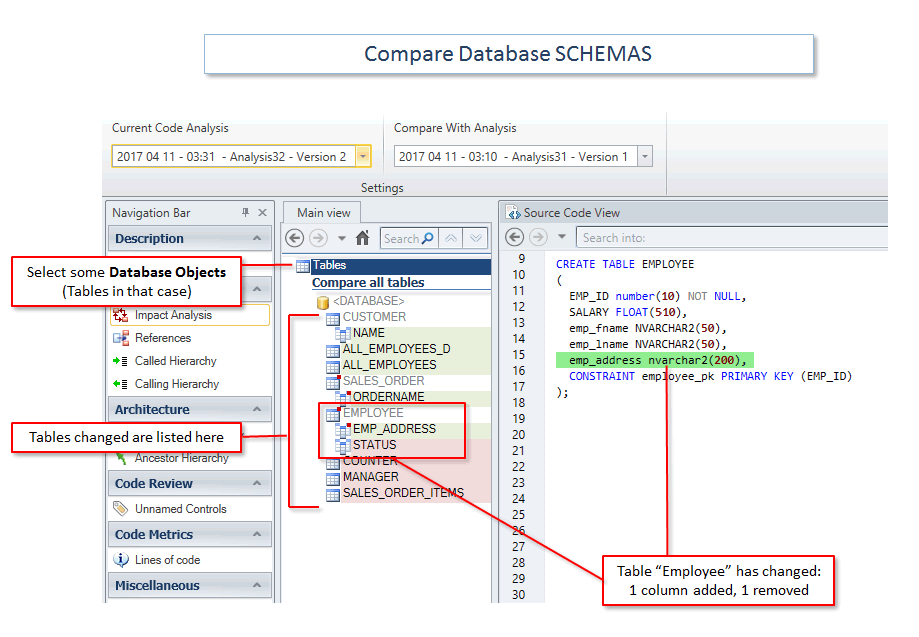
- Run application-wide comparisons, not only for a file or an object.
- Comparisons are based on the code structure, more powerful than text comparisons
- Browse differences in a container hierarchy. Drill down to find relevant changes.
- Find differences for a given object, or object category: Procedures, Tables, Triggers...
- Find differences within a given container, a Package or a Schema for instance.
- Save “snapshots” of your code on a regular basis, and compare them anytime.
Improve Code Performance
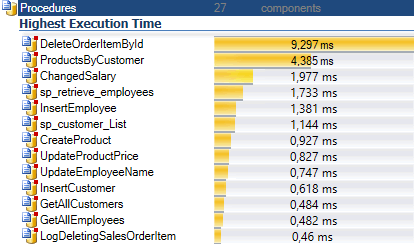
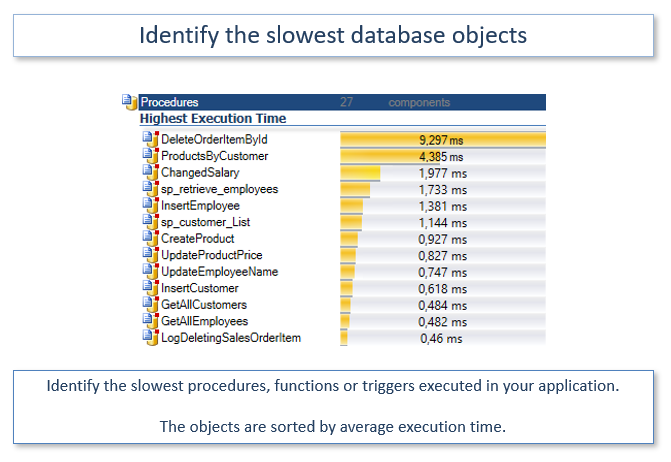
- Find the slowest procedures, functions, triggers
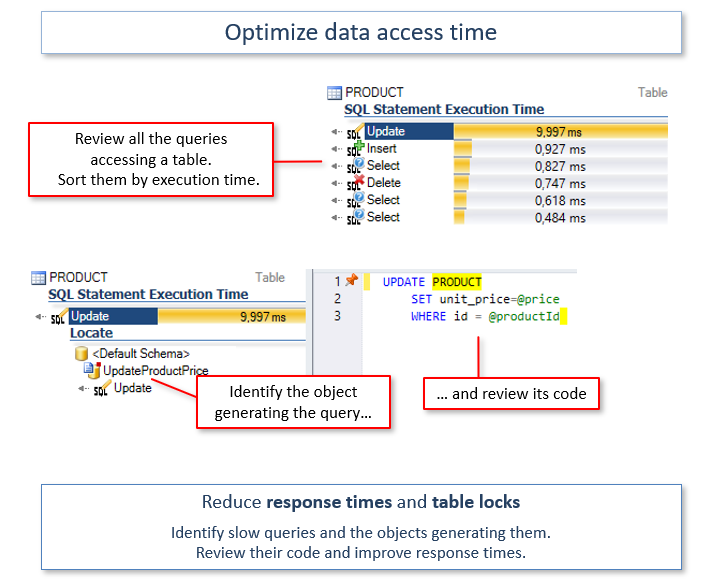
- Reduce the time to access a given table
- Break down the execution time of a large object into sub-queries or instructions.
- Decompose the performance of a chain of calls
Improve Code Quality
Cleanup the code. Streamline maintenance efforts. Avoid unexpected behavior.
- Identify unused objects and remove some dead code.
- Find empty methods, duplicated objects, oversized or uncommented scripts.
- Calculate code metrics: lines of code, number of objects, methods, variables…
- Check naming conventions.
- Find objects that do not inherit from an ancestor etc.
- You can check your code against hundreds of rules
Read more Code review report Checkout Rules for Code Quality

Continuous Code Inspection
Increase the quality and security of your code.
Reduce technical debts and maintenance costs.
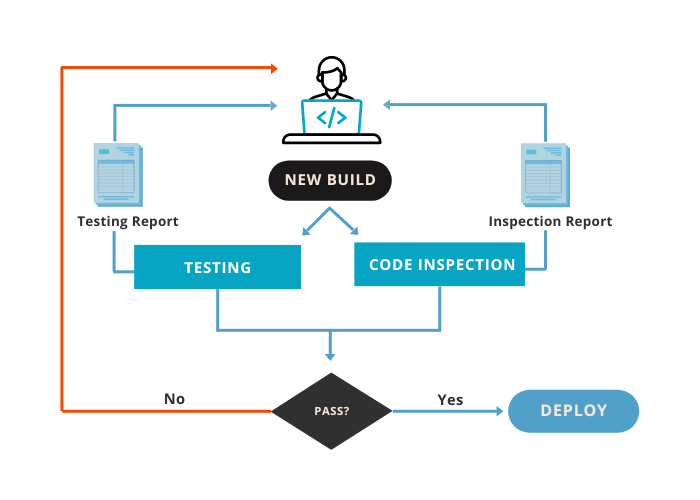
Automatically scan your Oracle code for defects by integrating continuous inspection into your CI/CD pipeline. You will ensure that the code developed by each member of your team complies with quality and security requirements before deployment.
Read More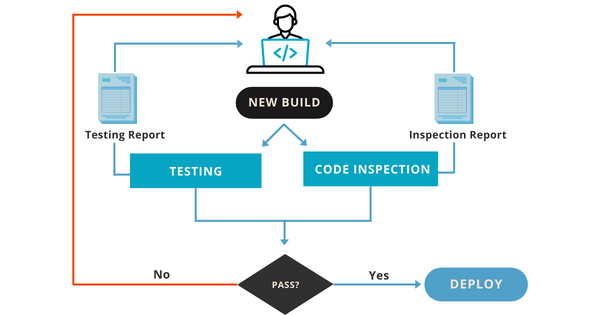
Understand Complex Code
When maintaining complex Applications, you may need to learn more about the code.
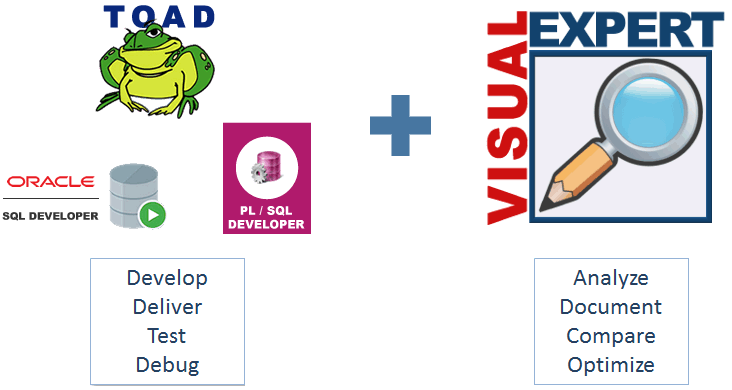
Visual Expert is the perfect companion for your development tool: TOAD or others.
Explore the application structure. Understand its inner workings.
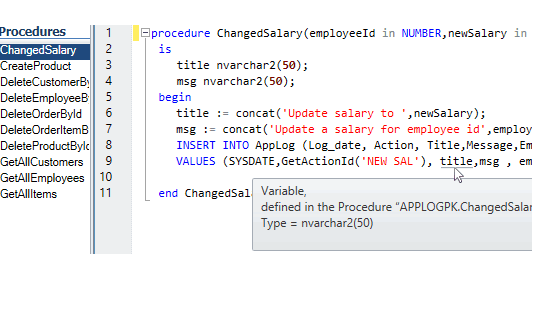
Navigate in your code via hyperlinks: each reference comes with a link to the referenced item.
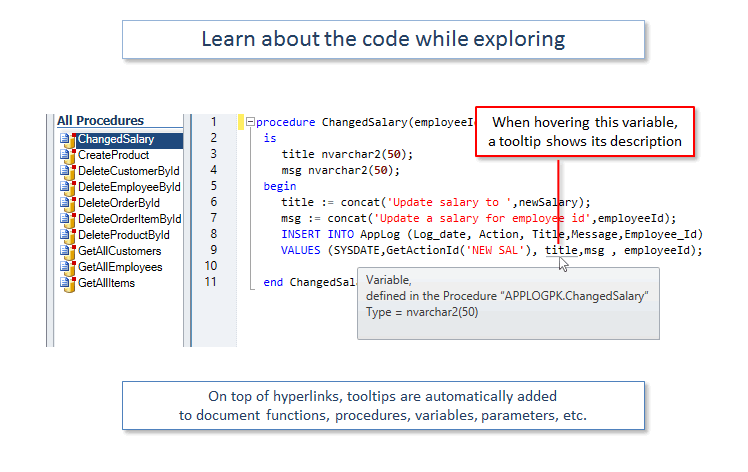
Tooltips provide useful information about objects, methods and variables.
Lots of advanced feature will screen your code under various angles.
Visual Expert Web and Desktop: A Flexible Platform
Visual Expert offers two complementary client interfaces that share the same powerful analysis engine.
- Visual Expert Web offers browser-based, installation-free access for developers, project managers and stakeholders seeking accessibility and collaborative features.
- Visual Expert Desktop serves administrators and power users with advanced configuration needs.
Both interfaces can be used independently or jointly within your organization, depending on the profiles and needs of your teams.



The Perfect Companion for Your Development Tool
Visual Expert provides a set of innovative features, that complement your preferred development tool.
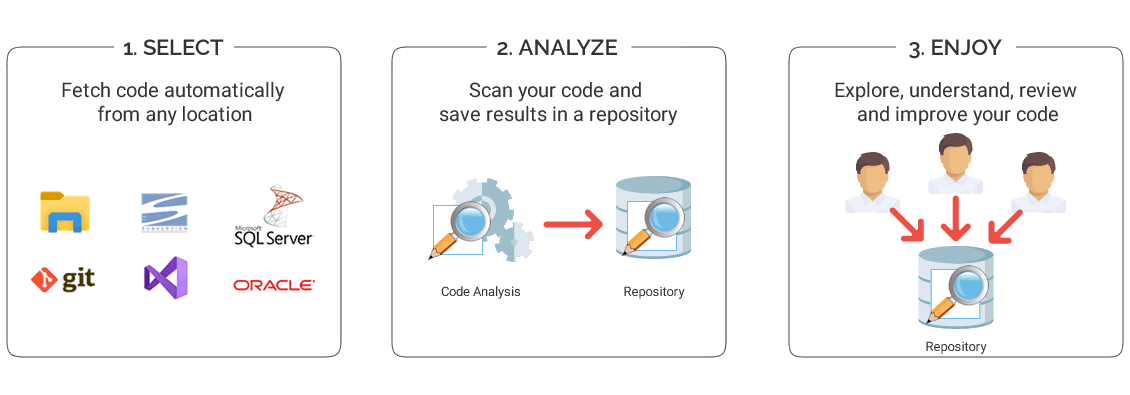
Basically, your create the application with your development tool, then Visual Expert analyzes your code to help maintain and optimize it.
Feedback from our clients

Reduces expenses
Using VE's features allows a much quicker turnaround, reduces expenses and frees up resources for more productive work.
Become familiar with a new application in literally a few hours
(The) More you work with Visual Expert - more you understand how convenient it is. (...) I cannot remember so powerful a tool that allows a user to become familiar with a new application in literally a few hours