
Understand Complex Code
Improve Quality & Security
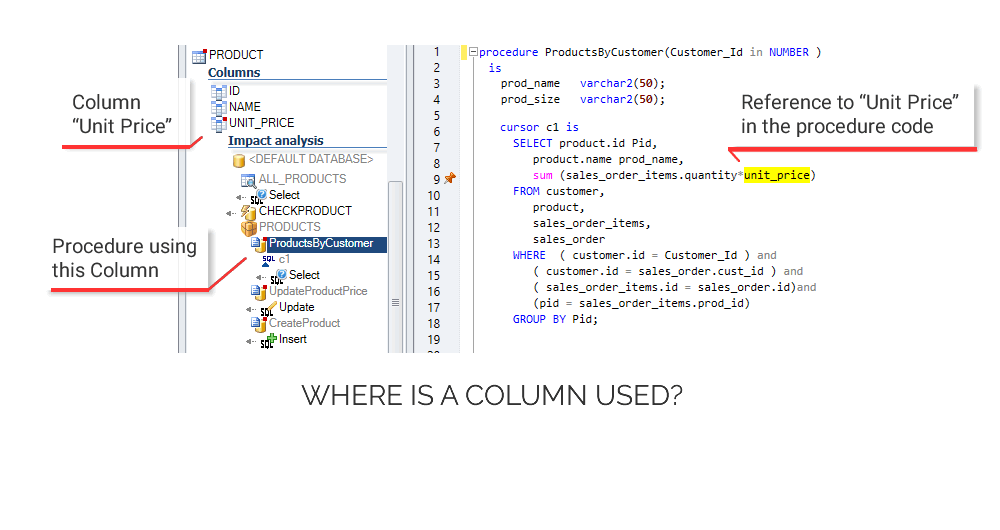
Cross References
Analyze the impact of a change in your code.
Estimate what you should modify to accomplish a change without breaking your application!
Document and
Understand code
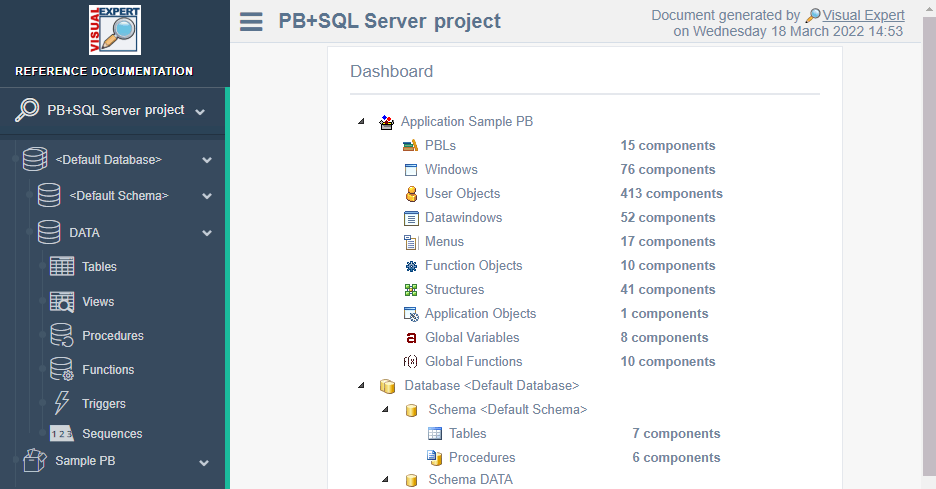
Document the inner workings of your code. Share the knowledge with teammates:
Generate a detailed documentation on a scheduled basis automatically.
Code Security
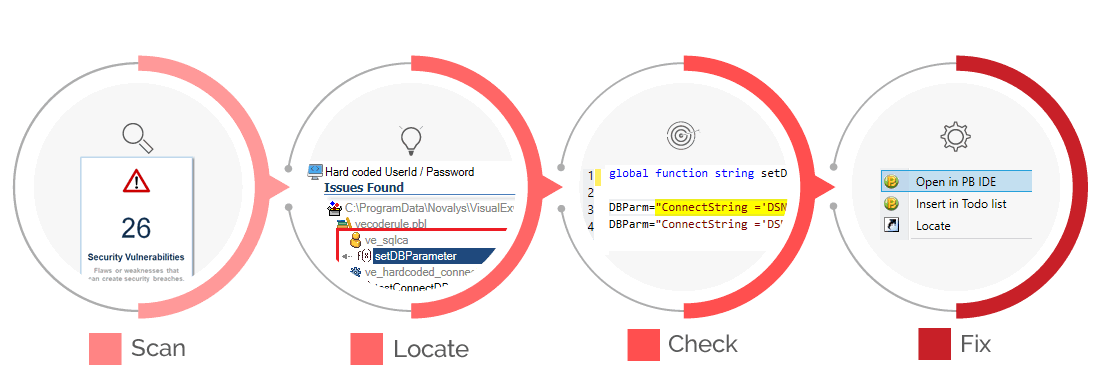
Check your code against hundreds of rules to detect flaws or weaknesses that can create security breaches.
Code Quality
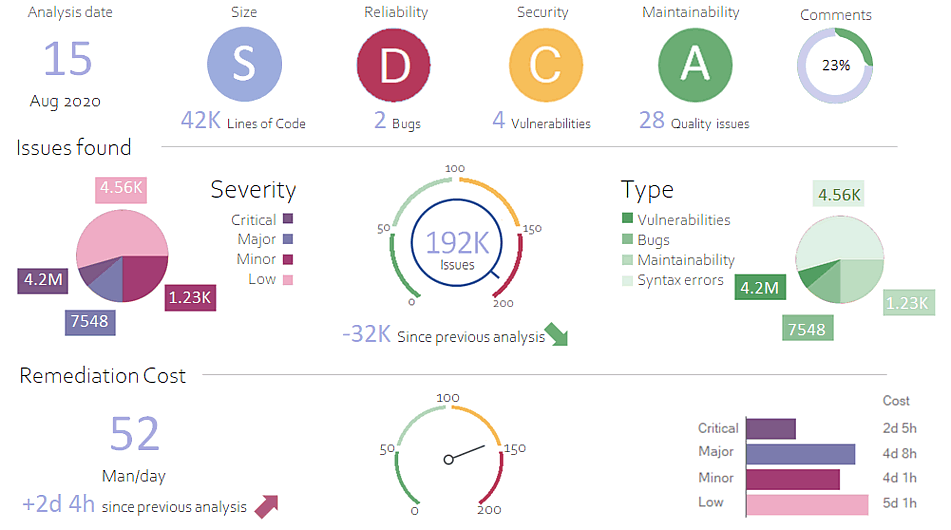
Automatically check your code against hundreds of rules, to improve the quality of your code.
Code Comparison
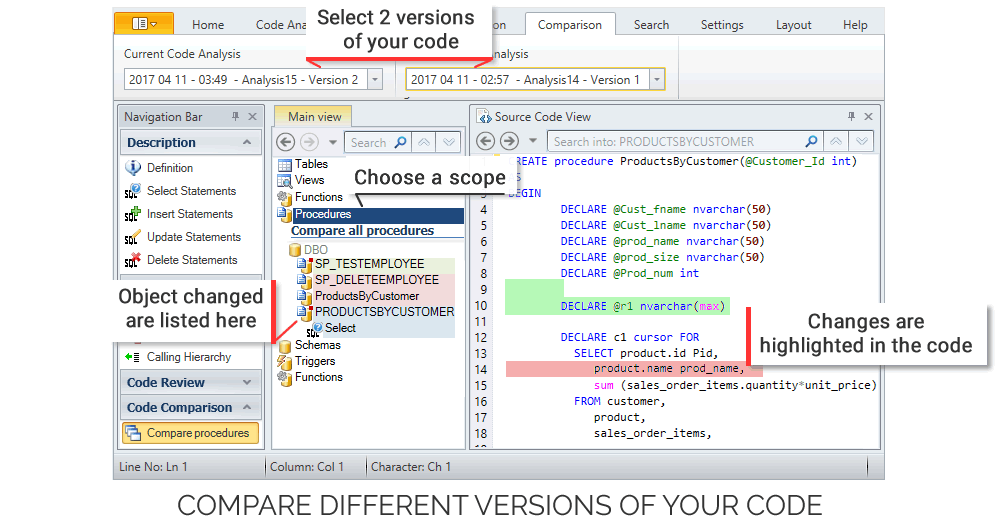
Visual Expert offers TWO ways to compare your code:
2 analyses of the same code or 2 separate sets of code
Performance
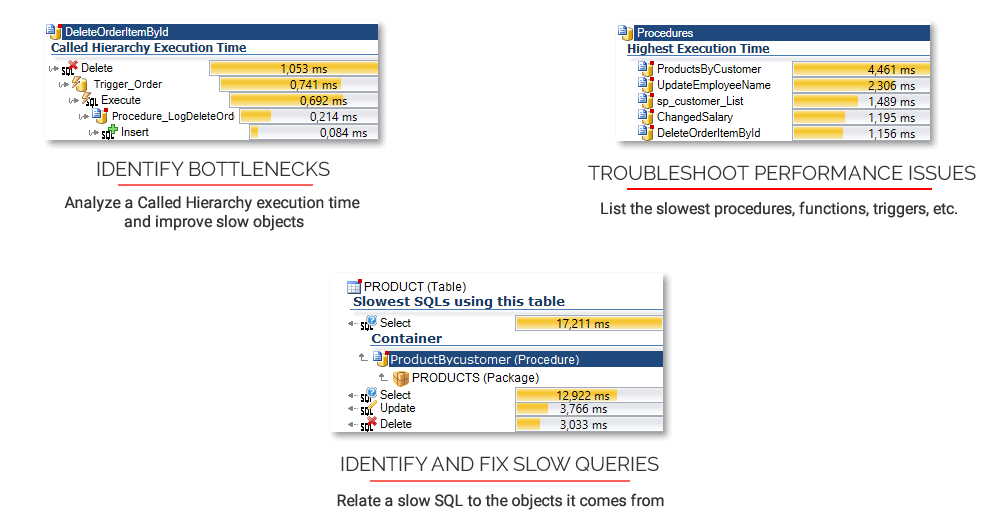
Visual Expert combines PowerBuilder and database statistics generated during the execution of your application, with a deep analysis of your code.
Cross References
Code Documentation
Detect Vulnerabilities
Improve Code Quality
Code Comparison
Code Performance
Artificial Intelligence meets Code Analysis
Visual Expert integrates AI capabilities across four key domains to transform legacy code maintenance
Ready to explore Visual Expert AI capabilities?
Join our beta program or learn more about Visual Expert AI capabilities.
Analyze your code with Visual Expert



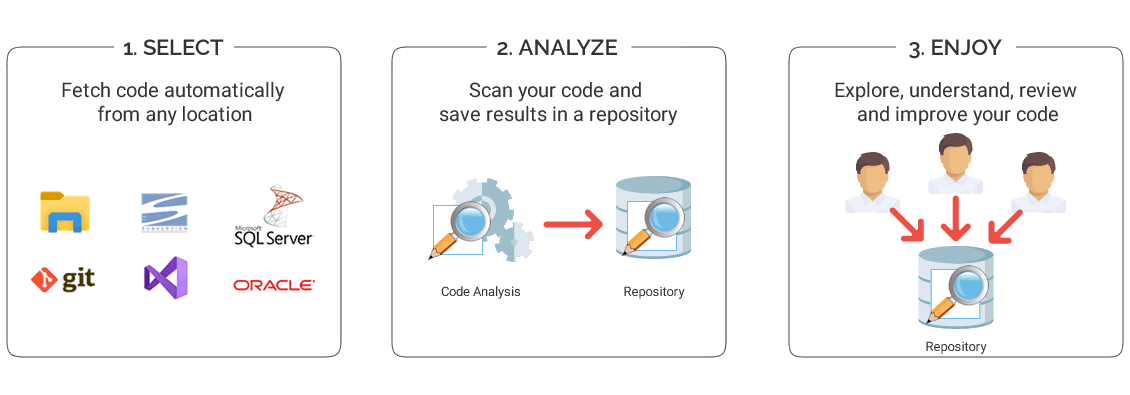
How it works?
Support for multiple programming languages
Visual Expert can analyze several programming languages, either separately (Oracle code only for instance) or altogether
(for example: PowerBuilder Front-end + an Oracle back-end + Front-end / Back-end dependencies).
Multi-application
You can analyse multiple applications at the same time.
For example if you maintain a portfolio and need to explore several applications in parallel.
Collaborative features
Team members can collaborate, sharing the same code analysis. For instance, an analyst prepares a change and lists the objects impacted. Teammates leverage this Impact Analysis, to review and change the corresponding objects. More about Visual Expert TEAM SYSTEM
Keep snapshots of your code
When a new code analysis is done, previous ones remain available. Open previous analyses to browse older versions of your code. Compare two code Analyses to find differences between them.
Choose your Version of Visual Expert
Some Visual Expert Users















Reduces expenses
Using VE's features allows a much quicker turnaround, reduces expenses and frees up resources for more productive work.
Become familiar with a new application in literally a few hours
(The) More you work with Visual Expert - more you understand how convenient it is. (...) I cannot remember so powerful a tool that allows a user to become familiar with a new application in literally a few hours