What's new in Visual Expert 2026
Track defects from detection to resolution
Visual Expert 2026.10 adds defect tracking and task management to PowerBuilder, Oracle PL/SQL and SQL Server T-SQL code analysis. Your team decides which defects to fix first. Fixes are confirmed by a subsequent analysis.
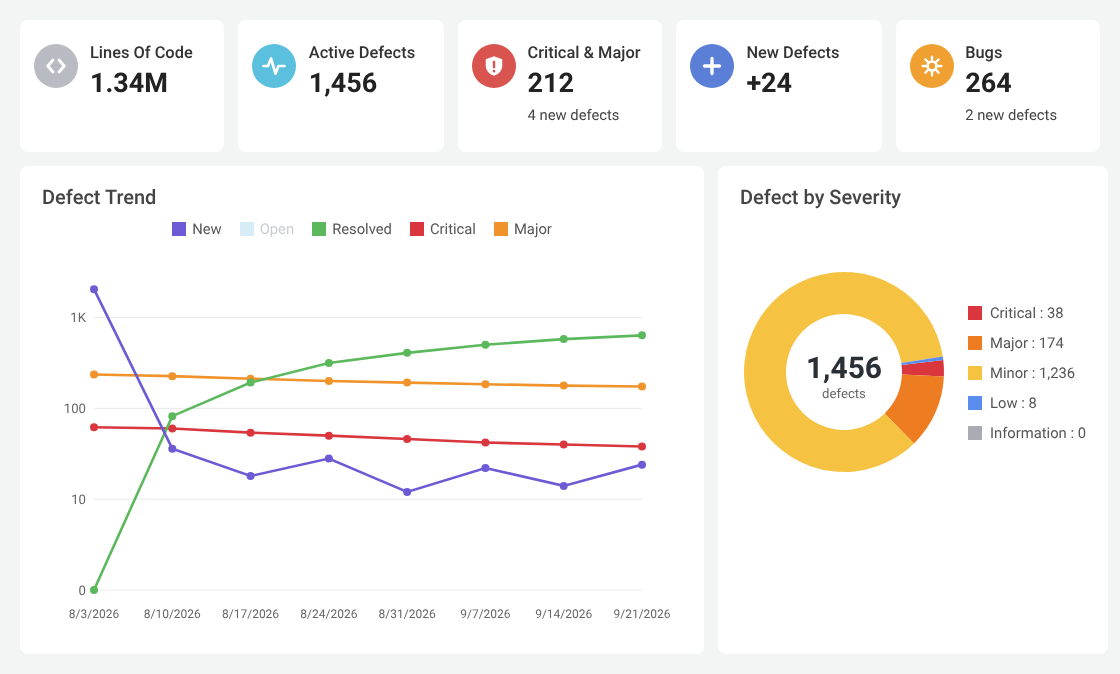
Decide what to fix
Focus on what requires action.
- New defects found in the latest analysis
- The most critical defects first
- Visual Expert explains the context: code, references, impact
- You decide on each defect: fix, False Positive, Risk Accepted or On Hold
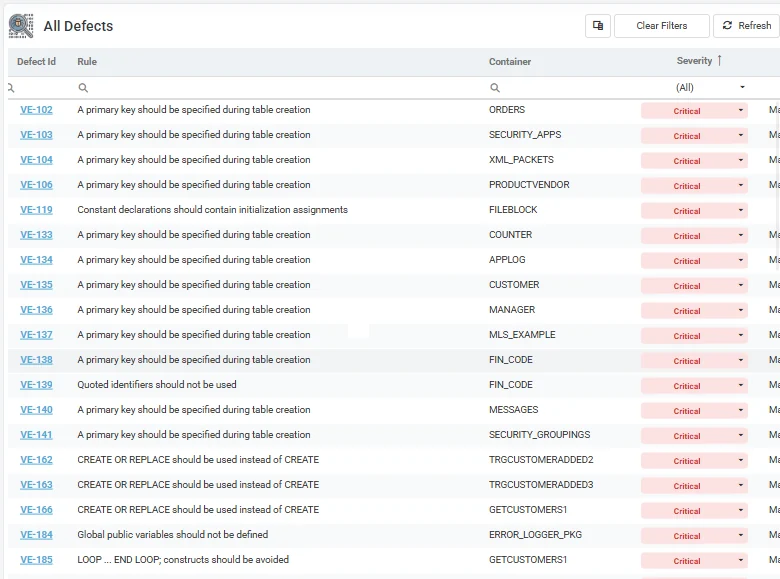
Organize remediation
Distribute the work across the team.
- Assign defects and create tasks
- Set owners, priorities and deadlines
- Follow the corrections
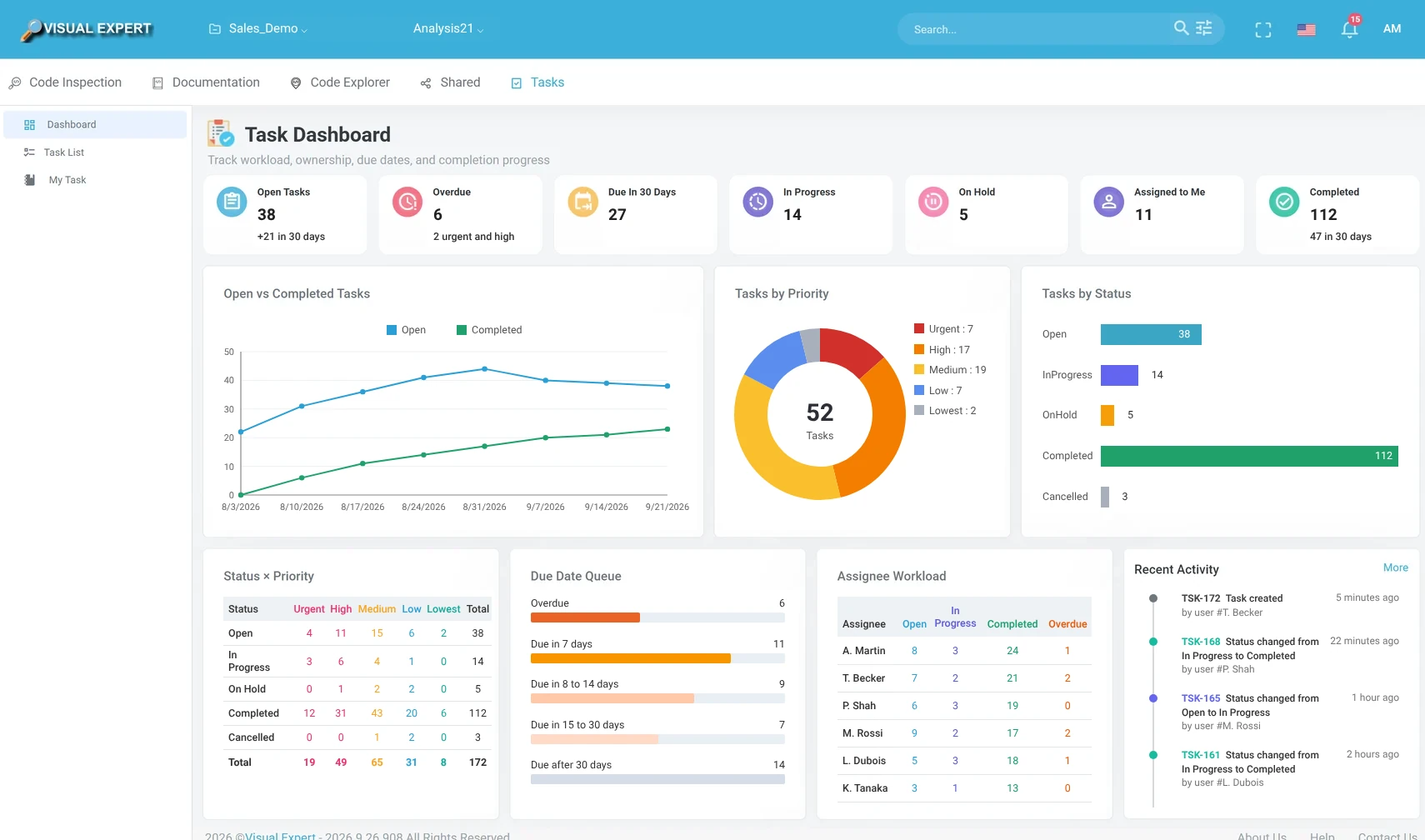
Verify the result
The fix is confirmed by the analysis, not just declared.
- The developer marks the defect as fixed
- The next analysis checks the fix
- The defect is automatically “resolved” if it is gone
Defect lifecycle
Reviewed defects can also be set aside. Their history is kept.
Risk AcceptedFalse PositiveOn HoldShare the results
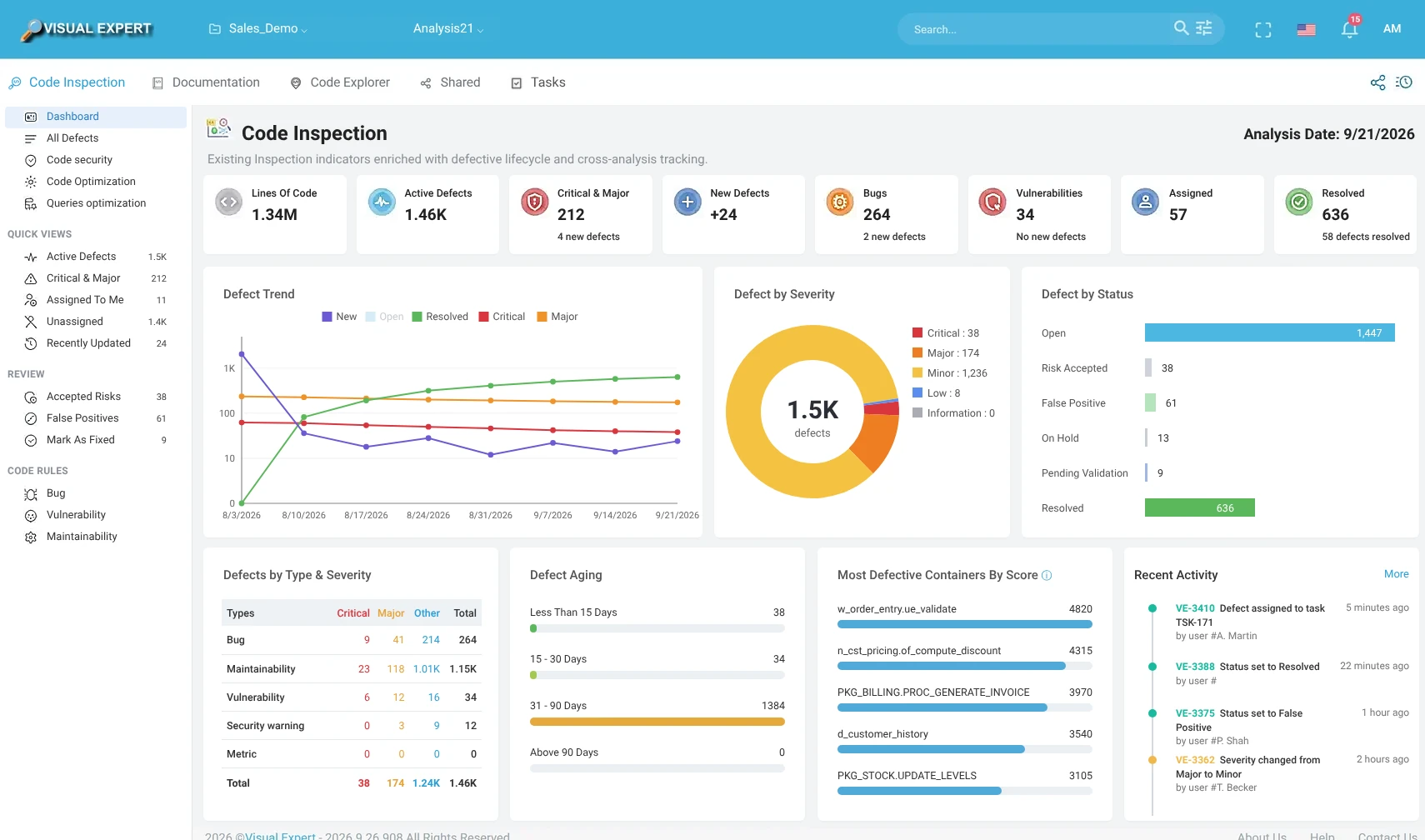
Make analysis results available to your team and your tools.
- CI/CD pipeline: export the results (JSON) to your automation tools
- Dashboard: explore results and track progress
- Email notifications: keep your team informed
Also in Visual Expert 2026
Visual Expert AI
Now generally available: code explanation and fix suggestions.
Shared documents and views
In Visual Expert Web, with access rights per user and per group.
Cross-schema dependencies
And detection of references to objects that no longer exist.
.NET 10
And a new JSON storage format.
Discover the new features
We present them online and answer your questions.
Prefer to try it yourself? Download Visual Expert
Using VE's features allows a much quicker turnaround, reduces expenses and frees up resources for more productive work.