CODE
EXPLORATION |
Stored Procedures |
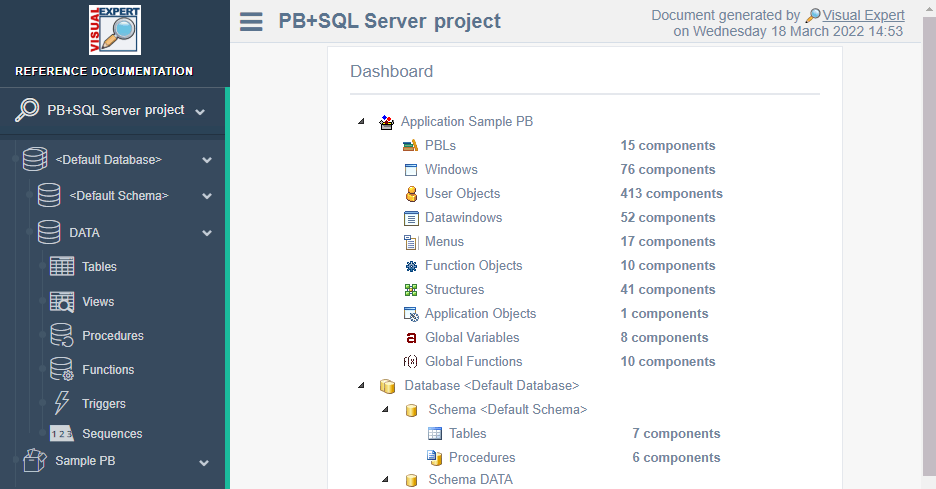
After analysing your project, Visual
expert may display several lists of Procedure:
* List of the procedures defined in your project
* List of the procedure referenced by your project (no
matter if the code is included in the project)
* Procedure by Access type (Procedure including Delete,
Update, Insert or Select Statements)
* Procedures which name and/or source code contain a
given string
* Procedure called by PowerBuilder Components |
| SQL
Queries |
After analysing
your project, Visual expert may display several lists
of Procedure:
* SQL statements defined in the project
* SQL statements accessing the DBMS (default case)
* SQL statements not accessing the DBMS (like "select
@lr_code1=@lr_code2*100")
* SQL statements by access type (select, insetr, update
or delete Statements)
* SQL statements by definition type (defined in Transact-SQL
code, PowerBuilder Script or Datawindow)
* SQL statements containing a given string
You may also select one or several procedures, functions,
blocks, triggers or cursors
and list the SQL statements defined in the selected items.
|
| Code
Architecture |
First, you may select
a one or several procedures, functions, blocks, triggers
or cursors.
Then Visual Expert will open a treeview with the architecture
of the code for the selected items. |
| Hyperlink
Exploration |
When displaying your code, Visual
Expert adds an hyperlink for each reference found.
Clicking on this hyperlink will open the source code of
the referenced item. |
Transact-SQL
Components |
On top of Procedures and SQL statements,
Visual Expert can list the following Transact-SQL components:
* Transact-SQL Triggers
* Transact-SQL Cursors
* Transact-SQL Views
* Transact-SQL Blocks
* ... |
| String
search |
You may search for a string in your
project. Several options are available:
* Global Search in the whole project (including Transact-SQL
code, PowerBuilder Code, SQL files, ...)
* Search restricted to a given type of component (For
instance, you may search for triggers only).
* You may search in the name and/or the source code of
components.
* You use regular expressions in a search (click
here to read about regular expressions)
* You may search into a selection of components (for instance
after selecting some procedures in the treeview).
|
IMPACT
ANALYSIS
(cross-references) |
Table
and Columns |
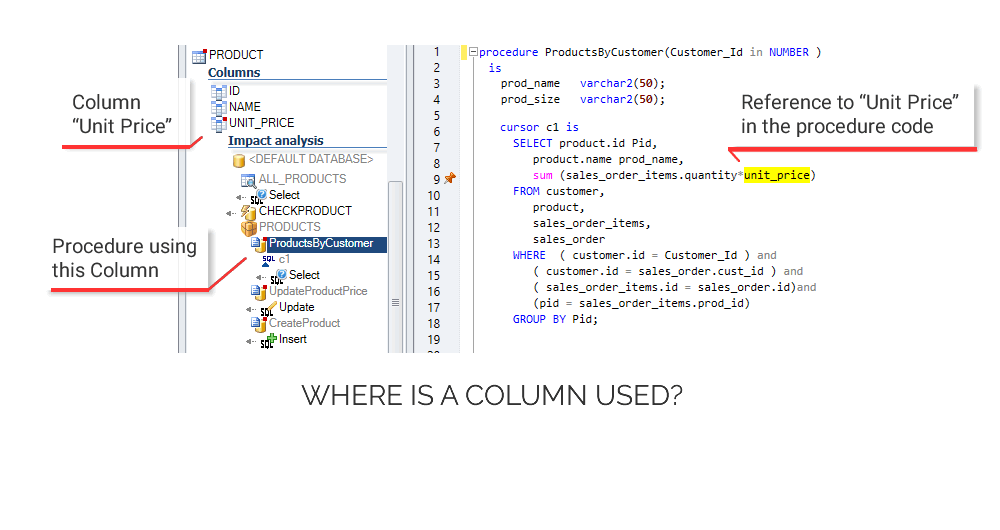
First, you can select
a table or column. Then, Visual Expert will list the procedures,
functions, blocks, triggers, cursors... referencing this
table or column.
If you also develop with PowerBuilder, all PB references
are included in the result
(read more about Visual
Expert for PowerBuilder) |
Transact-SQL
Procedures |
Visual Expert can also
list all references in your project to a procedure or
a function.
If you also develop with PowerBuilder, all PB references
are included in the result
(read more about Visual
Expert for PowerBuilder) |
Transact-SQL
parameters
and variables |
Same concept: Visual Expert
can find any reference to Transact-SQL variables and parameters |
| Database
Functions |
You may need to know where
a given SQL Server function is used (such as Count, sum,...).
Visual Expert will list every calls to such a function. |
Transact-SQL
References |
Procedures
and Functions
referenced |
First, you may select
one or several procedures, functions, blocks, triggers
or cursors.
Then Visual Expert will list all Procedures and functions,
cursors and variables referenced by the selected items. |
| Transact-SQL
Cursors |
Visual Expert can also
list the Transact-SQL cursors referenced by procedures,
functions, triggers or cursors. |
Transact-SQL
parameters
and variables |
You may list all variables and parameters
referenced in procedures, functions, block, triggers or
cursors. |
Calls
from
PowerBuilder Objects
to Transact-SQL
Procedures |
If you also develop with
PowerBuilder, you may list all references from PowerBuilder
objects to Transact-SQL:
* per PBL (list of the Stored procedures called by each
PBL)
* per Object (list of the Stored procedures called by
each PowerBuilder Object)
(read more about Visual
Expert for PowerBuilder) |
Database
References |
Table and Columns
referenced |
While reading your code, Visual Expert will
extract and analyse the SQL queries in your code.
As a result, you can list all table and columns referenced
by your Transact-SQL code. |
| Temporary
tables |
You may list all temporary tables
created or referenced by Transact-SQL code.
You may then list which Transact-SQL procedure is accessing
this temporary table. |
| Tables
created |
You can list all tables created by
DDL statements found in your code.
(this list may include temporary and non temporary tables) |
| DB System
Functions |
You can list System Functions (Count,
Sum, GetDate...), System Variables (@@SqlStatus, @@RowCount,...)
and System Procedures (sp_procxmode) used in your project.
You can also list all references to such functions and
variable from your Transact-SQL code. |