Mejorar la calidad y la seguridad
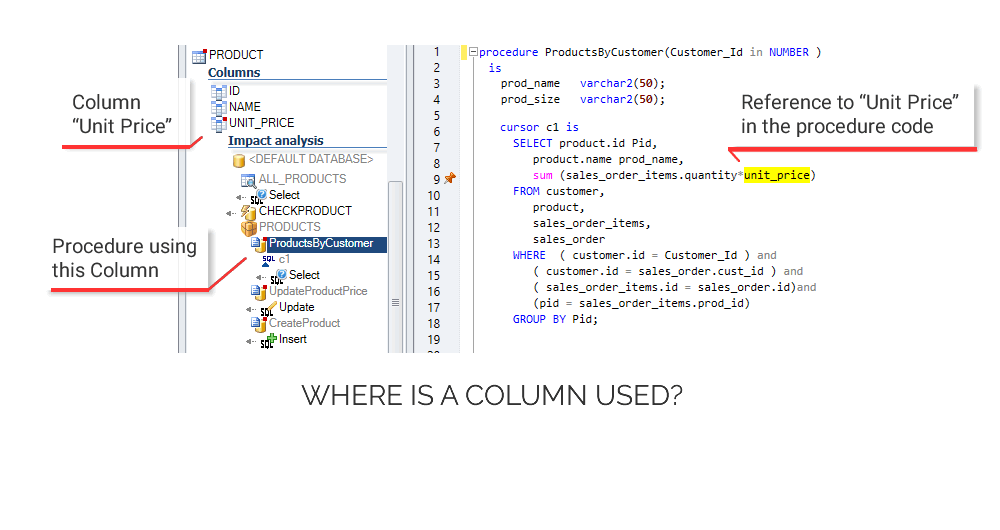
Referencias Cruzadas
Analice el impacto de un cambio en su código.
Estime lo que debe modificar para hacer un cambio sin romper su aplicación.
Documentar e
Entender el código
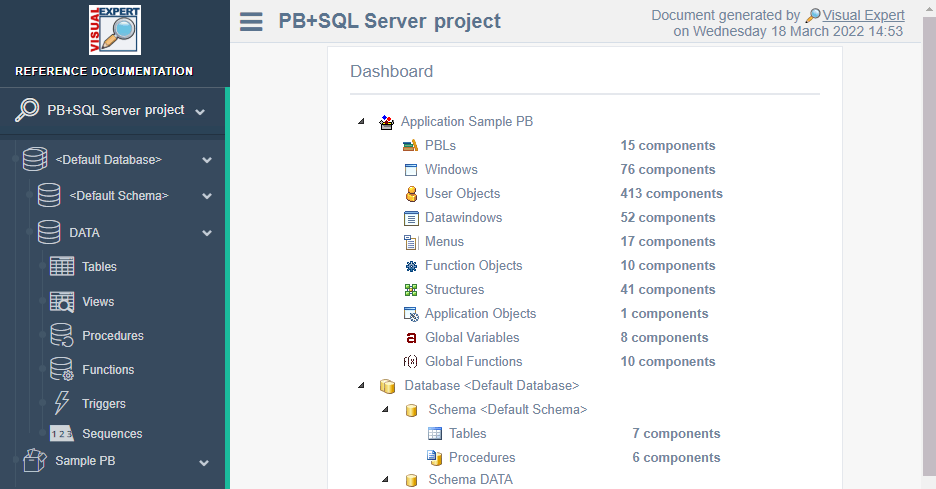
Documenta el funcionamiento interno de tu código. Comparta el conocimiento con sus compañeros de equipo:
Seguridad del Código
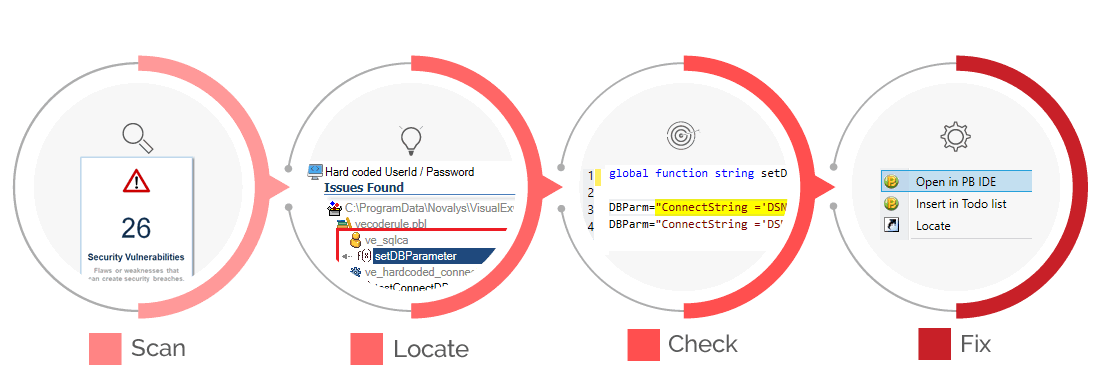
Verifique su código con cientos de reglas para detectar fallos o debilidades que puedan crear brechas de seguridad.
Calidad del Código
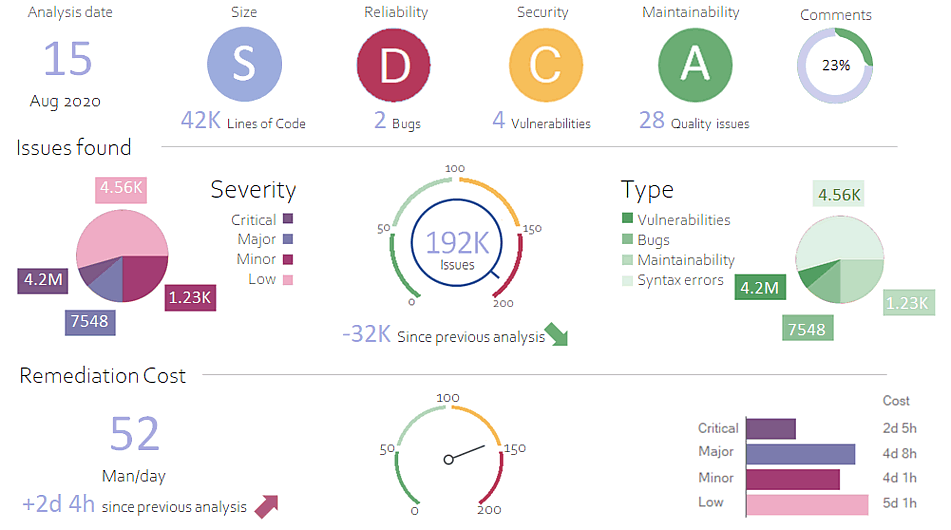
Verifique automáticamente su código con cientos de reglas, para mejorar la calidad y la seguridad de su código.
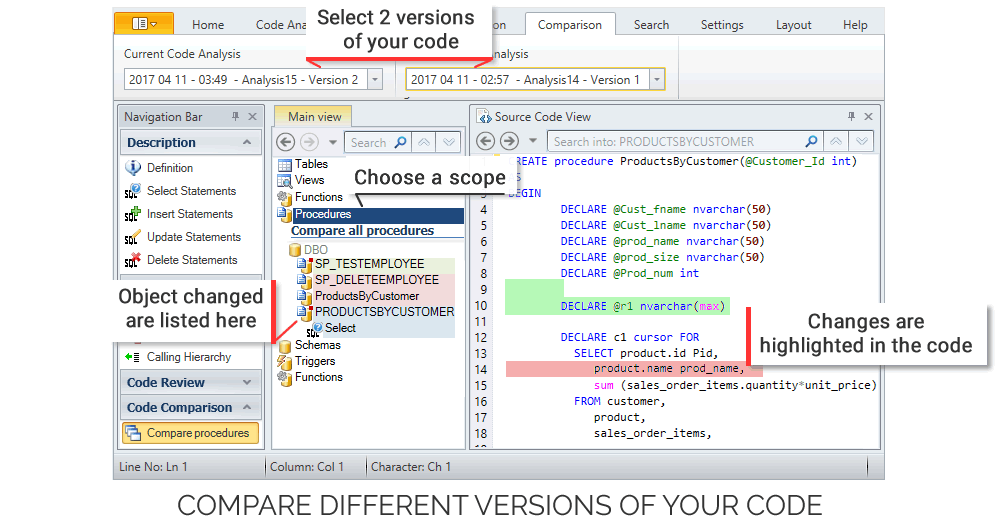
Comparación de código
Visual Expert ofrece DOS maneras de comparar su código:
2 análisis del mismo código o 2 juegos de código separados
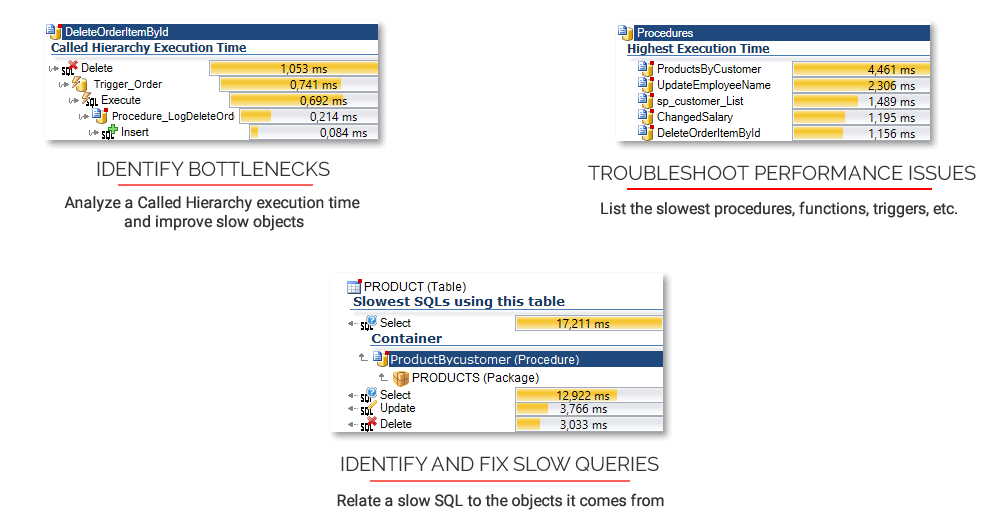
Rendimiento
Visual Expert combina las estadísticas de PowerBuilder y de la base de datos generadas durante la ejecución de su aplicación, con un análisis profundo de tu código.
Identifique las dependencias en el código.
No rompa su aplicación después de un cambio.
Genere gráficos de llamadas, modelos de datos, una documentación del código fuente, etc.
Leer más
Escanee su código para detectar y corregir vulnerabilidades de seguridad.
Leer más
Mejore la capacidad de mantenimiento. Limpie el código.
Cumpla con las normas de desarrollo
Leer más
Compare las bases de datos y el código.
Identifique las diferencias.
Leer más
Encuentre el código lento. Analice los procesos. Elimine los cuellos de botella.
Leer más
Referencias Cruzadas
Documentacián del código
Detectar vulnerabilidades
Mejorar la calidad del código
Comparación de códigos
Rendimiento del código
La Inteligencia Artificial se encuentra con el Análisis de Código
Visual Expert integra capacidades de IA en cuatro áreas clave para transformar el mantenimiento de código heredado
¿Listo para explorar las capacidades de Visual Expert AI?
Únase a nuestro programa beta o conozca más sobre las capacidades de Visual Expert AI.
Analice su Código



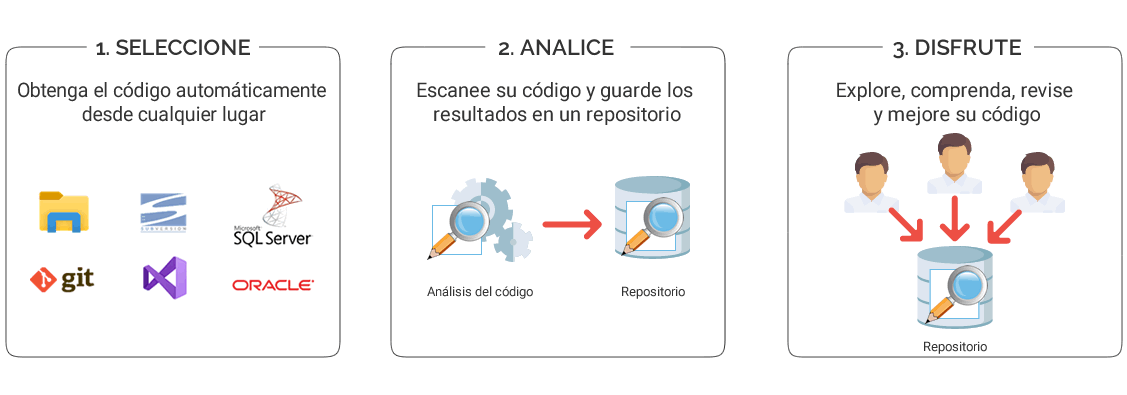
¿Cómo funciona?
Opiniones de nuestros clientes

Reduce los gastos
Usando VE permite una recuperación mucho más rápida y reduce los gastos y libera recursos para las tareas más productivas.

Familiarizarse con una nueva aplicación en unas horas
Cuanto más se trabaja con Visual Expert, más usted entiende lo conveniente que es. No puedo recordar tan poderosa herramienta que permite al usuario familiarizarse con una nueva aplicación en unas horas.