Analyze and Improve your SQL Server T-SQL Code
 Code Review
 Cross References
 Performance Tuning
 Code Documentation
Try Visual Expert
Code Review

Security Scan - SAST for SQL Server Transact SQL
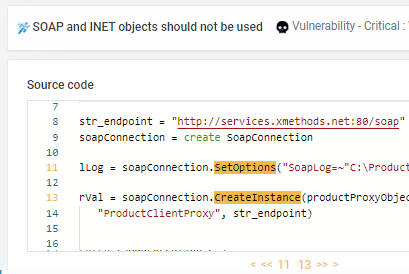
Automatically detect vulnerabilities
such as weak authentication methods in stored procedures or potential SQL injection points in database queries. Visual Expert scans your in your SQL Server codebase to ensure that sensitive information remains secure and protected against exploits that could compromise your data integrity.

Code Clean Up
Optimize and Streamline Your Code
Enhance the quality and performance of your Transact SQL code with Visual Expert. It identifies unused variables, redundant blocks, and obsolete stored procedures, helping you clean up your SQL Server database code efficiently. By removing outdated packages and unnecessary database objects, Visual Expert ensures that your codebase remains readable, efficient, and easy to maintain.

Dashboard
Monitor Code Inspection Metrics
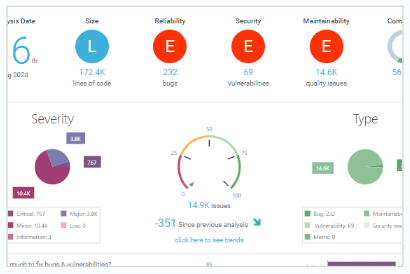
The Visual Expert dashboard consolidates key code inspection metrics into clear charts on vulnerabilities and code complexity, with interactive drill-down options for detailed insights. It provides direct access to issues, enabling precise tracking and efficient remediation. By highlighting remediation costs and technical debt, the dashboard supports both immediate optimization efforts and long-term code quality improvements.

Continuous Code Inspection
Integrate code inspection into a CI/CD pipeline
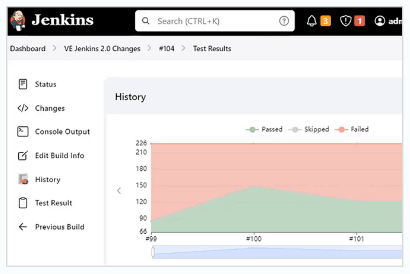
Integrate Visual Expert into your CI/CD workflow to run automated inspections with each code commit. Detect security vulnerabilities, performance issues, and quality concerns early in the development process, allowing you to streamline remediation and minimize technical debt. By embedding this continuous inspection into your pipeline, you ensure that high-quality, compliant code is consistently maintained throughout your development and deployment cycles.
Cross-References

Deep Impact Analysis
Understand Code Dependencies and Impacts
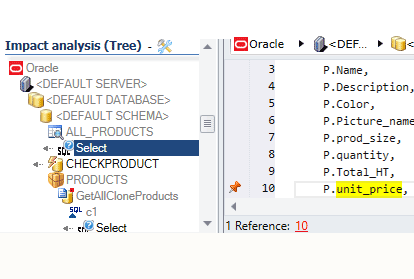
Gain insights into how changes to your T-SQL code affect other components in your SQL Server database. Visual Expert traces dependencies across stored procedures, triggers, and tables, helping you assess and manage potential impacts. This analysis ensures that updates don't unintentionally disrupt related objects, promoting safer and more reliable code modifications.

CRUD Matrix
Visualize Database Interactions in Your T-SQL Code
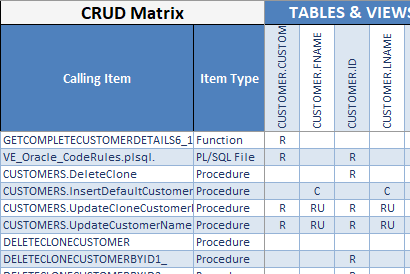
With Visual Expert, easily map Create, Read, Update, and Delete operations within your SQL Server database. This tool highlights how your T-SQL code interacts with database tables and columns, giving you a comprehensive view of data flows. The CRUD Matrix helps you analyze dependencies and relationships, ensuring better understanding and control over your database interactions.

Call Graphs
Trace Code Execution Paths
Leverage Visual Expert to generate call graphs that map execution flows within your T-SQL code. Track interactions between procedures, functions, and packages, giving you a clear overview of code dependencies and execution sequences. This tool provides insight into complex interactions, making it easier to debug, optimize, and manage SQL Server code effectively.

Generate Diagrams
Visualize Database Structures and Relationships
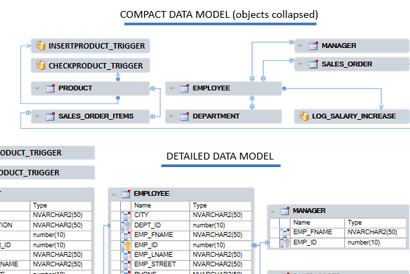
Use Visual Expert to automatically create diagrams that illustrate your Oracle database structure. These diagrams map relationships between tables, columns, and Transact SQL code, providing a clear view of data dependencies and interactions. By visualizing complex structures, you can better understand your database architecture, streamline analysis, and support more efficient database management.
Performance Tuning

Find bottlenecks
Diagnose Performance Issues Within Execution Flows
Visual Expert identifies bottlenecks by tracing execution flows within T-SQL code. It analyzes the sequence of operations in stored procedures and functions, isolating slow-running segments and pinpointing high-latency steps. This feature enables you to locate inefficiencies precisely within the execution path, focusing on problematic queries and resource-heavy operations that hinder application performance.

Identify High-Latency SQL Statements
Pinpoint Resource-Intensive Queries
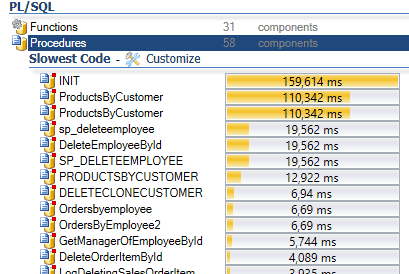
Visual Expert isolates SQL statements with the longest execution times in your T-SQL code. By identifying these high-latency queries, even if rarely executed, you can target specific statements that impact application responsiveness due to their processing delays.

Find missing indexes
Reduce Full Table Scans and Optimize Query Efficiency
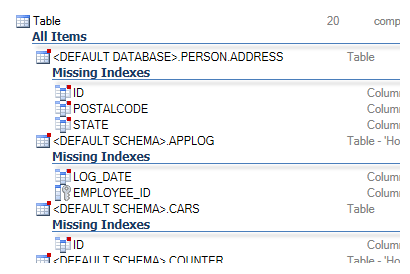
Visual Expert scans your T-SQL code to detect SQL queries that could benefit from additional indexing. It identifies tables frequently accessed without indexes, where lookup times are unnecessarily high. By highlighting missing indexes, Visual Expert helps you reduce query execution times and optimize data retrieval, improving the overall performance of your SQL Server database.

Focus on Queries with Significant Performance Impact
Identify which lines need to be refactored
Visual Expert also identifies queries with high cumulative execution times due to frequent use. Although these statements may not be individually slow, they consume substantial resources. Optimizing these frequently run queries can significantly reduce system load and improve overall performance.
Documentation
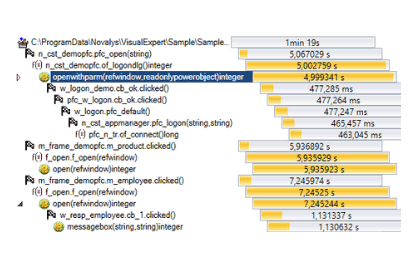
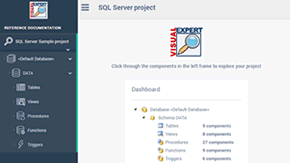
HTML References Manuals
Share and secure your application knowledge
Schedule and automatically document the references in your code. Navigate between them using hyperlinks. Share knowledge with teammates.
Code Review Reports
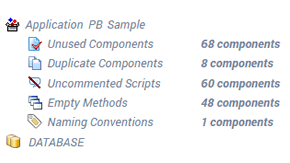
Keep a formal written record
Automatically generate detailed code review reports to facilitate communication between teams, track corrections, and ensure compliance with external standards or audits.
Visual Expert Pricing & Editions
-
-
Basic
For individual developers with small projects
$655 /user
/year500 000 Lines of Code- Installation on a Client PC
- Cross-References / Impact Analysis
- Code Inspection
- Performance Tuning
- Code Documentation
- Updates
-
Basic
For individual developers with small projects
$1,465/user
500 000 Lines of Code- Installation on a Client PC
- Cross-References / Impact Analysis
- Code Inspection
- Performance Tuning
- Code Documentation
- Mandatory for the 1st year
- Updates - $279
-
-
-
Professional
For teams managing large codebases and requiring collaboration tools
$1,320 /user
/year5 million Lines of Code- All Basic Features, plus:
- Client/server configuration
- Web Client available
- Collaborative Features
- Integration with DevOps Platforms
- Code Comparison
- Code Analysis Scheduler & History
- Updates
Need more than 5 million Lines of Code?
Get Volume Discount- Mandatory for the 1st year
- Premium Support - $1,979
-
Professional
For teams managing large codebases and requiring collaboration tools
$2,995 /user
5 million Lines of Code- All Basic Features, plus:
- Client/server configuration
- Web Client available
- Collaborative Features
- Integration with DevOps Platforms
- Code Comparison
- Code Analysis Scheduler & History
Need more than 5 million Lines of Code?
Get Volume Discount- Mandatory for the 1st year
- Updates - $599
- Premium Support - $1,979
-
-
-
ENTERPRISE AI
For teams managing large codebases and requiring AI-powered features
$1,970 /user
/year5 million Lines of Code- All Professional plus AI Features :
- 10,000 AI Credits per user
- (AI) Explain the Business
- (AI) Explain the Logic
- (AI) Add comments in the code
- (AI) Fix a problem
- (AI) Optimize SQL & Code
- Updates
Need more than 5 million Lines of Code?
Get Volume Discount- Mandatory for the 1st year
- Premium Support - $1,979
-
ENTERPRISE AI
For teams managing large codebases and requiring AI-powered features
$3,645 /user5 million Lines of Code- All Professional plus AI Features :
- 10,000 AI Credits
- (AI) Explain the Business
- (AI) Explain the Logic
- (AI) Add comments in the code
- (AI) Fix a problem
- (AI) Optimize SQL & Code
Need more than 5 million Lines of Code?
Get Volume Discount- Mandatory for the 1st year
- Updates - $729
- Premium Support - $1,979
-
Feedback from our clients

Reduces expenses
Using VE's features allows a much quicker turnaround, reduces expenses and frees up resources for more productive work.
Become familiar with a new application in literally a few hours
(The) More you work with Visual Expert - more you understand how convenient it is. (...) I cannot remember so powerful a tool that allows a user to become familiar with a new application in literally a few hours