Visual Expert for SQL Server
Funcionalidades claves
Solución imprescindible para el mantenimiento de su código SQL Server Code.
Visual Expert permite a los desarrolladores descubrir cualquiera aplicación ya existente y empezar trabajando de manera muy facil con ella. Entender el código - Identificar las modificaciones - Evaluar el efecto de un cambio - Generar una matriz CRUD - Documentación - ¡y mucho más!
Referencias Cruzadas
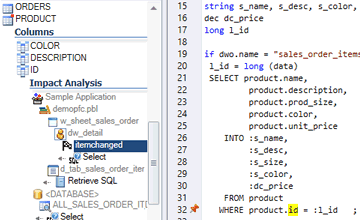
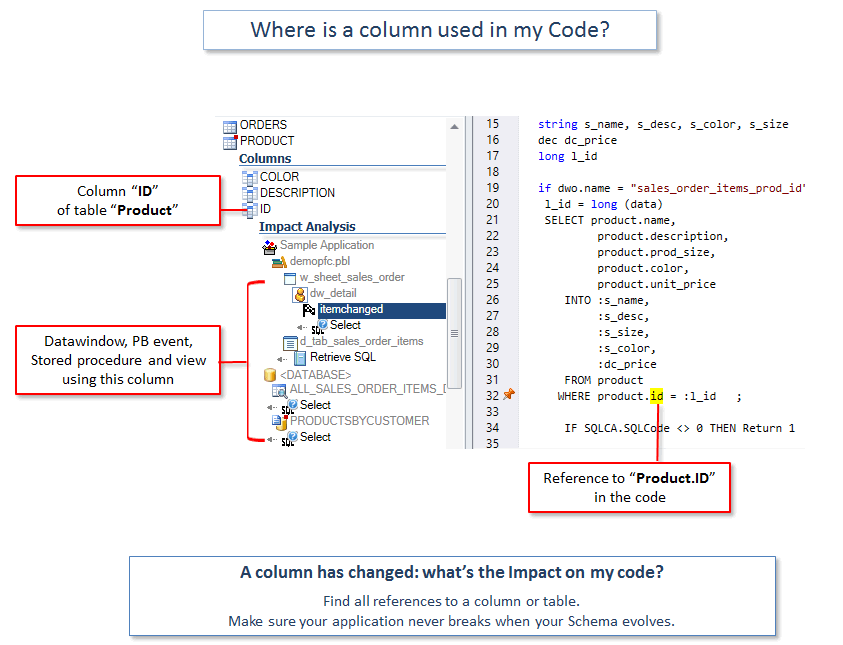
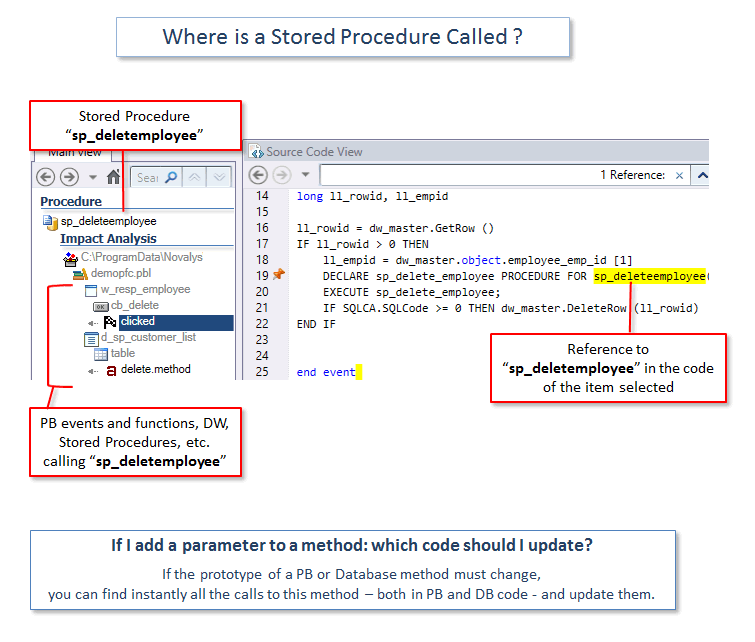
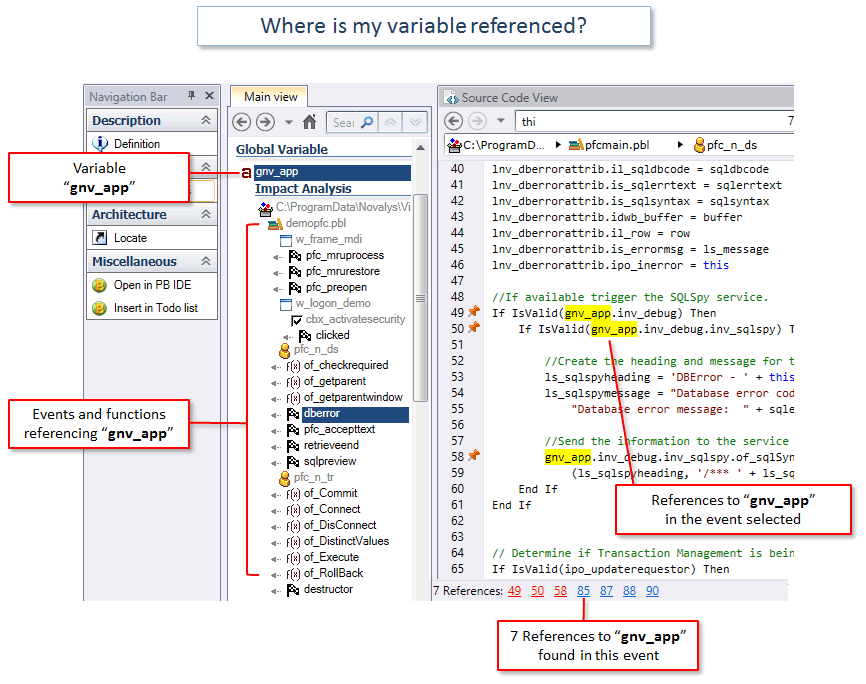
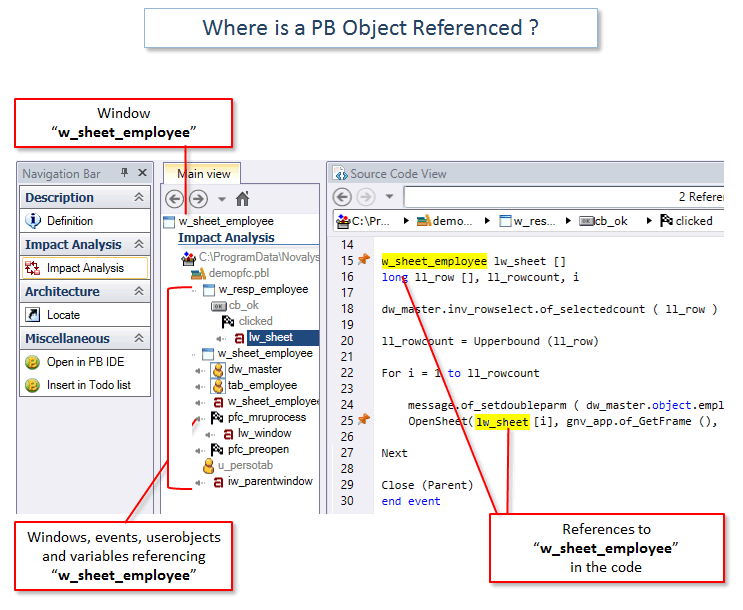
Analice el impacto de un cambio en su código
Evalúe lo que tendría que modificar para hacer un cambio.
No rompa su aplicación después de un cambio.
- Si cambio esta variable, ¿cuál es el efecto en mi código?
- Si añado un parámetro a una función, ¿qué más se ve afectado?
- Si se cambia una tabla o columna, ¿qué código debo actualizar?
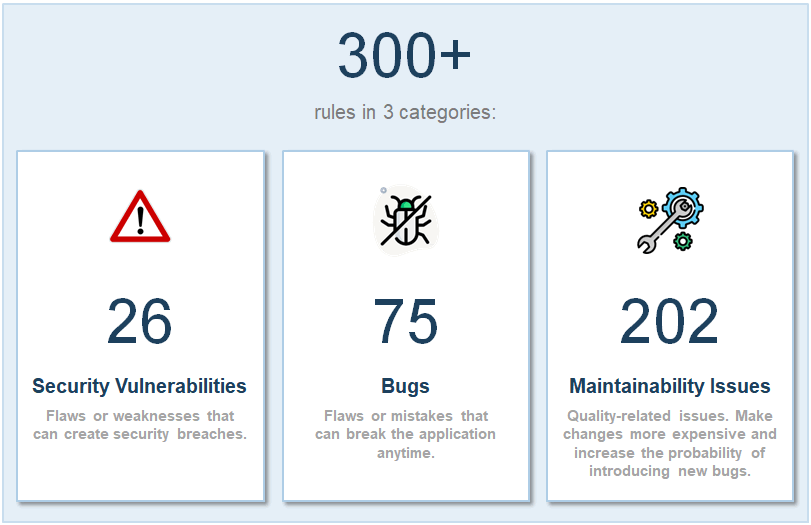
Escanee el código y encuentre vulnerabilidades de seguridad
Identifique y arregle los problemas de seguridad en su código:
- Identificación de usuario y contraseñas escritas en el código.
- Direcciones IP codificadas.
- Vulnerabilidades a los ataques de Inyecciones
- Problemas de acceso/protección de los datos
- Uso inadecuado o inseguro de la encriptación
- y más...
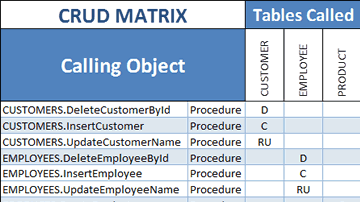
Revise las operaciones CRUD en su código SQL Server
(CREATE/READ/UPDATE/DELETE)
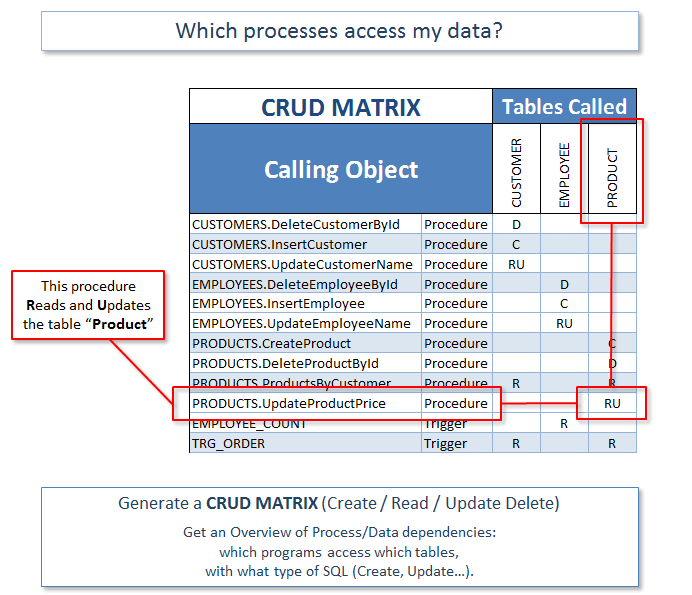
Genere una matriz CRUD que muestra qué objetos SQL Server acceden a sus datos, y de qué manera. Por ejemplo, qué procedimientos Transact SQL Crean/Leen/Actualizan/Suprimen Tablas.
- Analice el impacto de cambios de su esquema, por ejemplo the impact of changing your Schema, for example changing a table definition or adding an index.
- Estimate code complexity and development efforts.
- Find out which tables are never updated, deleted from multiple places, etc.
- Make sure every process has at least one input (R) and one output (CUD).
- Revise las dependencias entre su código SQL Server y su código PowerBuilder.
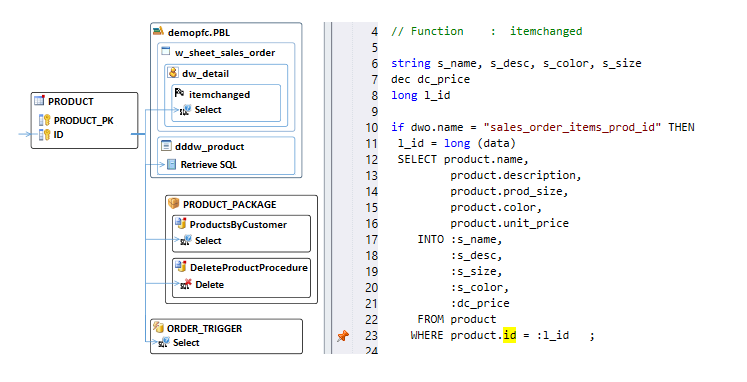
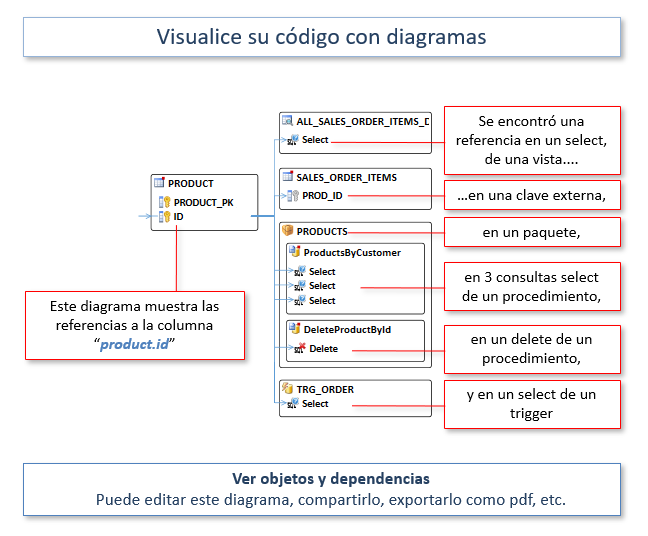
Genere diagramas a partir de su código
- Visualice los objetos y las relaciones.
- Los diagramas y el código fuente están sincronizados.
- Seleccione objetos para generar un diagrama.
- Si es necesario, ajuste la posición de los objetos con un editor.
- Guarde, exporte y comparta sus diagramas
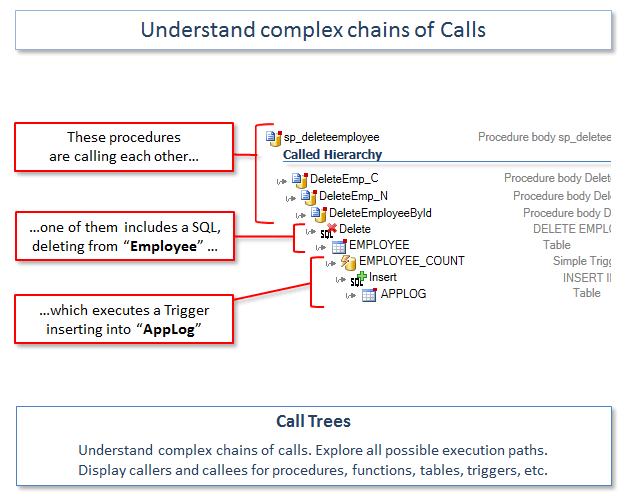
Explore cadenas complejas de llamadas
Indica los llamantes y llamadas de procedimientos, de tablas, de triggers… Navegue en su código.
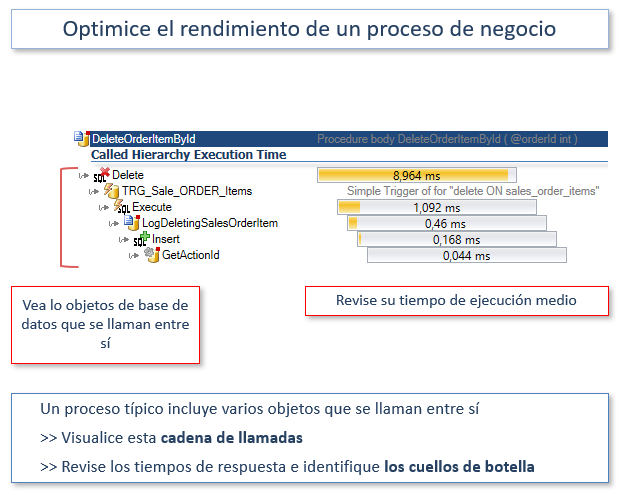
Entienda cadenas de llamadas complejas. Explore todos los caminos de ejecución posibles.
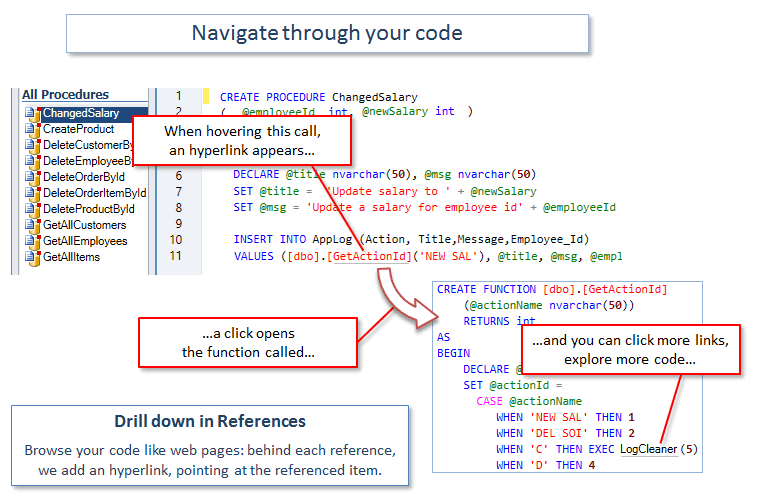
Navegue de manera vertical en el código, de un clic en los métodos referenciados o variables para ver sus definiciones.
Árboles de llamadas le ayuda evaluar los efectos de las modificaciones de su código.
Leer más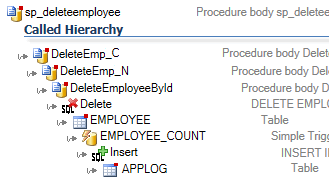
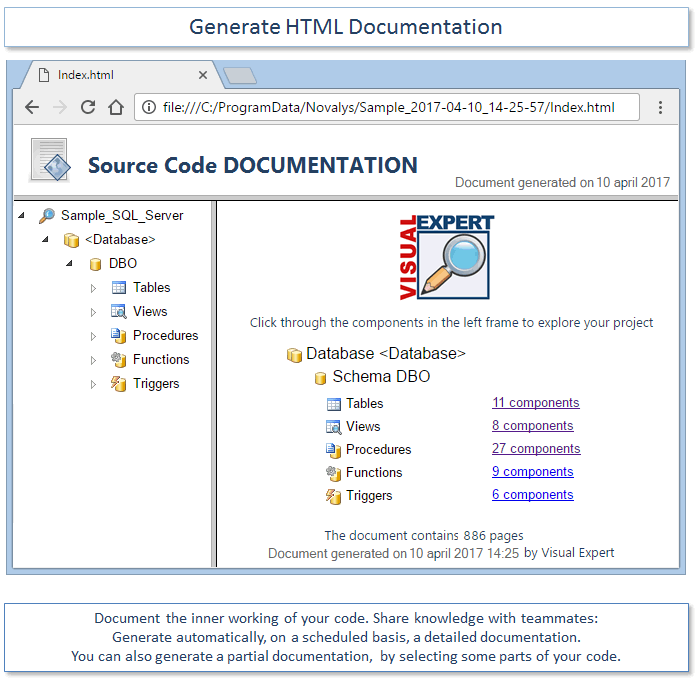
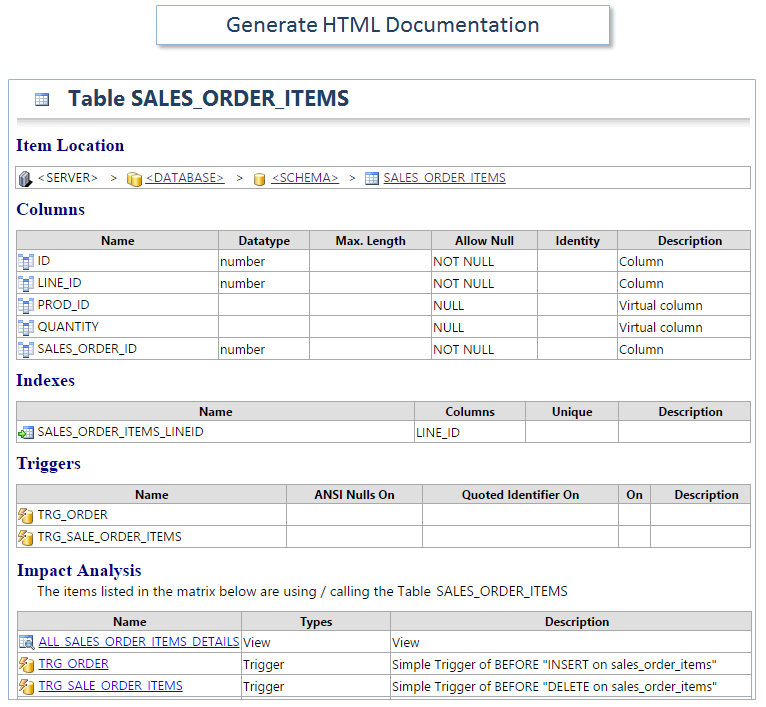
Documente su código SQL Server
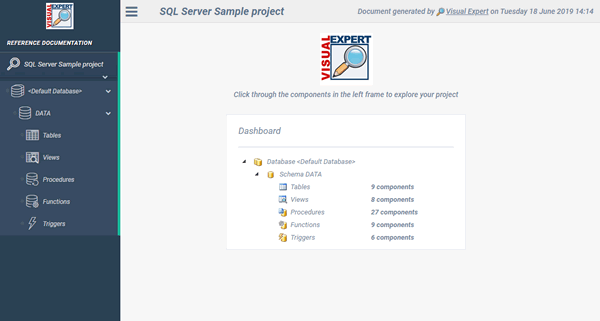
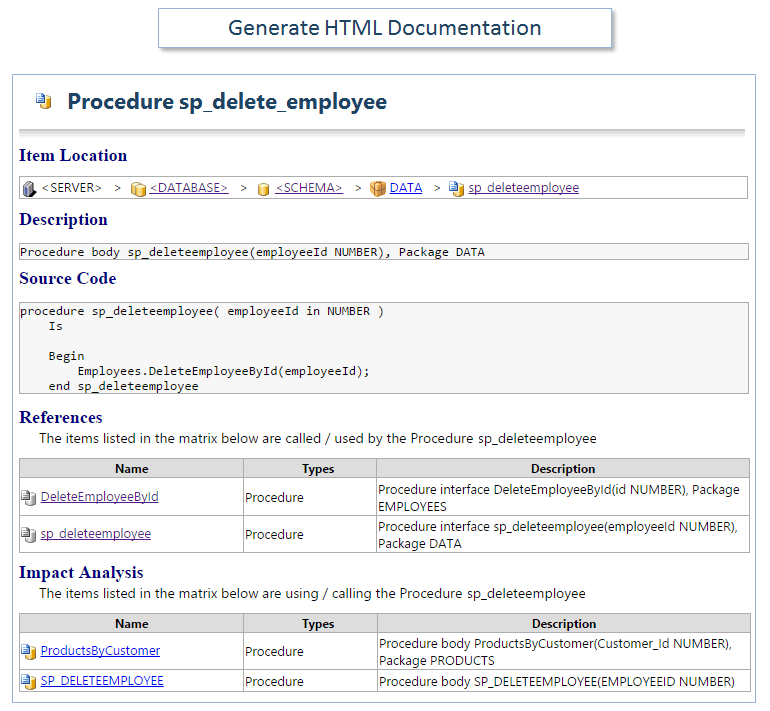
Genere documentación de su código fuente y cree instructivos de referencia en HTML.
Genere automáticamente los documentos de manera regular (tarea planificada).
Documente las referencias en su código y navegue de manera fácil entre ellas gracias a hiperenlaces. Mantenga su documentación siempre actualizada.
Comparta el conocimiento con los otros miembros de su equipo.
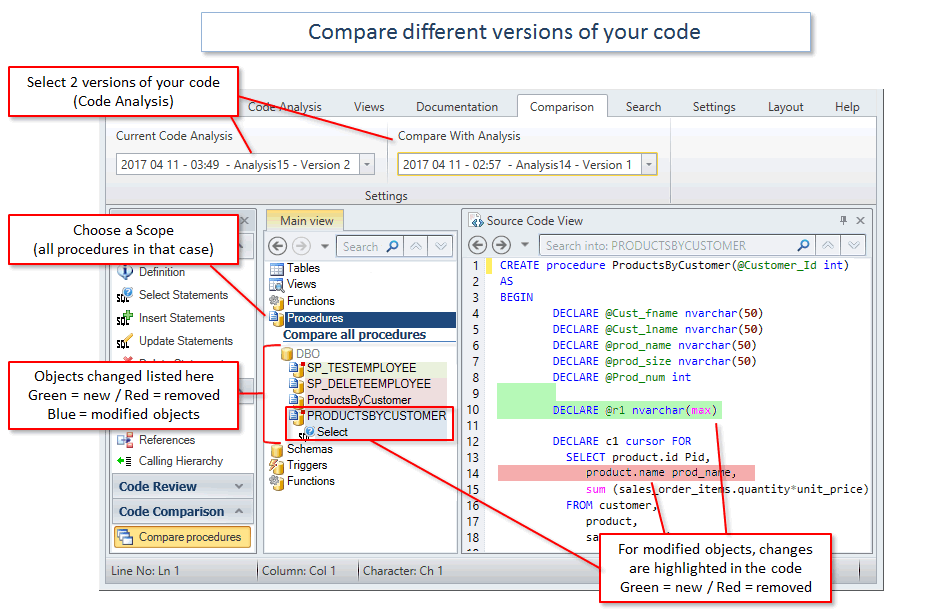
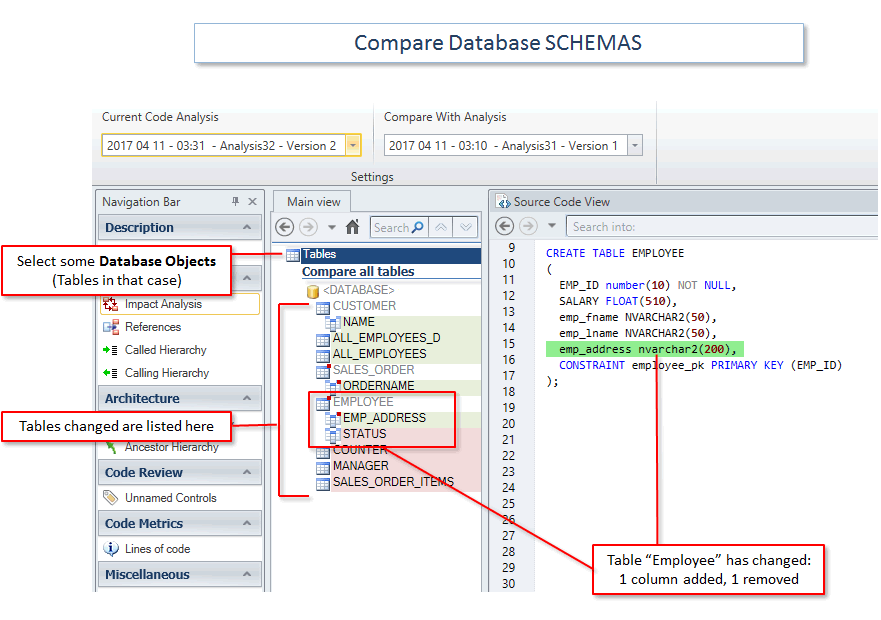
Comparación de código
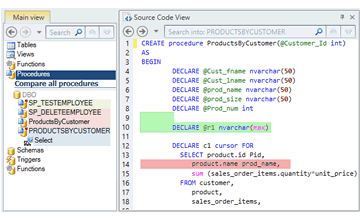
Pruebe una nueva manera de comparar su código:
- Ejecute comparaciones a nivel de su aplicación, no solo a nivel de un archivo o de un objeto.
- Las comparaciones se basan en la estructura del código: es mucho más poderoso como las comparaciones de texto.
- Busque las diferencias en una jerarquía de contenedores.
- Navegue de manera vertical para encontrar los cambios. Encuentre las diferencias para un dicho objeto, o categoría de objeto: Procedimientos, Tablas, Triggers…
- Encuentre las diferencias en un dicho contenedor, por ejemplo un paquete o un esquema.
- Guarde “capturas de pantalla” de su código de manera regular y comparelas cuando lo quiere.
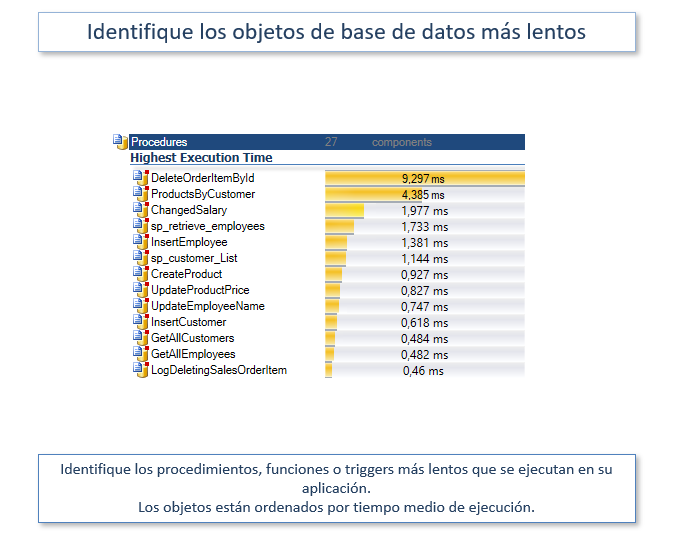
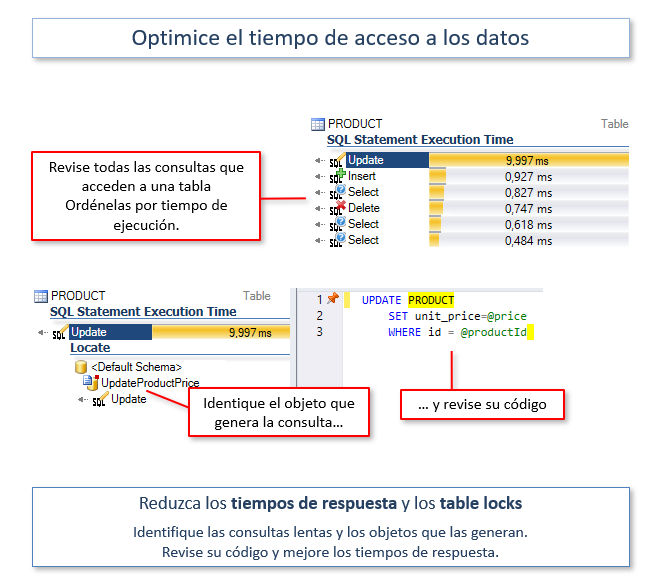
Mejore el rendimiento del código
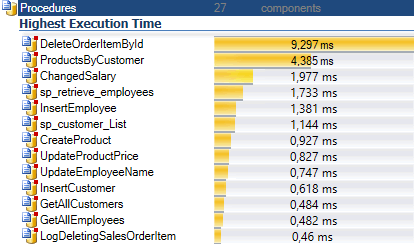
- Encuentre los procedimientos, funciones y triggers
- Reduzca el tiempo de acceso a una tabla determinada
- Descomponga el tiempo de ejecución de un objeto grande en subconsultas o instrucciones.
- Descomponga el rendimiento de una cadena de llamadas
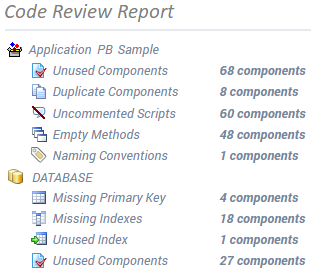
Mejorar la calidad del código
Limpie el código, reduzca los esfuerzos de mantenimiento. Evite los comportamientos inesperados.
- Identifique los objetos no utilizados y elimine el código muerto.
- Encuentre métodos vacíos, objetos duplicados, scripts de gran tamaño o sin comentarios.
- Produzca métricas de su código: número de líneas de código, objetos, métodos, variables...
- Revise las políticas de asignación de nombres.
- Encuentre objetos que no se heredan de un ancestro, etc.
- Verifique su código de acuerdo a cientos de reglas...
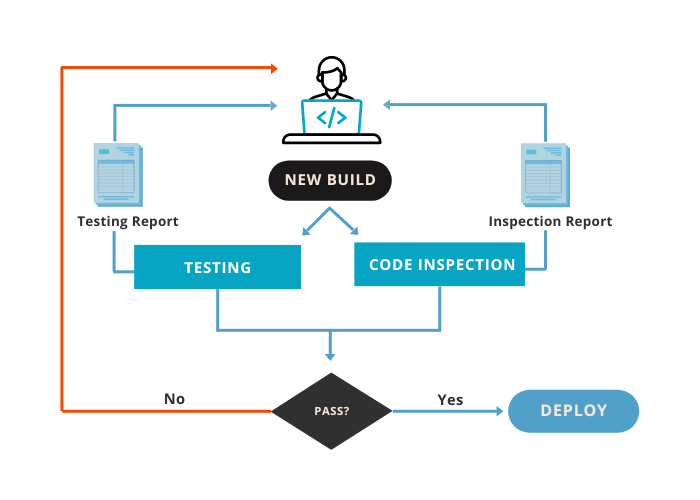
Inspección continua del Código
Aumente la calidad y la seguridad de su código.
Reduzca las deudas técnicas y los costos de mantenimiento.
Analice automáticamente su código SQL Server en busca de defectos, integrando la inspección continua en su pipeline CI/CD. Así se asegurará de que el código desarrollado por cada miembro de su equipo cumple los requisitos de calidad y seguridad antes de su despliegue.
Leer más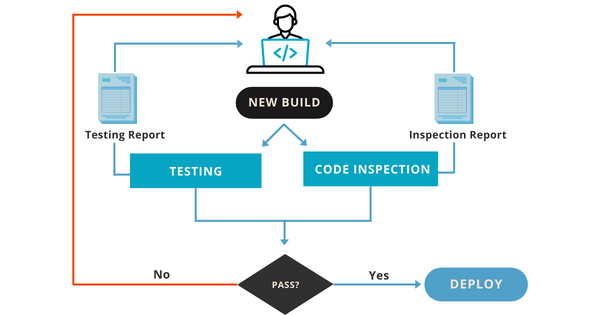
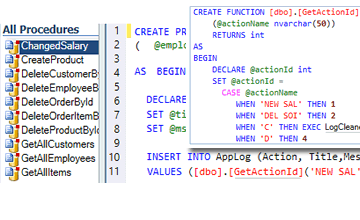
Entienda código complejo
Cuando mantiene aplicaciones complejas, puede necesitar entender mejor su código. Visual Expert es el compañero perfecto para su herramienta de desarrollo : TOAD u otros.
Explore la estructura de la aplicación. Entienda su funcionamiento.
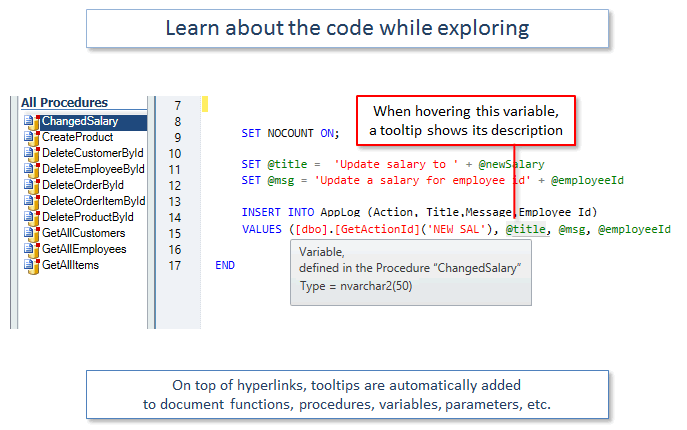
Navegue en su código gracias a hiperenlaces: cada referencia viene con un link que le dirige al elemento referenciado.
Los tooltips proveen información útil acerca de los objetos, métodos y variables.
Muchas funcionalidades avanzadas le permitirá ver su código desde varios ángulos.
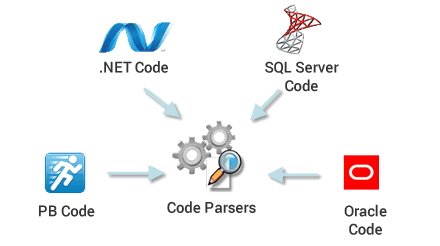
¿Como funciona?
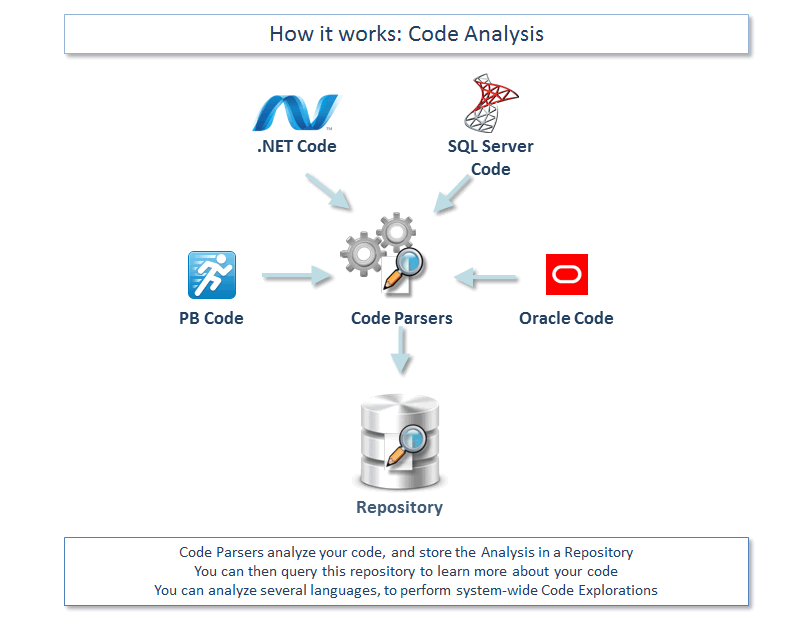
- El analizador de código analiza su código y almacena el análisis en un repositorio.
- Usted puede consultar este repositorio para entender mejor su código.
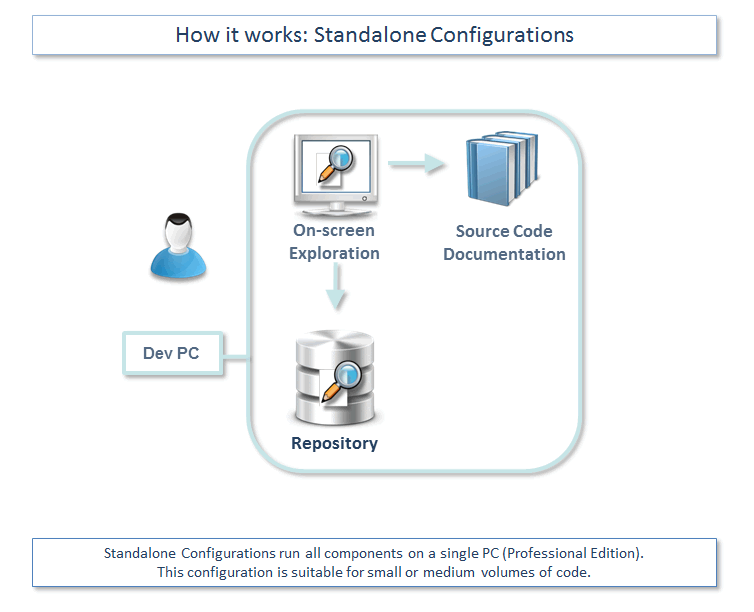
- Las configuraciones Standalone (Professional Edition) ejecutan todos los componentes en una máquina física. Recomendado para los volúmenes de código pequeños y medianos.
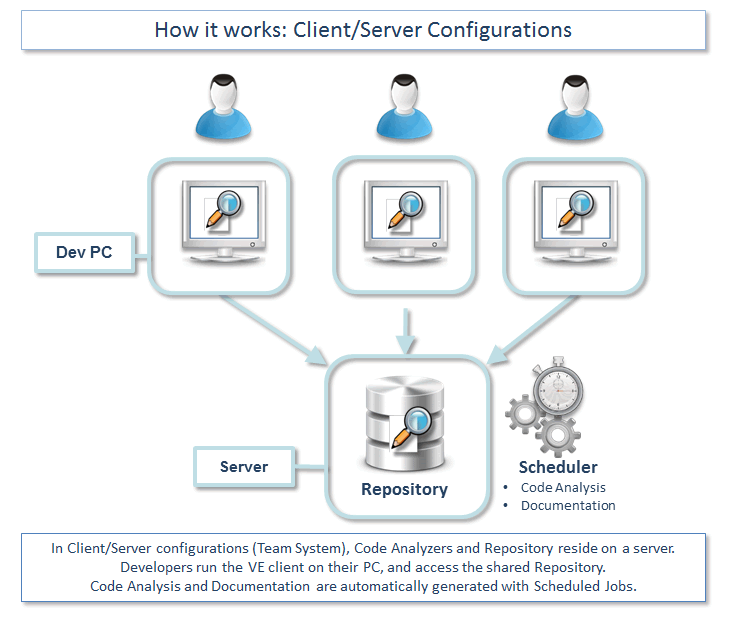
- En las configuraciones Cliente/Servidor (Team System), los analizadores de código y el repositorio se encuentran en el servidor. Los desarrolladores ejecutan una copia de VE desde sus máquinas y acceden a un repositorio compartido.
- El analizador de código y la documentación se generan automaticamente gracias a las tareas de planificación. Code Parsers analyze your code, and store the Analysis in a Repository.
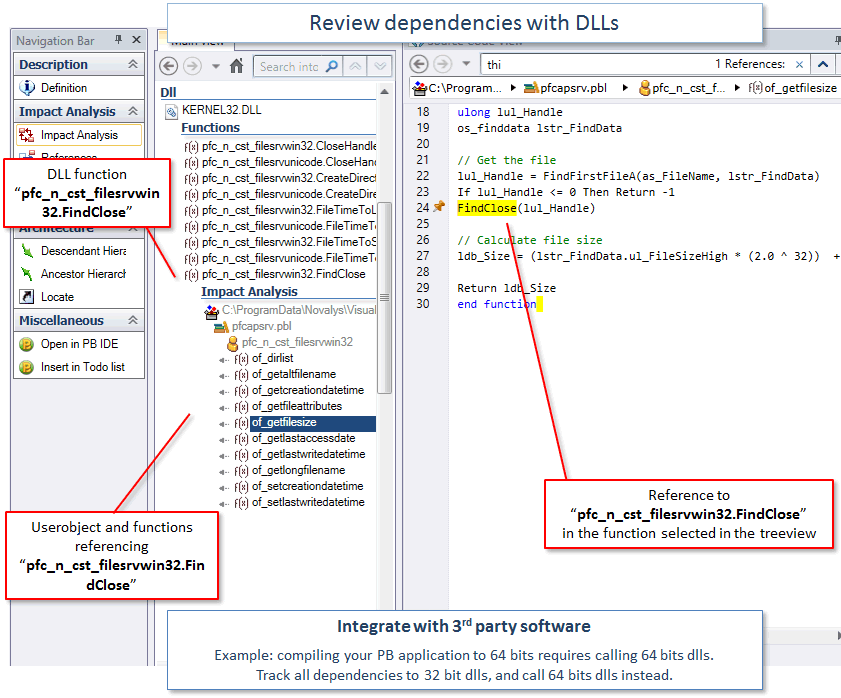
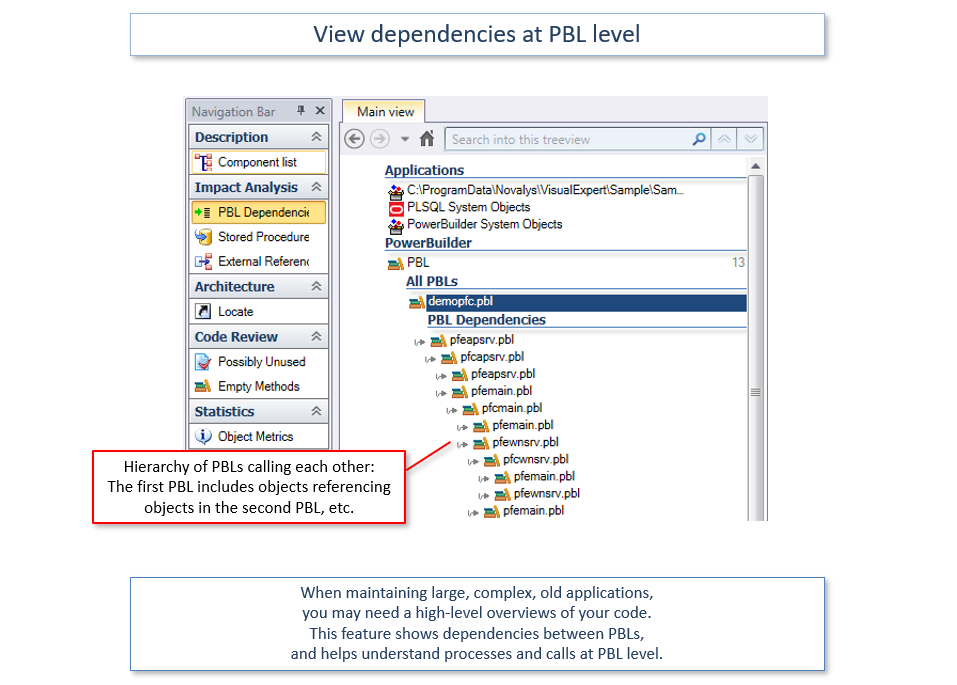
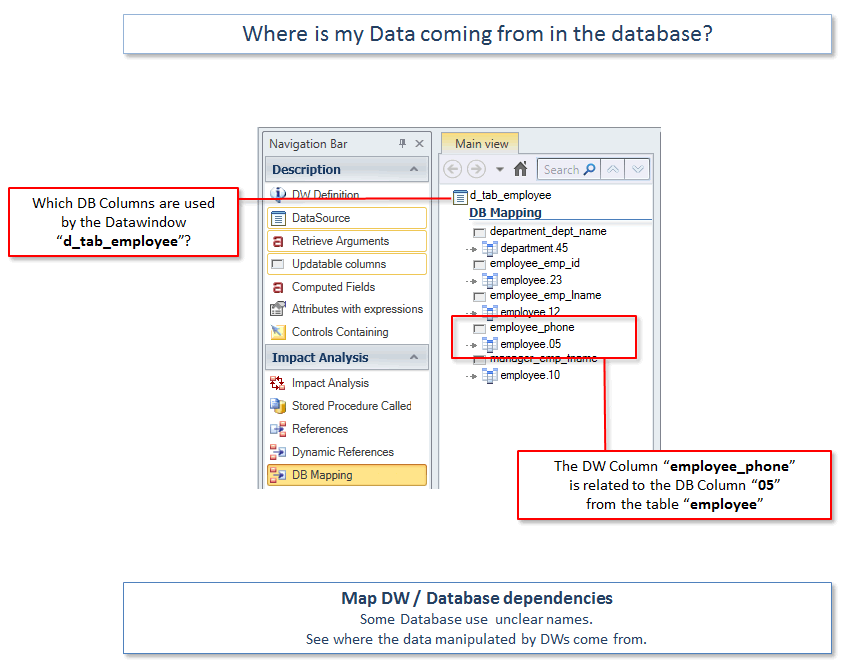

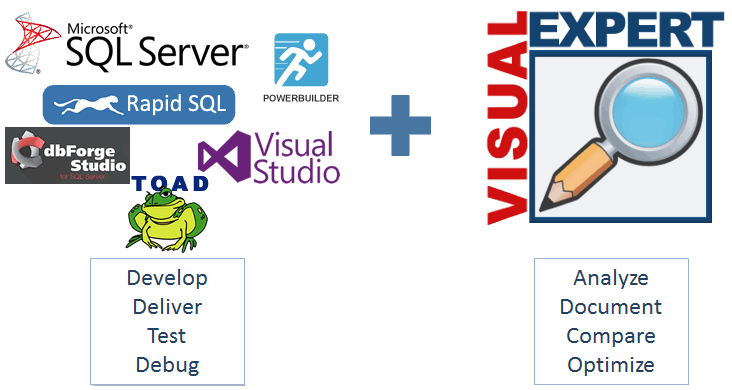
El perfecto compañero para su herramienta de desarrollo
Visual Expert provides a set of innovative features, that complement your preferred development tool.
Basically, your create the application with your development tool, then Visual Expert analyzes your code to help maintain and optimize it.
Feedback from our clients

Reduces expenses
Using VE's features allows a much quicker turnaround, reduces expenses and frees up resources for more productive work.
Become familiar with a new application in literally a few hours
(The) More you work with Visual Expert - more you understand how convenient it is. (...) I cannot remember so powerful a tool that allows a user to become familiar with a new application in literally a few hours